AI agent for chief information security officers
Security Exception and Risk Acceptance Agent
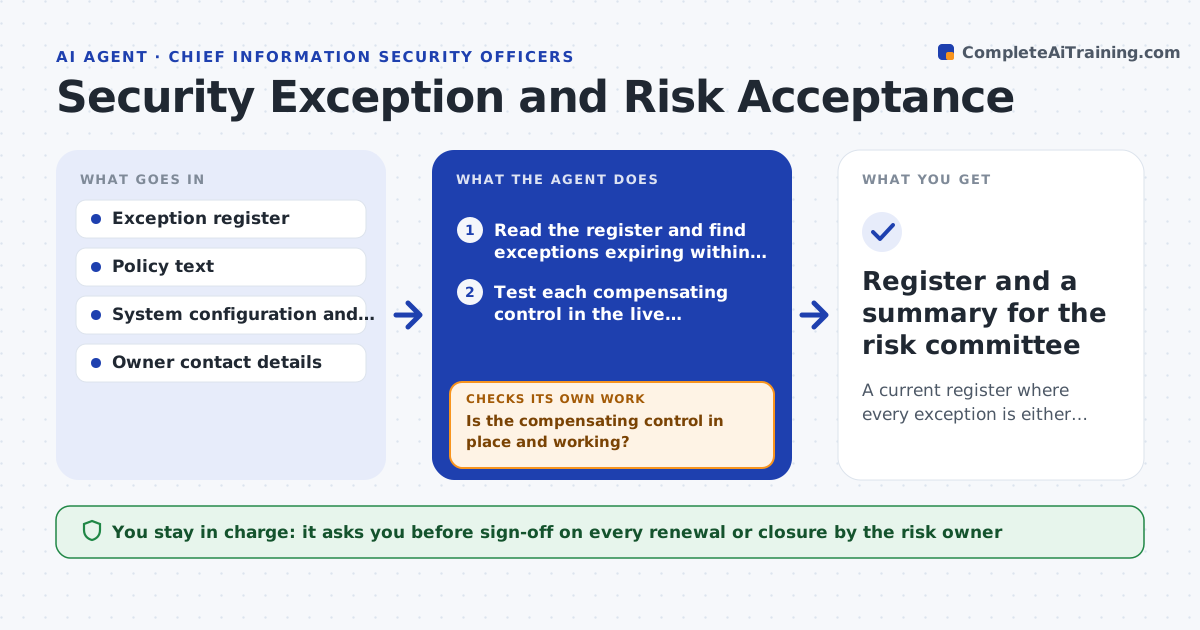
A current register where every exception is either valid and tested, renewed with sign-off, or closed
What it does
An exception granted for 90 days is easy to forget until an auditor asks. This agent keeps a register of every policy exception, with its owner, reason, expiry date and compensating control. Each week it checks upcoming expiry dates and tests whether the compensating control still works, for example that a firewall rule or monitoring alert is still in place. It chases the owner for evidence when something is unclear, then drafts a renewal or closure recommendation with the facts. If a control has failed, it loops back, asks for a fix and tests again before any renewal is considered. The risk owner signs off every renewal. Edge case: an exception with no named owner is escalated to the security lead and never auto-renewed.
How it works
Follow the arrows from top to bottom. The orange dashed arrow is the loop: when a check fails, the agent goes back and tries again.
Read the steps as a list
- Weekly review begins
- Read the register and find exceptions expiring within 30 days
- Test each compensating control in the live configuration
- Is the compensating control in place and working?If not: ask the owner for a fix or evidence, then test again. Back to step 3.
- Ask the owner whether the business reason still applies
- Draft a renewal or closure recommendation with evidence
- Does the owner have a name and a recorded reply?If not: escalate to the security lead and hold renewal. Back to step 4.
- Risk owner signs off each renewal or closureThe agent waits here for your OK.
- Update the register with the decision and new expiry
- Register and a summary for the risk committee
How it decides
An exception is recommended for renewal only when its control is tested and working and the business reason still applies. Otherwise closure is recommended.
- Start review 30 days before expiry
- Never renew an exception whose control test fails
- Limit any renewal to 90 days unless the owner justifies longer
- Escalate any exception with no named owner
Make it yours
Every agent is a starting point. You choose these settings for your own situation.
- Days before expiry to start review (default 30)
- Maximum renewal length (default 90 days)
- Control tests to run for each exception type
- Who receives the summary
What keeps you in control
It always asks you first
- Sign-off on every renewal or closure by the risk owner
Hard limits
- Never approves or renews an exception itself
- Keeps evidence for each decision
It stops when
- Done: all expiring exceptions have a decision
- Stop: the register cannot be read
Set it up
We guide you through the set-up, step by step
Members get the full set-up guide for this agent. No technical skills needed: you copy, paste and upload.
- One set of instructions to paste into your AI, with the clicks for ChatGPT, Claude, Microsoft 365 Copilot, Gemini and Grok
- The agent then walks you through connecting your own data, one source at a time
- A downloadable copy with the flow chart, the rules and the full guide