AI agent for systems engineers
Server Capacity Forecast Agent
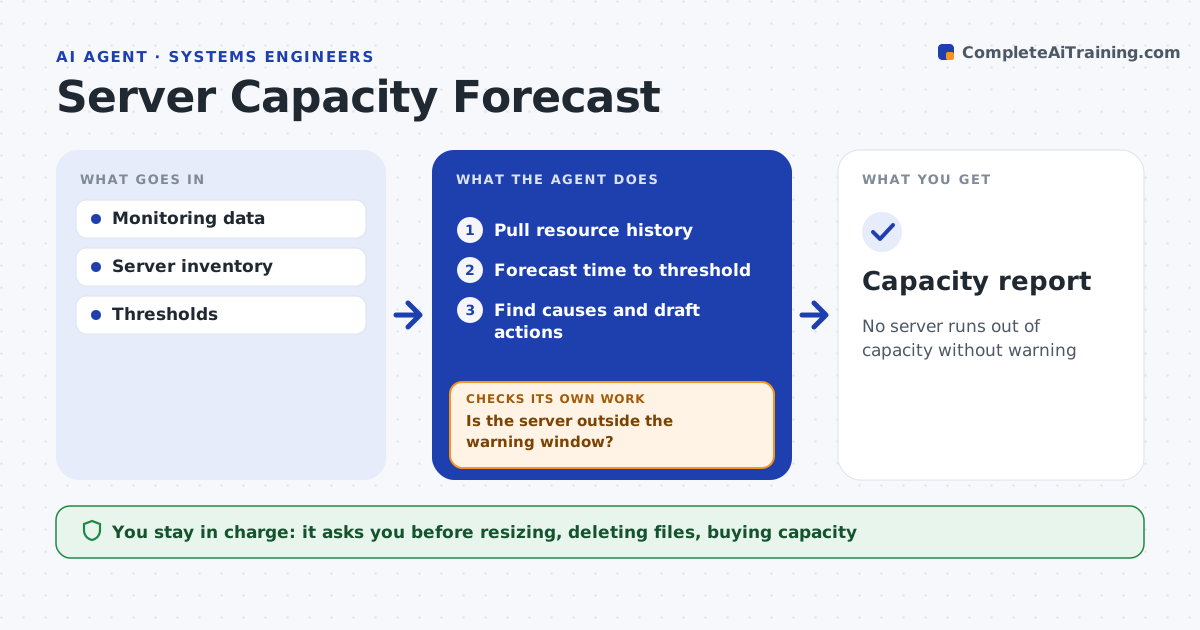
No server runs out of capacity without warning
What it does
Running out of disk or memory causes outages that are easy to prevent with a little warning. Each week this agent pulls resource usage history for every server and volume, forecasts when each will hit its limit, and looks for causes such as growing logs, old backups or a runaway process. For anything inside the warning window, it drafts an action, trying cheap fixes like log cleanup or archiving before resizing or buying capacity. The admin approves every change. After an action is made, the agent forecasts again. If the server is still inside the warning window, it moves to the next option and drafts that for approval. It keeps separate warning windows per resource, since disks fill slowly and memory can spike. Edge case: a sudden jump caused by one large file is treated as an incident to investigate, not as normal growth to forecast.
How it works
Follow the arrows from top to bottom. The orange dashed arrow is the loop: when a check fails, the agent goes back and tries again.
Read the steps as a list
- Weekly run
- Pull resource history
- Forecast time to threshold
- Find causes and draft actions
- Admin approves actionsThe agent waits here for your OK.
- Reforecast after the action
- Is the server outside the warning window?If not: draft the next option. Back to step 4.
- Capacity report
How it decides
It forecasts from the trend of the last 90 days and flags anything expected to cross 90 percent within 30 days.
- Sudden jumps treated as incidents
- Cleanup before buying capacity
- Forecast windows per resource
Make it yours
Every agent is a starting point. You choose these settings for your own situation.
- Threshold
- Warning window
- Servers in scope
- Data period
What keeps you in control
It always asks you first
- Resizing, deleting files, buying capacity
Hard limits
- Never deletes data without approval
- Read-only by default
It stops when
- Done: all servers clear
- Stop: needs budget
Set it up
We guide you through the set-up, step by step
Members get the full set-up guide for this agent. No technical skills needed: you copy, paste and upload.
- One set of instructions to paste into your AI, with the clicks for ChatGPT, Claude, Microsoft 365 Copilot, Gemini and Grok
- The agent then walks you through connecting your own data, one source at a time
- A downloadable copy with the flow chart, the rules and the full guide