AI agent for site reliability engineers
Server Health Watch Agent
Catch and fix server problems before users notice
What it does
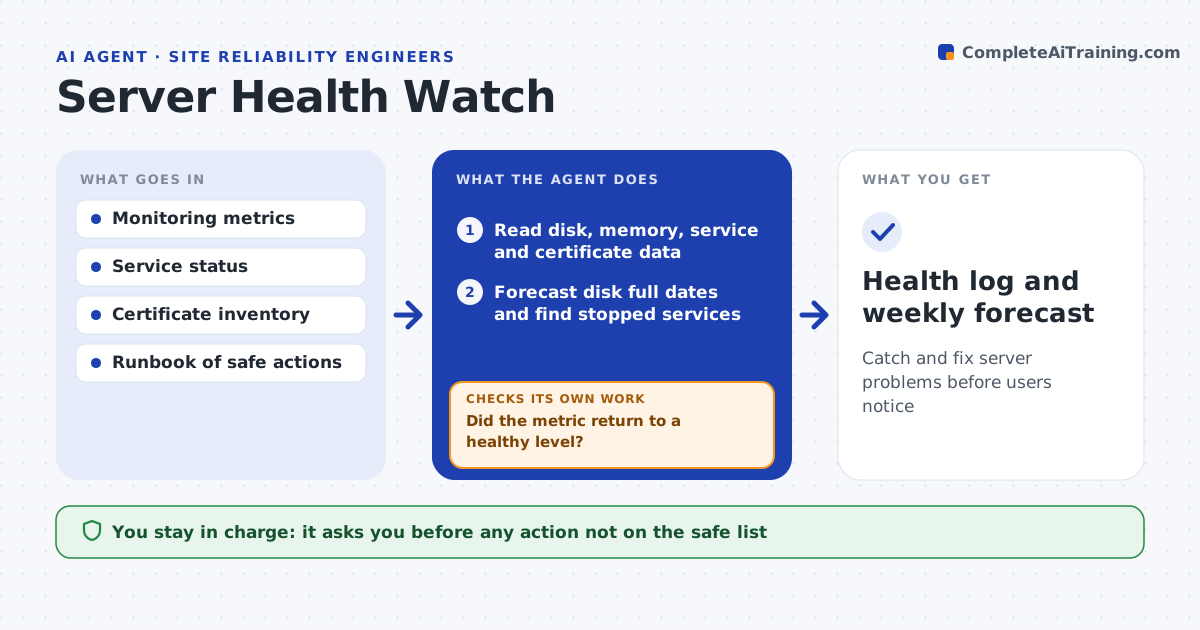
Small IT teams rarely watch every server metric all day, so disks fill and services stop quietly until a user complains. This agent reads monitoring data every hour for disk space, memory, failed services and certificate expiry. It predicts when each disk will fill based on recent growth. For actions on your safe list, such as clearing temp folders or restarting a hung service, it applies the runbook step and then checks whether the problem actually cleared. If not, it looks for the next cause or creates a ticket with the evidence. Certificates expiring inside your window get a renewal task. You approve anything outside the safe list. Edge case: a disk filling because of runaway logs is fixed by rotating logs, never by deleting database files on the same disk.
How it works
Follow the arrows from top to bottom. The orange dashed arrow is the loop: when a check fails, the agent goes back and tries again.
Read the steps as a list
- Hourly health check
- Read disk, memory, service and certificate data
- Forecast disk full dates and find stopped services
- Match each problem to a runbook action
- Apply safe runbook actions
- Did the metric return to a healthy level?If not: open a ticket with metrics and actions taken. Back to step 4.
- Admin approves actions outside the safe listThe agent waits here for your OK.
- Health log and weekly forecast
How it decides
It acts on its own only for runbook actions on the safe list, and only when the forecast shows a problem within the warning window.
- Warn when a disk is forecast to fill within 7 days
- Restart a service at most twice per day before escalating
- Create renewal tasks for certificates expiring in 30 days
Make it yours
Every agent is a starting point. You choose these settings for your own situation.
- Safe action list
- Warning window for disk forecasts (default 7 days)
- Certificate warning days (default 30)
- Servers in scope
What keeps you in control
It always asks you first
- Any action not on the safe list
- Restarting production databases
Hard limits
- Never deletes data files or databases
- Only runs commands on the approved list
It stops when
- Done: all servers healthy or ticketed
- Stop: monitoring data is stale
Set it up
We guide you through the set-up, step by step
Members get the full set-up guide for this agent. No technical skills needed: you copy, paste and upload.
- One set of instructions to paste into your AI, with the clicks for ChatGPT, Claude, Microsoft 365 Copilot, Gemini and Grok
- The agent then walks you through connecting your own data, one source at a time
- A downloadable copy with the flow chart, the rules and the full guide