AI agent for inventory control specialists
Service Van Stock Replenishment Agent
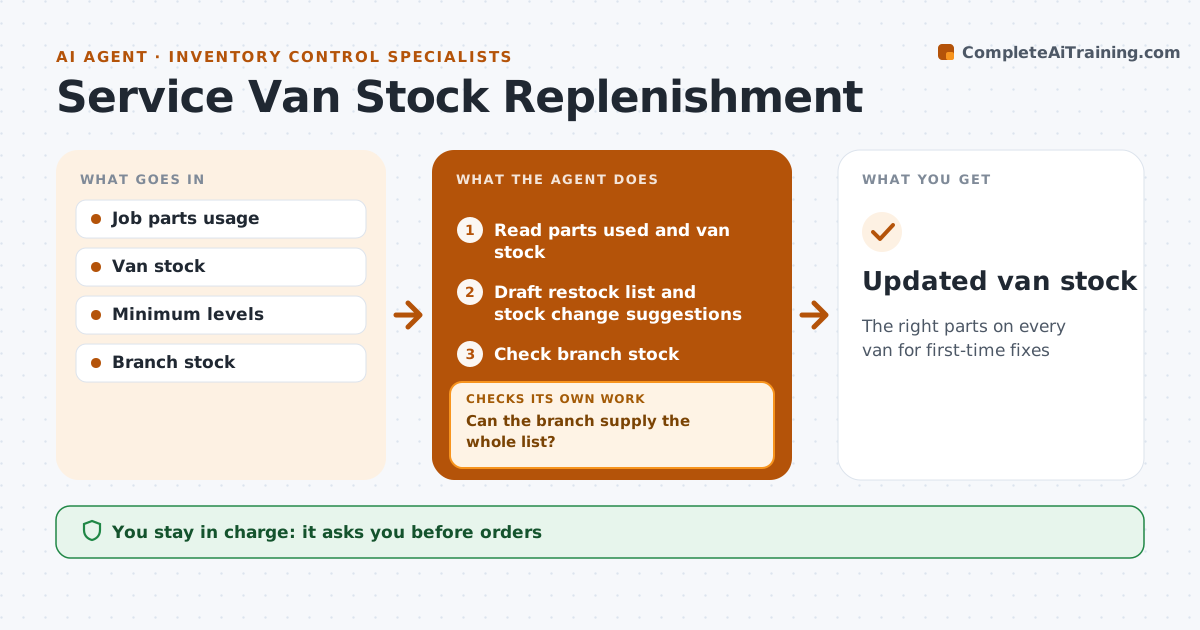
The right parts on every van for first-time fixes
What it does
A van's stock decides how many jobs are fixed on the first visit, but stock lists are often set once and never reviewed. Each week this agent reads parts used on each job, current van stock and minimum levels, and drafts a restock list to bring every part back to its minimum. It also reviews the last 90 days. A part needed but missing three or more times is suggested for adding, and a part with no movement in 180 days is suggested for removal. One-off jobs do not change minimums. It checks the list against branch stock. If the branch is short, it drafts a transfer or order request and rechecks. The coordinator approves orders and changes to the van's standard stock. After the restock, it confirms the van count matches. Edge case: a part recalled by the maker is removed from all vans at once.
How it works
Follow the arrows from top to bottom. The orange dashed arrow is the loop: when a check fails, the agent goes back and tries again.
Read the steps as a list
- Weekly restock day
- Read parts used and van stock
- Draft restock list and stock change suggestions
- Check branch stock
- Can the branch supply the whole list?If not: draft transfer or order request for shortages. Back to step 3.
- Coordinator approves orders and stock changesThe agent waits here for your OK.
- Confirm van count after restock
- Updated van stock
How it decides
Restock to minimum levels, and suggest adding a part when it was needed but missing three or more times in 90 days.
- Three misses in 90 days suggests adding a part
- No movement in 180 days suggests removal
- One-off jobs do not change minimums
Make it yours
Every agent is a starting point. You choose these settings for your own situation.
- Minimum levels
- Miss count rule
- Removal rule
- Restock day
What keeps you in control
It always asks you first
- Orders
- Standard stock changes
Hard limits
- Never places orders
- Never changes minimums without approval
It stops when
- Done: van restocked and counted
- Stop: count mismatch, ask technician to recount
Set it up
We guide you through the set-up, step by step
Members get the full set-up guide for this agent. No technical skills needed: you copy, paste and upload.
- One set of instructions to paste into your AI, with the clicks for ChatGPT, Claude, Microsoft 365 Copilot, Gemini and Grok
- The agent then walks you through connecting your own data, one source at a time
- A downloadable copy with the flow chart, the rules and the full guide