AI agent for transportation managers
Shipment Exception Management Agent
Catch and fix shipment problems before customers notice
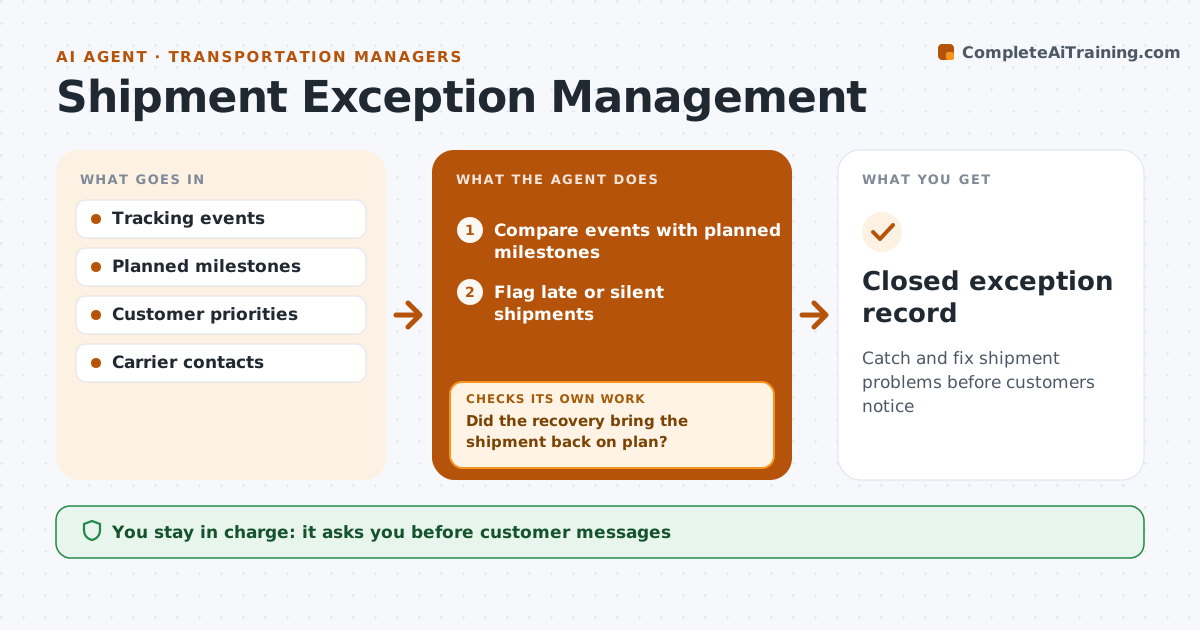
What it does
Shipments get delayed by missed pickups, weather, customs holds or failed deliveries, and customers often hear about it before the coordinator does. With each tracking update, this agent compares events with planned milestones for every open shipment. A shipment is an exception if it misses a milestone or has no scan for 48 hours, even if it is not yet late. Priority customers are handled first. For each exception it gets the cause from carrier updates, drafts a recovery option such as an expedited reship or a new appointment, and drafts a customer update. The coordinator approves customer messages and any extra cost. It then watches whether the recovery worked. If the shipment is still off plan, it raises the next option. Edge case: a shipment with no scan for 48 hours is treated as an exception even when it is still inside its delivery window.
How it works
Follow the arrows from top to bottom. The orange dashed arrow is the loop: when a check fails, the agent goes back and tries again.
Read the steps as a list
- Tracking update received
- Compare events with planned milestones
- Flag late or silent shipments
- Get cause from carrier updates
- Draft recovery option and customer update
- Coordinator approves messages and extra costThe agent waits here for your OK.
- Did the recovery bring the shipment back on plan?If not: raise the next recovery option. Back to step 4.
- Closed exception record
How it decides
A shipment is an exception if it misses a milestone or has no scan for 48 hours; priority customers are handled first.
- 48 hours without a scan is an exception
- Priority customers first
- Extra cost needs approval
Make it yours
Every agent is a starting point. You choose these settings for your own situation.
- Silence threshold (default 48 hours)
- Priority customer list
- Recovery options and cost limits
- Message templates
What keeps you in control
It always asks you first
- Customer messages
- Expedites and extra cost
Hard limits
- Never books expedites itself
- Never promises delivery dates without approval
It stops when
- Done: shipment delivered
- Stop: shipment lost, start a claim
Set it up
We guide you through the set-up, step by step
Members get the full set-up guide for this agent. No technical skills needed: you copy, paste and upload.
- One set of instructions to paste into your AI, with the clicks for ChatGPT, Claude, Microsoft 365 Copilot, Gemini and Grok
- The agent then walks you through connecting your own data, one source at a time
- A downloadable copy with the flow chart, the rules and the full guide