AI agent for 3d artists
Shot List Coverage Gap Agent
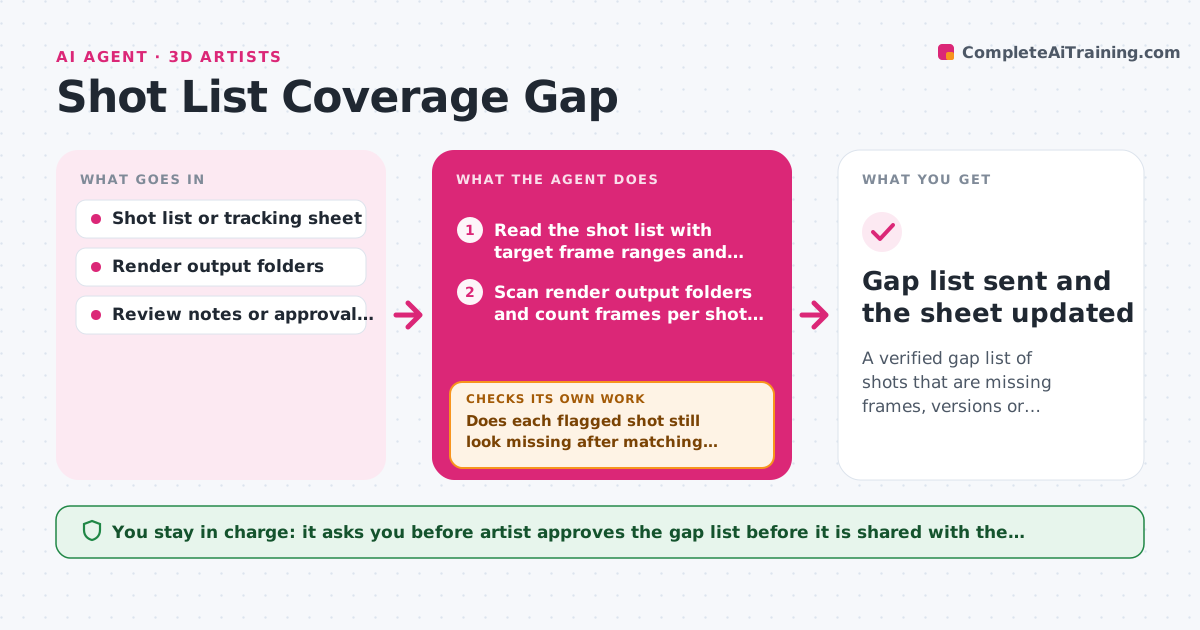
A verified gap list of shots that are missing frames, versions or approvals, ready for the lead
What it does
On a shot-based project, the tracking sheet and the render folders slowly drift apart. Files get renamed, versions pile up and an approval lives in someone's email. Each Friday this agent reads the shot list and the render output folders and compares expected frame ranges with the frames that exist. It flags shots with missing frames, stale versions or no render at all. For each gap it checks the review notes to decide whether the shot is truly missing or just renamed, and whether the approval status is blank because nobody signed off or because the sign-off was never logged. If a shot looks complete but has no approval, it loops back to the notes to find the latest sign-off. The artist approves the gap list before it goes to the lead. Edge case: a shot renamed from sh040 to sh040_v2 would look missing, so the agent matches by frame range and date before raising it.
How it works
Follow the arrows from top to bottom. The orange dashed arrow is the loop: when a check fails, the agent goes back and tries again.
Read the steps as a list
- Friday shot review begins
- Read the shot list with target frame ranges and statuses
- Scan render output folders and count frames per shot and version
- Compare frames found with frame ranges expected
- Does each flagged shot still look missing after matching renamed files by frame range and date?If not: Remap the renamed or moved folders, then rescan those shots. Back to step 3.
- Search review notes for the latest sign-off on each shot that looks complete
- Does every complete shot have a logged approval?If not: Search older notes and emails for the sign-off, and mark it unapproved if none exists. Back to step 6.
- Build the gap list: missing frames, stale versions, no approval
- Artist reviews the gap list before it goes to the leadThe agent waits here for your OK.
- Gap list sent and the sheet updated
How it decides
A shot is a real gap only if no folder holds matching frames and no note shows a rename or sign-off. Renamed or relocated files are matched by frame range and date before anything is flagged.
- Flag a shot as missing when fewer than 100 percent of its expected frames exist in the latest version folder
- Treat a version as stale when the shot has newer notes or a newer scene file than the render date
- Treat a missing approval as a gap only after notes older than 30 days were searched
- Rank gaps by delivery date, soonest first
Make it yours
Every agent is a starting point. You choose these settings for your own situation.
- Folder naming pattern for shots and versions
- Review day and time (default Friday)
- Minimum frame coverage counted as complete (default 100 percent)
- Who receives the gap list
- How far back to search for approvals (default 30 days)
What keeps you in control
It always asks you first
- Artist approves the gap list before it is shared with the lead
Hard limits
- Never delete, move or rename render files
- Never mark a shot approved without a dated sign-off
It stops when
- Done: Every shot is either confirmed complete with an approval or listed as a gap
- Stop: The shot list or render folder cannot be read, so the agent reports what it could not access
Set it up
We guide you through the set-up, step by step
Members get the full set-up guide for this agent. No technical skills needed: you copy, paste and upload.
- One set of instructions to paste into your AI, with the clicks for ChatGPT, Claude, Microsoft 365 Copilot, Gemini and Grok
- The agent then walks you through connecting your own data, one source at a time
- A downloadable copy with the flow chart, the rules and the full guide