AI agent for construction contractors
Small Job Backlog Scheduling Agent
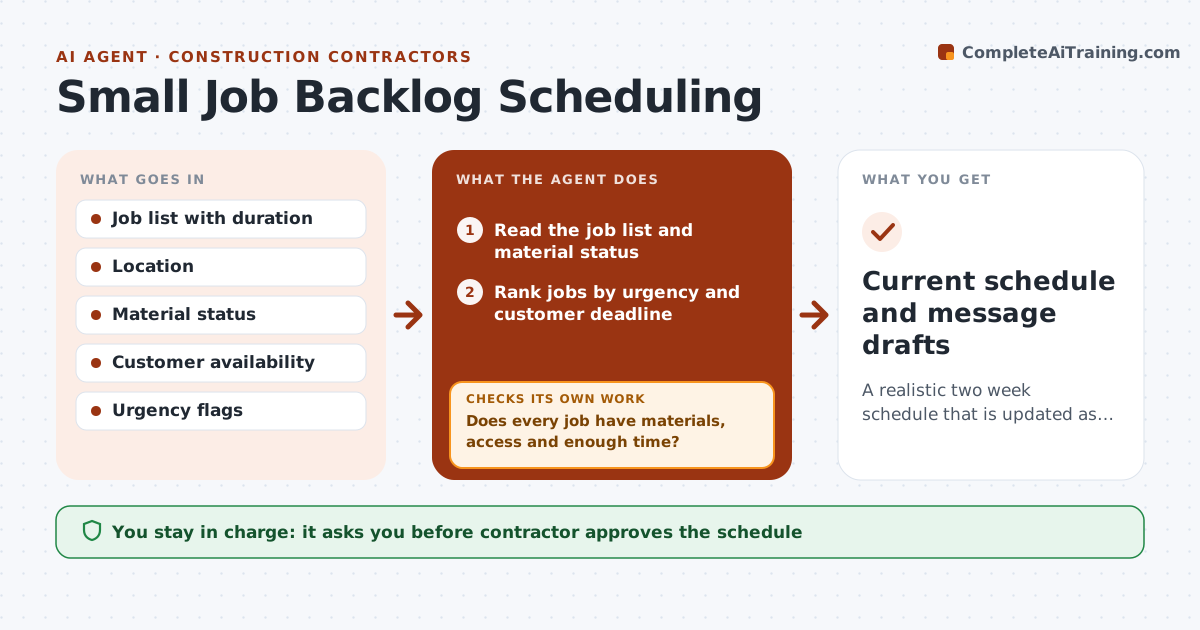
A realistic two week schedule that is updated as jobs change, with customers informed.
What it does
You have 14 jobs in your head: two quotes, three callbacks, a bathroom and a deck waiting on lumber. No one knows when anything will happen. This agent reads your job list with durations, travel time, material wait and customer availability, and builds a two week schedule. When jobs run over or cancel, it rechecks and fills gaps with smaller jobs. It drafts date messages for each customer and updates them when things move. You approve the schedule and all messages. Edge case: a callback for a leaking pipe goes to the top, ahead of a planned small job.
How it works
Follow the arrows from top to bottom. The orange dashed arrow is the loop: when a check fails, the agent goes back and tries again.
Read the steps as a list
- Sunday run or job change
- Read the job list and material status
- Rank jobs by urgency and customer deadline
- Group jobs by location and estimate travel
- Build the two week schedule
- Does every job have materials, access and enough time?If not: Move the job to a later slot and fill the gap with a ready job. Back to step 4.
- Contractor approves the scheduleThe agent waits here for your OK.
- Draft date messages to customers
- Contractor approves messages before sendingThe agent waits here for your OK.
- Update the schedule as jobs run over or cancel
- Current schedule and message drafts
How it decides
It puts urgent and safety jobs first, groups jobs by location, and holds any job whose materials are not in.
- Leaks, gas and electrical safety jobs come first
- Group jobs within 20 minutes of travel
- Hold a job until materials are confirmed
- Add 20% buffer for jobs older than 20 years
Make it yours
Every agent is a starting point. You choose these settings for your own situation.
- Working hours
- Buffer percent (default 20%)
- Travel limit
- Urgent job types
What keeps you in control
It always asks you first
- Contractor approves the schedule
- Contractor approves each customer message
Hard limits
- Never message customers itself
- Never book beyond the contractor's available hours
It stops when
- Done: two week schedule approved
- Stop: job list is missing durations
Set it up
We guide you through the set-up, step by step
Members get the full set-up guide for this agent. No technical skills needed: you copy, paste and upload.
- One set of instructions to paste into your AI, with the clicks for ChatGPT, Claude, Microsoft 365 Copilot, Gemini and Grok
- The agent then walks you through connecting your own data, one source at a time
- A downloadable copy with the flow chart, the rules and the full guide