
Learning path
Learning AI as a Dispatcher
Dispatchers make fast decisions with incomplete information. This path shows you how to use AI to write clearer notes, sort calls by urgency, and hand over a shift without losing anything.

Your path
Everything in the Dispatcher AI kit, in the order that makes sense. Members tick off each step and see their progress.
Set up your AI
We guide you through each click.
Let skills do your everyday tasks
Connect your apps and pick your AI apps
Hand whole tasks to AI agents
Build your own tools
Keep growing
Everything for dispatchers
All the courses, certifications, AI tools, MCP servers and apps for dispatchers, most relevant first. Open any list to see more.
Take the prompt courses
A short framework course to learn how to ask, then 8 lessons with ready-to-use prompts for dispatchers.
Start with this framework: how to talk to AI
CARE lets you turn an urgent tow dispatch into reusable context, action, result, example guiding better choices on later calls.
Then your prompt course for dispatchersWatch the video courses or add them to your Favorites for later
98 video courses our AI picked for dispatchers, most useful first. Save the ones you want to watch later with the heart.
Favorites are saved to your account: sign in or get your AI kit first.
Show all 98 video courses
Get certified, or add certifications to your Favorites
Every course ends in an exam and a certificate you can add to LinkedIn. Save the certifications you are aiming for with the heart.
Favorites are saved to your account: sign in or get your AI kit first.
More certifications for dispatchersShow all 24 certifications
Try the AI tools for dispatchers
5 AI tools our AI matched to the work of dispatchers, best fit first. Each review shows what it does, its alternatives and the jobs it suits.
Favorites are saved to your account: sign in or get your AI kit first.
Connect your AI to the apps dispatchers use
MCP servers let ChatGPT, Claude or Copilot look things up and get work done in other apps, like your email, calendar or bookkeeping software. These 12 fit the work of dispatchers best, well-known apps first.
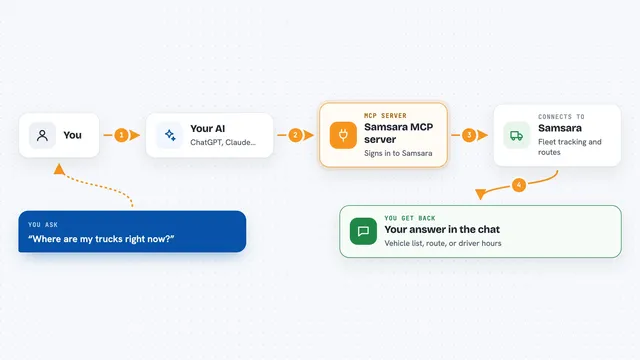
Samsara MCP server
by AutomationSquadOSLets your AI look up vehicles, build and optimize routes, and check driver hours in Samsara.

Google Maps MCP server
by cablateLets your AI look up places, routes, travel times, weather and local rankings using Google Maps.

ThinAir Geo MCP server
by ThinAirTelematicsLook up addresses, plan routes, check traffic and weather, and find places, all from your AI chat.
APINo install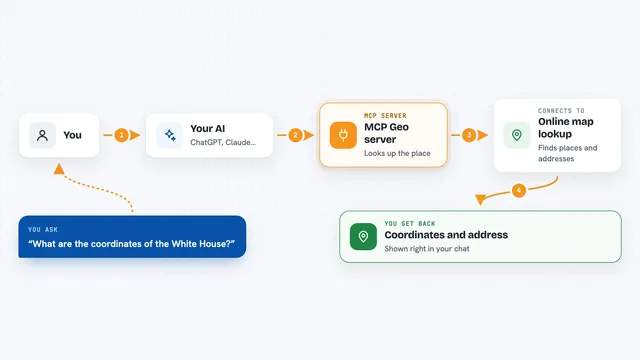
MCP Geo server
by webcoderzTurn addresses into map coordinates and back, and measure distances between places, right inside your chat.

GeoWire MCP server
by geowireLet your AI find places, give directions, and analyze neighborhoods right inside your chats.

Crisphive MCP server
by crisphiveLets your AI book, quote, and reschedule field-service jobs using live technician availability.
Productivity OfficialShow all 12 MCP servers
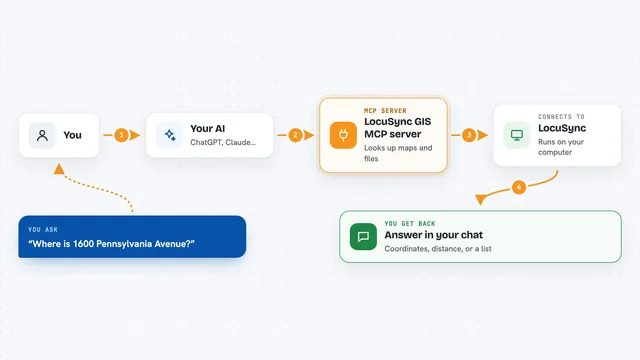
LocuSync GIS MCP server
by matbel91765Let your AI look up addresses, map routes, check elevations, and work with map files for you.

Stadia Maps MCP server
by stadiamapsLet your AI look up addresses, time zones, routes, and make maps for you.

Geomelon MCP server
by 930m310nLets your AI look up cities, countries, regions and languages, and autocomplete place names.
Research Official
sthan.io MCP server
by sthan-ioLet your AI check, split up, and find US addresses, plus look up where an IP address is.

Danish Address Lookup MCP server
by aneal99Lets your AI look up Danish addresses and coordinates from the official Datafordeleren register.
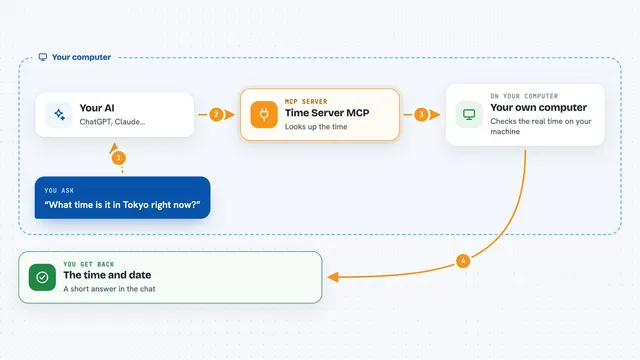
Time Server MCP
by SecretiveShellLets your AI tell you the exact time and date in any city or timezone you ask about.
Build your own AI apps for dispatchers
Apps you build yourself with your own AI, no coding needed and no monthly fee. Our AI picked the 4 that fit the work of dispatchers.
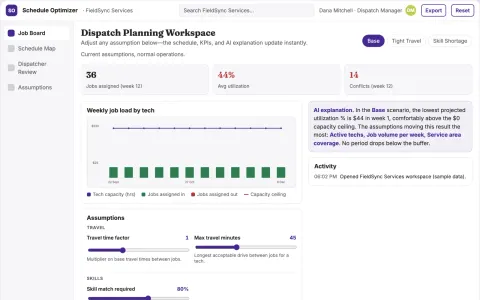
Service scheduling coordinator
Transparent job eligibility and scheduling constraints for a specific service trade.
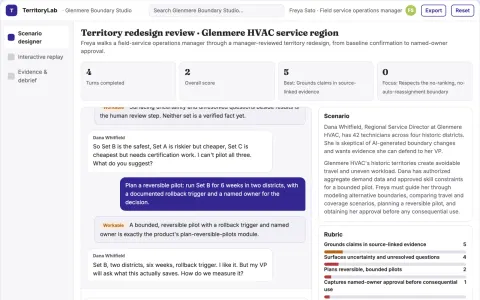
Service territory redesign simulator
Improve delivered service capacity with measurable logistics tests.
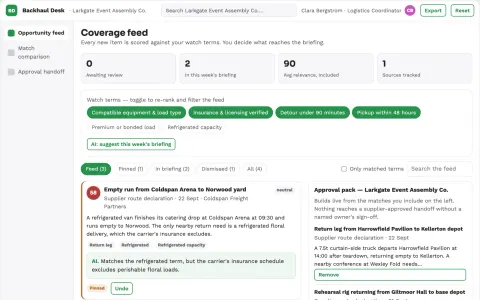
Event supplier backhaul matcher
Turn empty capacity into additional contribution.
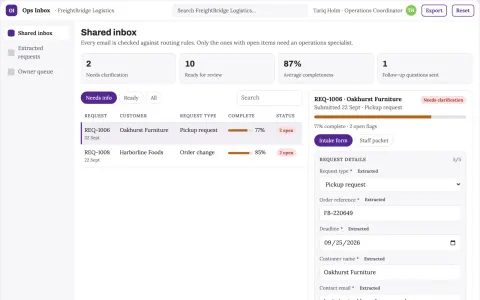
Operational inbox management
Business identifiers and deadlines drive routing rather than subject keywords alone.


































































































About this learning path
7 topicsAI skills for dispatchers who keep things moving
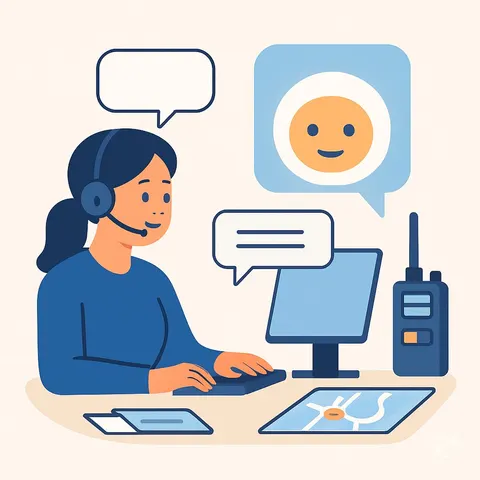
Dispatch work is a stream of small decisions made quickly. A call comes in, you sort it, you send someone, you write it down, and then the next one arrives. AI will not make those decisions for you, but it can take the writing and sorting off your hands so your attention stays on the call.
This path is built for dispatchers, not programmers. You will set up one AI tool, learn a handful of prompts that match your day, and practice them on real tasks like intake notes, assignments, and shift handovers.
Why AI matters for dispatchers
Call volumes rise, staffing stays tight, and the systems you type into keep multiplying. Most dispatchers lose time not to the calls themselves but to the writing around them: notes, messages, logs, and handovers.
AI is good at exactly that part. It turns a rushed paragraph into a clean note, sorts a list by urgency, and drafts a short assignment. You still check every word before it goes out.
What the path includes
You start with a few setup questions so the path fits your role, whether you dispatch ambulances, trucks, field crews, or service vans. Then you connect an AI tool you already have access to, such as ChatGPT, Claude, or Gemini.
From there you get short lessons on the skills that matter in dispatch, then this prompt course, then video courses chosen for your job. Each video course shows its certification, so you can see what you would earn by finishing it.
How it saves you time
The biggest wins are the small ones repeated all shift. Intake notes that used to take four minutes take one. A handover that used to be scribbled on the back of a form is written while the details are fresh.
Routine callers get clear answers without holding the channel. Field teams get assignments they can act on the first time. The minutes add up to a calmer shift.
How it protects your career
Dispatch is a job where judgment matters and mistakes are visible. This path keeps you in charge of every decision. The AI drafts, you decide, and your name stays on work you are happy to stand behind.
It also builds a skill that centers are starting to look for. Being the dispatcher who can use these tools well, and explain why, is worth something at review time and in interviews.
Keeping calls and data safe
You will learn what is fine to paste into an AI tool and what should never leave your systems: names, addresses, medical details, and anything your center treats as protected.
The lessons show you how to work with the shape of a call rather than the private details, and how to follow your own center's rules first when they are stricter than the general advice.
How to start
Set aside about twenty minutes for the setup questions and another half hour to connect your AI tool and try the first prompt. Do that on a quiet shift if you can.
Then pick one task you do every day, such as intake notes, and use the prompt for a week. Once it feels normal, add the next one. Most dispatchers find two or three prompts cover most of their day.
Frequently asked questions
Do I need to be good with technology?
No. If you can type a message and copy and paste, you can do everything in this path. The setup is a few questions and one login, and the prompts are written out for you to reuse.Will AI decide who I send?
No. It can sort a list and explain why one call looks more urgent than another, but the decision stays with you and your dispatch rules. Treat its answer as a second opinion you check, not an order.How much time does this take each week?
The lessons are short, and most people get through a few in one sitting. After setup, ten to fifteen minutes a week is enough to keep moving, and you can go faster if you have a quiet stretch.Is my center's information safe?
That depends on what you paste and which tool you use. The course teaches you to leave out names, addresses, and medical details, and to follow your center's policy whenever it is stricter than the general guidance.