AI agent for erp consultants
Software Training Rollout Agent
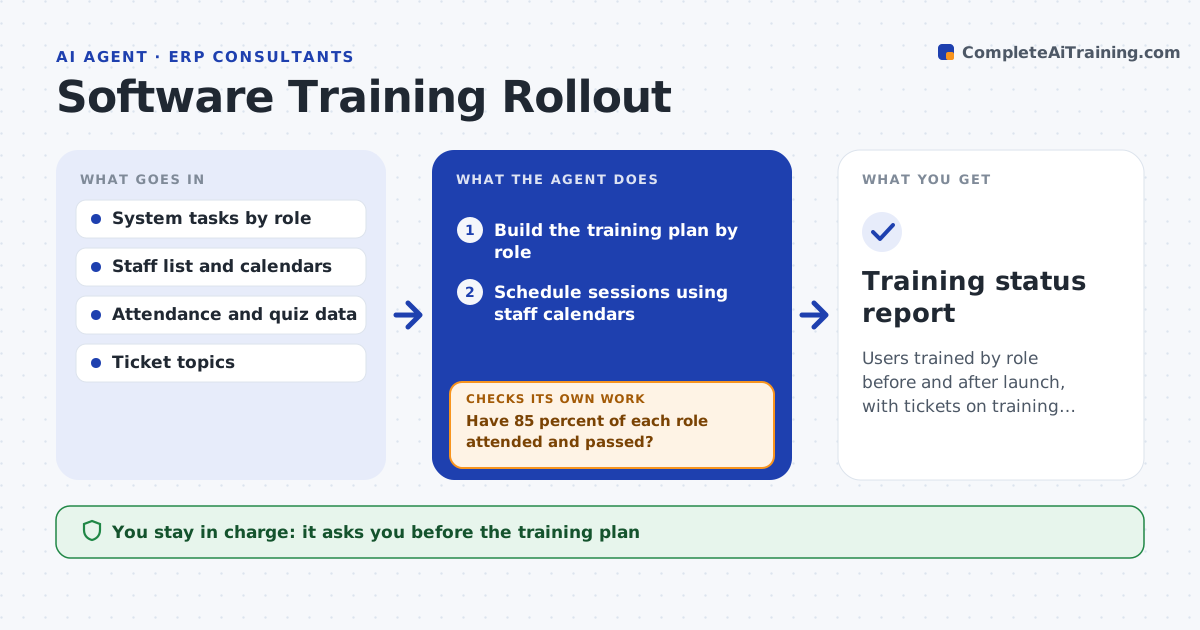
Users trained by role before and after launch, with tickets on training gaps falling
What it does
A new system goes live, and the help desk is flooded with how-to questions. This agent builds a training plan by role, such as managers, finance staff and field workers, listing what each role must be able to do. It schedules sessions around calendars, checks attendance afterwards and reads quiz results to see who is ready. After launch, it reads ticket topics and compares them with what training covered. If a topic produces many tickets, it adds a short session or a guide for that area and checks later whether tickets on it fall. The lead approves each change to the plan. Edge case: a group that missed the first session twice is offered a short recorded version and a named contact.
How it works
Follow the arrows from top to bottom. The orange dashed arrow is the loop: when a check fails, the agent goes back and tries again.
Read the steps as a list
- Launch date confirmed
- Build the training plan by role
- Schedule sessions using staff calendars
- Lead approves the plan and scheduleThe agent waits here for your OK.
- Read attendance and quiz results
- Have 85 percent of each role attended and passed?If not: offer another session or a recorded version and a named contact. Back to step 4.
- After launch, read ticket topics each week
- Match top ticket topics to training content
- Is any topic over 5 percent of tickets?If not: draft an extra session or a short guide for that topic. Back to step 8.
- Lead approves the added trainingThe agent waits here for your OK.
- Training status report
How it decides
A role is ready when 85 percent of its staff attend and pass the quiz. Ticket topics above a threshold trigger extra training.
- Plan separate sessions for each role
- Treat 85 percent attendance and pass rate as ready
- Add training when a topic exceeds 5 percent of tickets for 2 weeks
- Offer a recording after 2 missed sessions
Make it yours
Every agent is a starting point. You choose these settings for your own situation.
- Ready threshold (default 85 percent)
- Ticket topic limit (default 5 percent)
- Session length and format
- Roles and their task lists
What keeps you in control
It always asks you first
- The training plan
- Each added session or guide
Hard limits
- Never schedules staff without the lead's approval
- Never blocks system access for missing training
It stops when
- Done: all roles ready and ticket topics under the limit
- Stop: the launch date moves and the lead pauses the plan
Set it up
We guide you through the set-up, step by step
Members get the full set-up guide for this agent. No technical skills needed: you copy, paste and upload.
- One set of instructions to paste into your AI, with the clicks for ChatGPT, Claude, Microsoft 365 Copilot, Gemini and Grok
- The agent then walks you through connecting your own data, one source at a time
- A downloadable copy with the flow chart, the rules and the full guide