AI agent for ecologists
Species Survey Data QA Agent
A clean survey dataset with every questionable record resolved
What it does
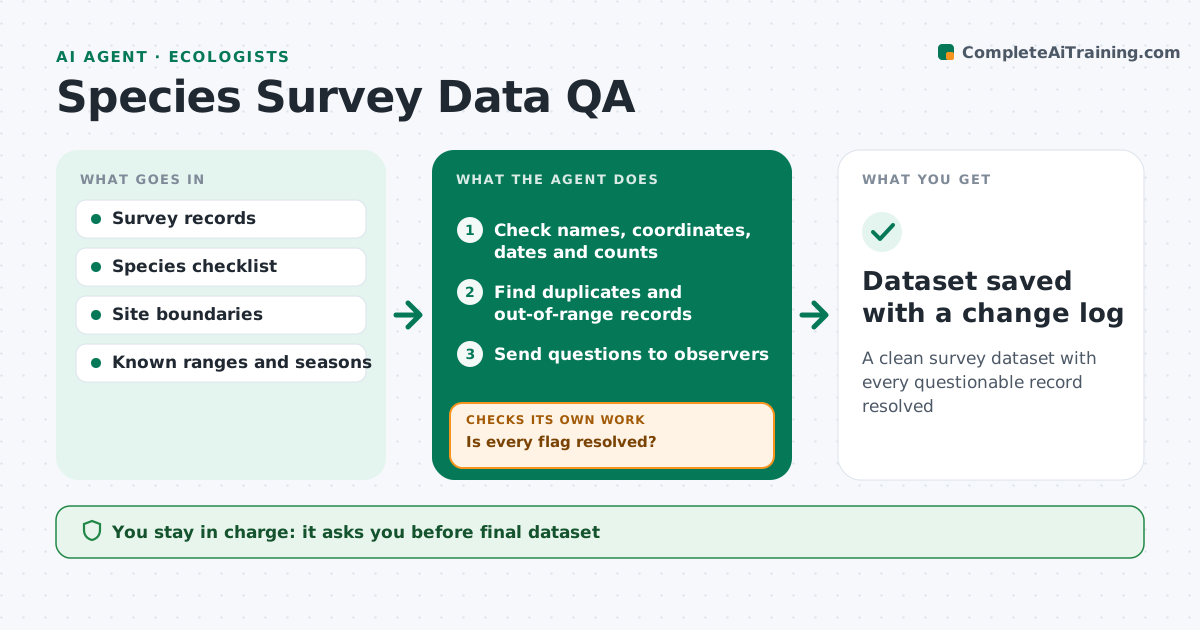
Field survey data often comes from several observers with different habits, and errors spread into every later analysis. When a survey is uploaded, this agent checks each record: species names against the accepted checklist including synonyms, coordinates inside the site boundary, dates inside the survey period and counts within plausible ranges. It finds duplicates where two observers recorded the same animal at the same time and place. It also flags records outside the species' known range or season. Each flag goes to the observer with a short question. Unresolved records are held out of the dataset and the observer gets a reminder. After fixes, it reruns all checks on the cleaned data. The scientist approves the cleaned dataset. Edge case: a confirmed record outside the known range is kept with a note as a possible range extension.
How it works
Follow the arrows from top to bottom. The orange dashed arrow is the loop: when a check fails, the agent goes back and tries again.
Read the steps as a list
- Survey data uploaded
- Check names, coordinates, dates and counts
- Find duplicates and out-of-range records
- Send questions to observers
- Is every flag resolved?If not: send a reminder and hold the record out of the dataset. Back to step 4.
- Rerun all checks on the cleaned data
- Does the cleaned data pass every check?If not: list new problems and recheck. Back to step 2.
- Scientist approves the cleaned datasetThe agent waits here for your OK.
- Dataset saved with a change log
How it decides
It flags records that fail name, location, date, count or range checks and keeps a record only when the observer confirms or corrects it.
- Match names to the accepted checklist, including synonyms
- Merge duplicates only when time, place and observer overlap
- Keep confirmed range extensions with a note
Make it yours
Every agent is a starting point. You choose these settings for your own situation.
- Checks to run
- Range and season data source
- Reminder timing
- Change log format
What keeps you in control
It always asks you first
- Final dataset
- Excluding records
Hard limits
- Never deletes records
- Keeps a log of every change
It stops when
- Done: dataset approved
- Stop: observers unreachable; deliver with unresolved records marked
Set it up
We guide you through the set-up, step by step
Members get the full set-up guide for this agent. No technical skills needed: you copy, paste and upload.
- One set of instructions to paste into your AI, with the clicks for ChatGPT, Claude, Microsoft 365 Copilot, Gemini and Grok
- The agent then walks you through connecting your own data, one source at a time
- A downloadable copy with the flow chart, the rules and the full guide