AI agent for it specialists
Stale Account Cleanup Agent
A clean directory with every active account owned and needed
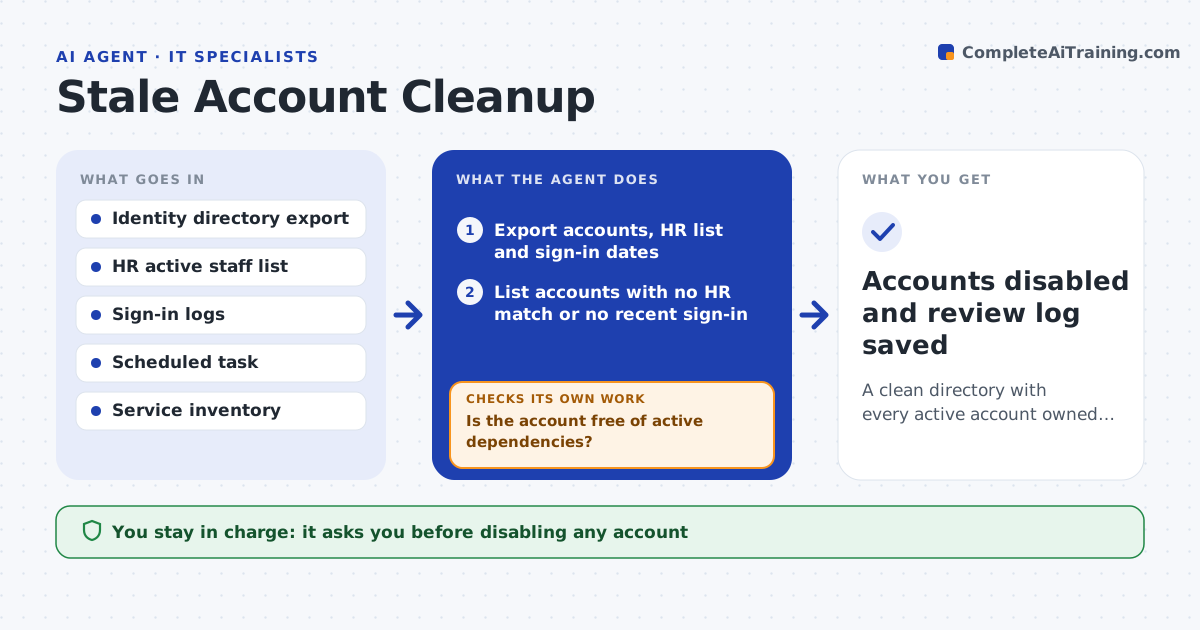
What it does
Over time, accounts pile up that nobody uses: leavers missed in offboarding, old contractors and test accounts. Each one is a door left open. Each month this agent compares the identity directory with the HR active staff list and last sign-in dates, and lists accounts with no matching person or no sign-in for the set number of days. For each one it finds the owner or manager and asks whether the account is still needed. Accounts confirmed as unneeded, or with no reply after the waiting period, are proposed for disabling. Before proposing, it checks logs and scheduled tasks so disabling will not break a running service. You approve every disable, and nothing is deleted. Edge case: a service account with no sign-in but used by a nightly task is kept and documented.
How it works
Follow the arrows from top to bottom. The orange dashed arrow is the loop: when a check fails, the agent goes back and tries again.
Read the steps as a list
- Monthly account review
- Export accounts, HR list and sign-in dates
- List accounts with no HR match or no recent sign-in
- Ask each owner or manager whether the account is needed
- Check services and scheduled tasks that use the account
- Is the account free of active dependencies?If not: keep it, record the dependency and ask the owner to document it. Back to step 4.
- IT manager approves disabling the listed accountsThe agent waits here for your OK.
- Accounts disabled and review log saved
How it decides
An account is stale when it has no HR match or no sign-in for the set days. It is proposed for disabling only after an owner check and a dependency check.
- Stale after 90 days without sign-in for users, 180 for service accounts
- Disable after 14 days with no owner reply
- Never disable an account with an active dependency
Make it yours
Every agent is a starting point. You choose these settings for your own situation.
- Days without sign-in that count as stale
- Owner reply waiting period (default 14 days)
- Accounts excluded from review
- Report format
What keeps you in control
It always asks you first
- Disabling any account
- Deleting any account (always manual)
Hard limits
- Disables only, never deletes
- Nothing changed without approval
It stops when
- Done: every stale account kept, documented or disabled
- Stop: HR list is out of date
Set it up
We guide you through the set-up, step by step
Members get the full set-up guide for this agent. No technical skills needed: you copy, paste and upload.
- One set of instructions to paste into your AI, with the clicks for ChatGPT, Claude, Microsoft 365 Copilot, Gemini and Grok
- The agent then walks you through connecting your own data, one source at a time
- A downloadable copy with the flow chart, the rules and the full guide