AI agent for curriculum developers
Standards Alignment Gap Agent
Every required standard is taught and assessed
What it does
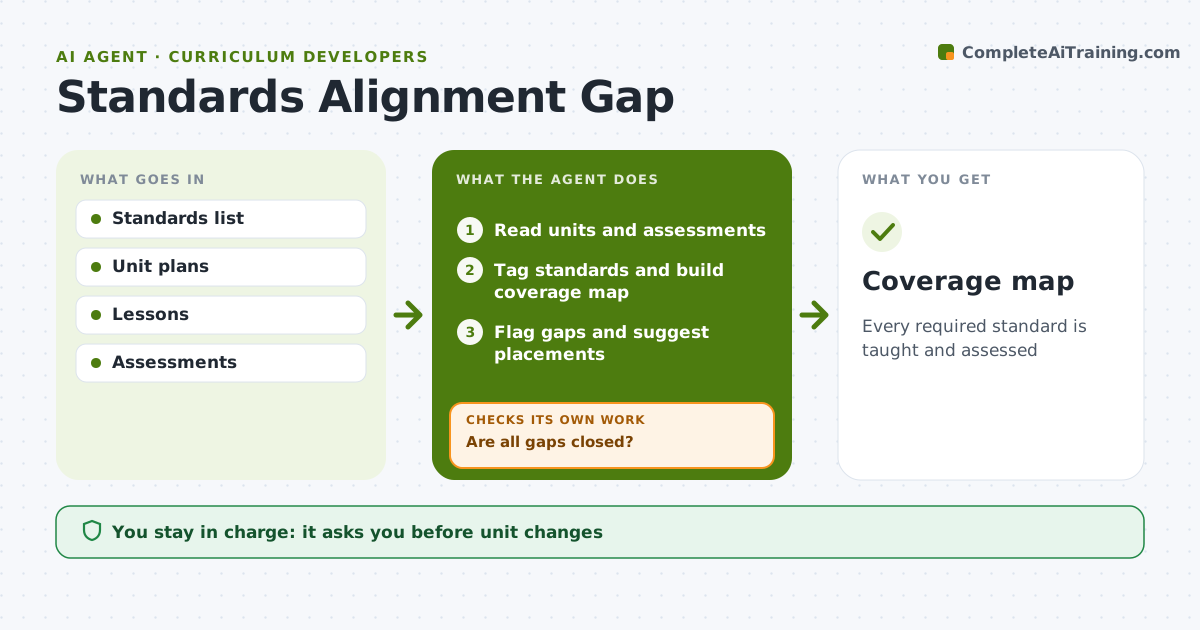
Every curriculum must cover the required standards across the year, and gaps often surface only when test results come in. This agent reads unit plans, lessons and assessments, tags each with the standards it covers, and builds a coverage map. It flags standards that are not taught, taught but not assessed, or covered only once. For each gap it suggests where it could fit in an existing unit. After the curriculum developer or teacher revises units, it rebuilds the map to check the gaps are closed. Any gap still open is listed again with options. The developer or teacher approves every unit change. Edge case: lessons that claim a standard but only touch it lightly, such as one warm-up question, are flagged for review rather than counted as full coverage.
How it works
Follow the arrows from top to bottom. The orange dashed arrow is the loop: when a check fails, the agent goes back and tries again.
Read the steps as a list
- Units drafted
- Read units and assessments
- Tag standards and build coverage map
- Flag gaps and suggest placements
- Developer or teacher revises unitsThe agent waits here for your OK.
- Are all gaps closed?If not: list remaining gaps. Back to step 3.
- Coverage map
How it decides
Each standard needs at least one lesson and one assessment item.
- Taught and assessed required
- Light touches flagged
- Overcovered standards noted
Make it yours
Every agent is a starting point. You choose these settings for your own situation.
- Standards set
- Coverage rules
- Map format
- Grade levels
What keeps you in control
It always asks you first
- Unit changes
Hard limits
- No content changes by agent
It stops when
- Done: all covered
- Stop: standards updated, restart
Set it up
We guide you through the set-up, step by step
Members get the full set-up guide for this agent. No technical skills needed: you copy, paste and upload.
- One set of instructions to paste into your AI, with the clicks for ChatGPT, Claude, Microsoft 365 Copilot, Gemini and Grok
- The agent then walks you through connecting your own data, one source at a time
- A downloadable copy with the flow chart, the rules and the full guide