AI agent for editors
Story Correction Follow-through Agent
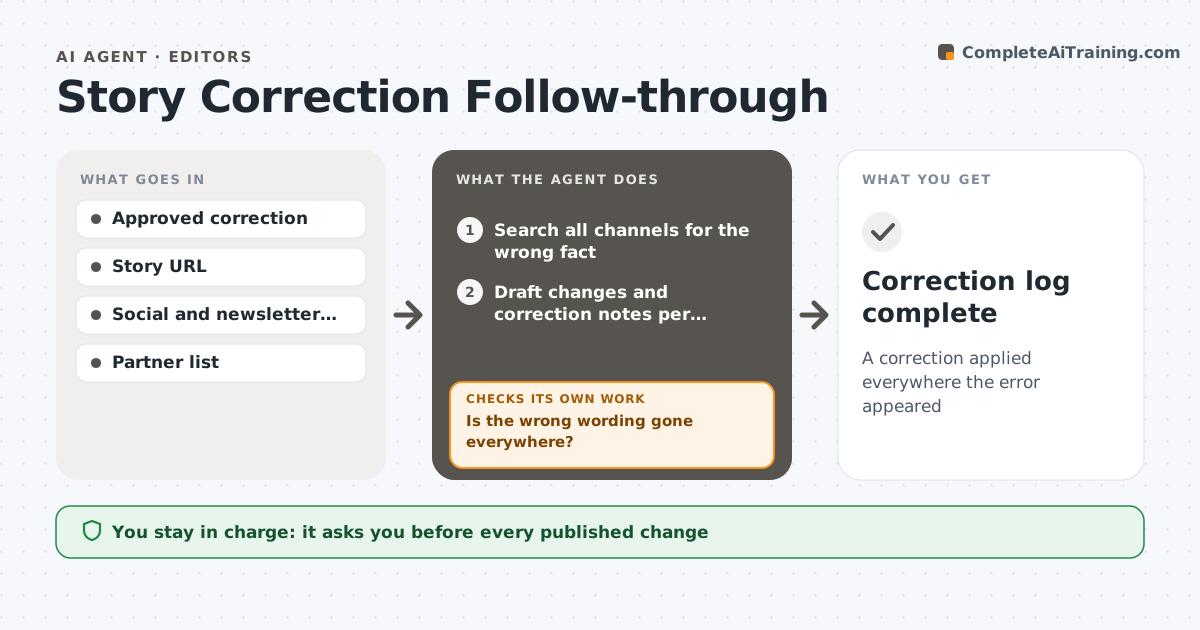
A correction applied everywhere the error appeared
What it does
When a published story has an error, the fix has to reach every place the story went, not just the article page. This agent takes the approved correction and searches for the wrong fact and close variants of it across the article, headline, summary, social posts, newsletter versions, partner sites and related stories that repeated it. It drafts the change and a correction note for each place in house style. The editor approves each change. The agent then applies the changes or sends requests to partners who republished the story. Afterward it searches every location again to confirm the old wording is gone. If it finds missed copies, it drafts fixes for those too. Finally it checks partner sites again after their stated update time. Edge case: a partner who has republished gets a request instead of an assumption that the fix flows through.
How it works
Follow the arrows from top to bottom. The orange dashed arrow is the loop: when a check fails, the agent goes back and tries again.
Read the steps as a list
- Correction approved
- Search all channels for the wrong fact
- Draft changes and correction notes per location
- Editor approves each changeThe agent waits here for your OK.
- Apply changes or send partner requests
- Is the wrong wording gone everywhere?If not: search again for missed copies and draft fixes. Back to step 2.
- Recheck partner sites after their update time
- Have partners updated their copies?If not: draft a reminder to the partner. Back to step 7.
- Correction log complete
How it decides
It searches for the wrong wording and close variants across all outlets, and treats each match as needing a fix or a note.
- Search for close variants of the wrong fact
- Add a correction note per house style
- Ask partners to update their copies
Make it yours
Every agent is a starting point. You choose these settings for your own situation.
- Channels to search
- Correction note style
- Partner contacts
- Recheck timing
What keeps you in control
It always asks you first
- Every published change
- Requests to partners
Hard limits
- Never publishes without approval
- Never deletes social posts without approval
It stops when
- Done: all locations fixed
- Stop: partner does not respond; tell the editor
Set it up
We guide you through the set-up, step by step
Members get the full set-up guide for this agent. No technical skills needed: you copy, paste and upload.
- One set of instructions to paste into your AI, with the clicks for ChatGPT, Claude, Microsoft 365 Copilot, Gemini and Grok
- The agent then walks you through connecting your own data, one source at a time
- A downloadable copy with the flow chart, the rules and the full guide