AI agent for instructional designers
Storyboard to Script Consistency Agent
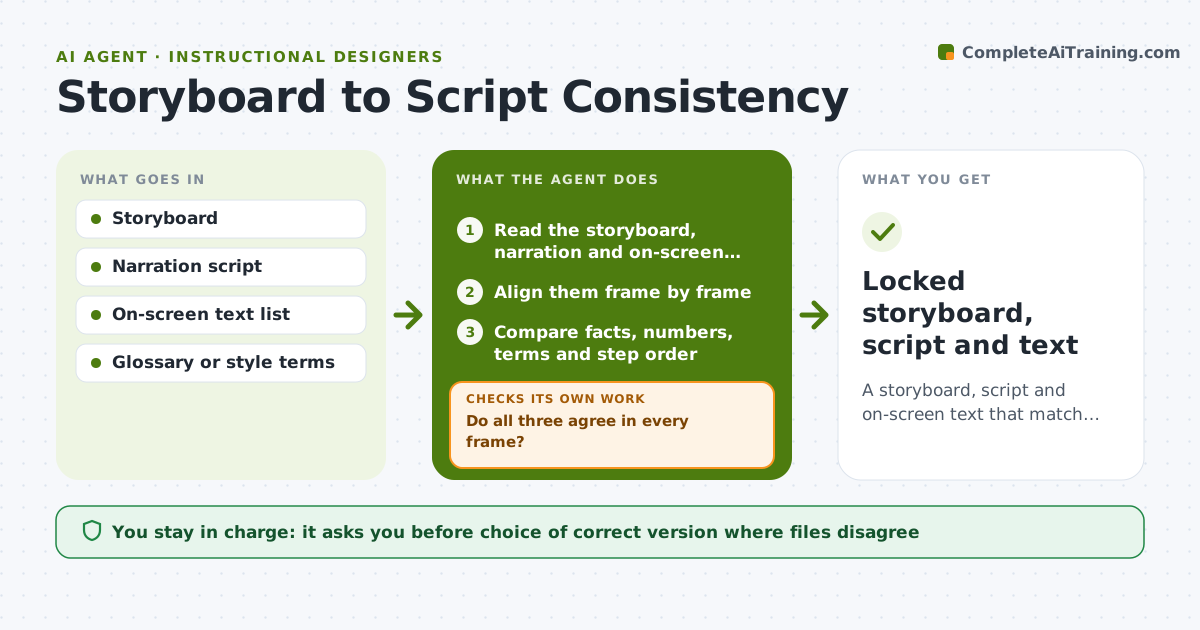
A storyboard, script and on-screen text that match in every frame.
What it does
In a video lesson, the narration says one thing, the on-screen text says another and the visual shows a third. After three revisions, the drift is hard to spot. This agent compares the storyboard, narration script and on-screen text frame by frame and lists mismatches, such as a number that differs or a term used inconsistently. It proposes fixes and then rechecks all three documents after edits, since fixing one can break another. Edge case: the narration now says four steps, but the visual shows five, so the agent flags it and asks which is right. The designer approves the final locked version.
How it works
Follow the arrows from top to bottom. The orange dashed arrow is the loop: when a check fails, the agent goes back and tries again.
Read the steps as a list
- Revision of a lesson completed
- Read the storyboard, narration and on-screen text
- Align them frame by frame
- Compare facts, numbers, terms and step order
- Do all three agree in every frame?If not: list mismatches and propose a fix for each. Back to step 3.
- Designer chooses the correct version for unclear casesThe agent waits here for your OK.
- Apply fixes across all three files
- Does the recheck show no new mismatches?If not: repeat the comparison on the changed frames. Back to step 3.
- Produce a match report
- Designer locks the versionThe agent waits here for your OK.
- Locked storyboard, script and text
How it decides
It treats any difference in facts, numbers, terms or step order as a mismatch, and asks the designer when the correct version is unclear.
- Numbers and step counts must be identical across all three.
- Use glossary terms only, not synonyms.
- A change in one file triggers a recheck of the other two.
- Unclear cases always go to the designer.
Make it yours
Every agent is a starting point. You choose these settings for your own situation.
- Glossary terms
- Files compared
- Mismatch types
- Lock rules
- Report format
What keeps you in control
It always asks you first
- Choice of correct version where files disagree
- Final lock
Hard limits
- Do not choose between conflicting facts itself.
- Do not lock without approval.
It stops when
- Done: all frames match and the version is locked
- Stop: the designer cannot decide the correct facts, so the agent lists open questions
Set it up
We guide you through the set-up, step by step
Members get the full set-up guide for this agent. No technical skills needed: you copy, paste and upload.
- One set of instructions to paste into your AI, with the clicks for ChatGPT, Claude, Microsoft 365 Copilot, Gemini and Grok
- The agent then walks you through connecting your own data, one source at a time
- A downloadable copy with the flow chart, the rules and the full guide