AI agent for construction project managers
Subcontractor Payment Compliance Agent
Make sure each payment release is backed by current compliance documents.
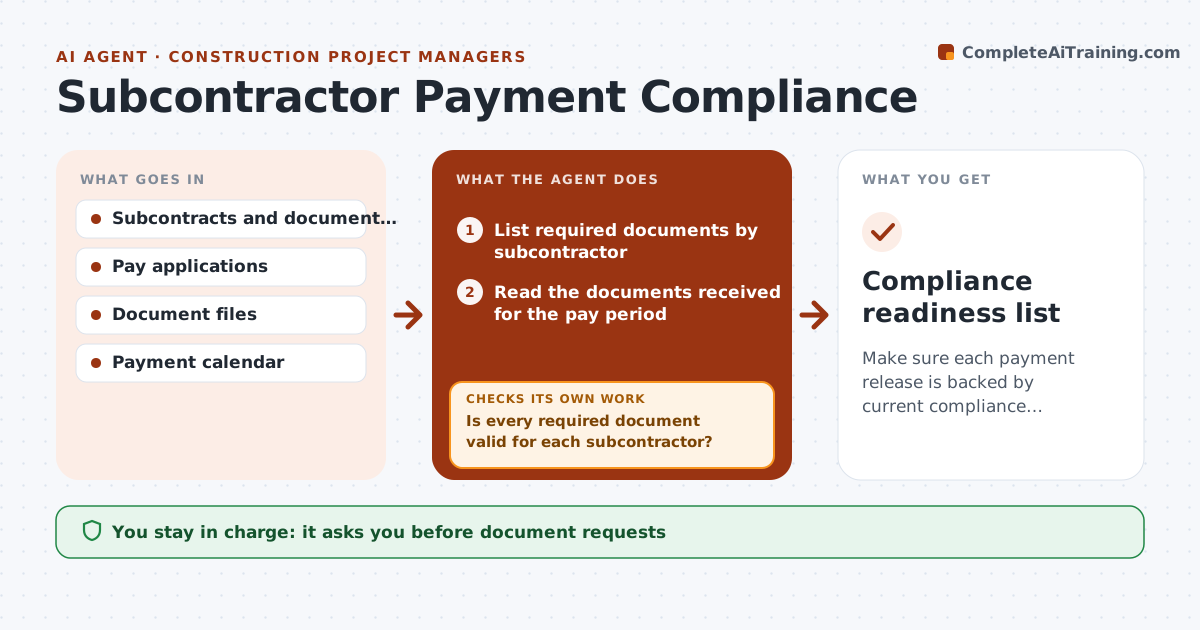
What it does
Before each payment cycle, someone has to check that insurance is valid, lien waivers are signed and certified payroll is in. This agent lists the required documents for each subcontractor, checks each document's date, amount and signature, and flags missing or expired items. It requests them with a clear message and checks again before the payment run. It never releases a payment. It gives you a list showing which subcontractors are ready, and which are blocked and why. Edge case: a sub's insurance certificate expired two days ago, and the agent blocks the pay application and sends the request.
How it works
Follow the arrows from top to bottom. The orange dashed arrow is the loop: when a check fails, the agent goes back and tries again.
Read the steps as a list
- Payment cycle approaches
- List required documents by subcontractor
- Read the documents received for the pay period
- Check dates, amounts and signatures on each document
- Is every required document valid for each subcontractor?If not: List the missing or expired items by subcontractor. Back to step 4.
- Draft a request to each subcontractor
- Manager approves the requestsThe agent waits here for your OK.
- Send the requests and recheck documents before the payment run
- Are the blocked subcontractors now ready?If not: Keep them blocked and report them as not ready. Back to step 6.
- Manager approves each payment releaseThe agent waits here for your OK.
- Compliance readiness list
How it decides
It treats a document as valid only when it covers the pay period, has a matching amount and shows a signature. Anything else is blocked.
- Expired insurance blocks payment
- A lien waiver must match the amount paid
- Certified payroll must cover the full period
- Final recheck on the payment day
Make it yours
Every agent is a starting point. You choose these settings for your own situation.
- Required documents by subcontractor
- Days before payment to start (default 5)
- Document validity rules
- Blocked list format
- Who approves payments
What keeps you in control
It always asks you first
- Document requests
- Each payment release
Hard limits
- Never releases payments
- Never changes a document
- Never contacts anyone about disputes
It stops when
- Done: ready list approved
- Stop: blocked subcontractors remain; manager decides on holding payment
Set it up
We guide you through the set-up, step by step
Members get the full set-up guide for this agent. No technical skills needed: you copy, paste and upload.
- One set of instructions to paste into your AI, with the clicks for ChatGPT, Claude, Microsoft 365 Copilot, Gemini and Grok
- The agent then walks you through connecting your own data, one source at a time
- A downloadable copy with the flow chart, the rules and the full guide