AI agent for tax analysts
Tax Audit Document Request Agent
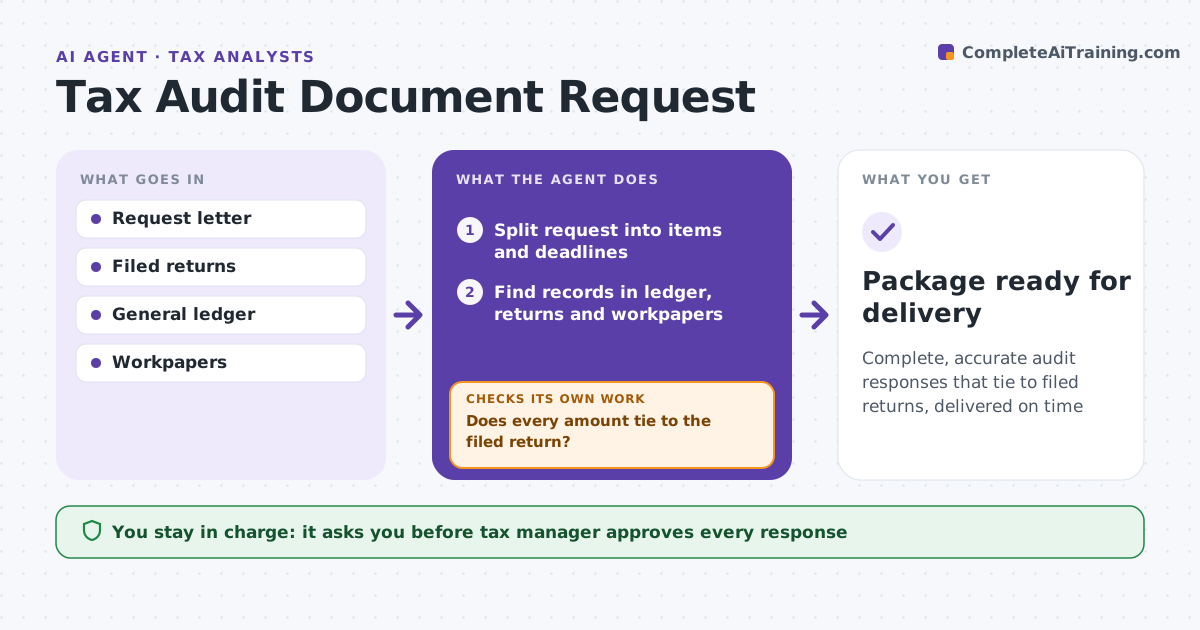
Complete, accurate audit responses that tie to filed returns, delivered on time
What it does
During a tax audit, the authority sends information document requests with firm deadlines, and a loose answer can widen the audit. This agent splits each request into items and deadlines, finds the matching records in the ledger, filed returns and workpapers, and drafts a response for each item. It checks that every amount ties to the filed return. If something does not tie, it lists the difference for the analyst to explain in writing, then re-checks. It removes out-of-scope items so the package answers only what was asked. Privileged items are held for legal review. The tax manager approves the package before anything is sent. Edge case: if a requested record is privileged legal advice, the agent never includes it and routes it to legal.
How it works
Follow the arrows from top to bottom. The orange dashed arrow is the loop: when a check fails, the agent goes back and tries again.
Read the steps as a list
- Request received
- Split request into items and deadlines
- Find records in ledger, returns and workpapers
- Draft responses for each item
- Does every amount tie to the filed return?If not: list differences for the analyst to explain. Back to step 3.
- Remove out-of-scope and privileged items
- Tax manager approves the packageThe agent waits here for your OK.
- Package ready for delivery
How it decides
Each item must be answered with records that tie to the return. Out-of-scope items are left out.
- Answer only what is asked
- Privileged items go to legal
- Differences need written explanations
Make it yours
Every agent is a starting point. You choose these settings for your own situation.
- Internal deadline buffer (default 5 days)
- Records sources
- Privilege review rules
- Response format
What keeps you in control
It always asks you first
- Tax manager approves every response
- Legal reviews privileged items
Hard limits
- Never sends documents to authorities
- Never changes filed returns
It stops when
- Done: package approved
- Stop: audit closed
Set it up
We guide you through the set-up, step by step
Members get the full set-up guide for this agent. No technical skills needed: you copy, paste and upload.
- One set of instructions to paste into your AI, with the clicks for ChatGPT, Claude, Microsoft 365 Copilot, Gemini and Grok
- The agent then walks you through connecting your own data, one source at a time
- A downloadable copy with the flow chart, the rules and the full guide