AI agent for tax analysts
Tax Provision Support File Agent
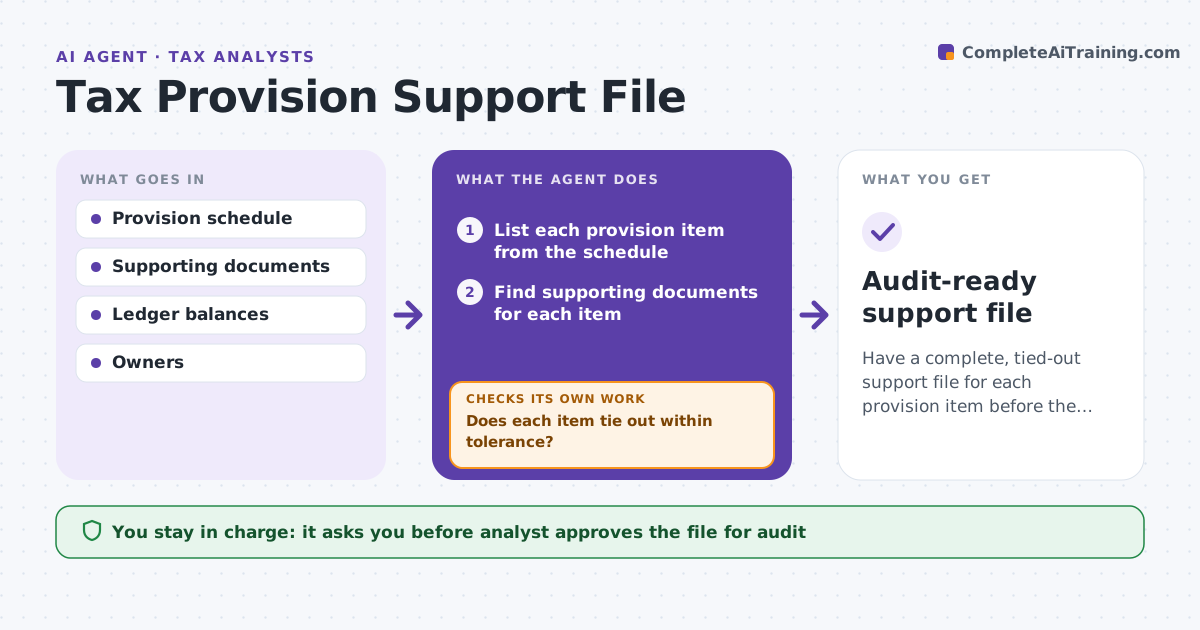
Have a complete, tied-out support file for each provision item before the audit request.
What it does
Auditors ask for support behind every provision item, and the tax team rebuilds the file each quarter. The agent lists each provision item, finds the supporting documents, checks that they tie out to the ledger, and flags items with missing evidence. It requests missing items from owners and re-checks as they arrive. When it finds a difference between a document and the ledger, it traces the cause. The analyst approves the file for audit. Edge case: a reserve balance is $18,000 higher in the ledger than in the schedule, so the agent finds a late journal entry.
How it works
Follow the arrows from top to bottom. The orange dashed arrow is the loop: when a check fails, the agent goes back and tries again.
Read the steps as a list
- Quarter closes
- List each provision item from the schedule
- Find supporting documents for each item
- Tie each amount to the ledger
- Does each item tie out within tolerance?If not: Trace the difference to journal entries and timing and note the cause. Back to step 3.
- Is each item backed by a document?If not: Request the missing document from the owner and set a date. Back to step 3.
- Chase owners and re-check as evidence arrives
- Assemble the support file with an index
- Analyst approves the file for auditThe agent waits here for your OK.
- Audit-ready support file
How it decides
An item is supported when a document backs the amount and the amount ties to the ledger within the tolerance. Otherwise the agent requests evidence or traces the difference.
- Tolerance for tie-out is $500 or 1 percent
- An item without a document is open
- Differences are traced before they are reported
- Owners are chased every 3 days in the last week
Make it yours
Every agent is a starting point. You choose these settings for your own situation.
- Tie-out tolerance
- Chase frequency
- Items included
- File index format
What keeps you in control
It always asks you first
- Analyst approves the file for audit
- Analyst approves requests to owners
Hard limits
- Never posts or changes ledger entries
- Never contacts auditors
It stops when
- Done: file complete and approved
- Stop: item cannot be supported, so the analyst decides on a reserve change
Set it up
We guide you through the set-up, step by step
Members get the full set-up guide for this agent. No technical skills needed: you copy, paste and upload.
- One set of instructions to paste into your AI, with the clicks for ChatGPT, Claude, Microsoft 365 Copilot, Gemini and Grok
- The agent then walks you through connecting your own data, one source at a time
- A downloadable copy with the flow chart, the rules and the full guide