AI agent for secondary school teachers
Unit Study Guide Builder Agent
A study guide that matches the unit test blueprint, with verified answer keys
What it does
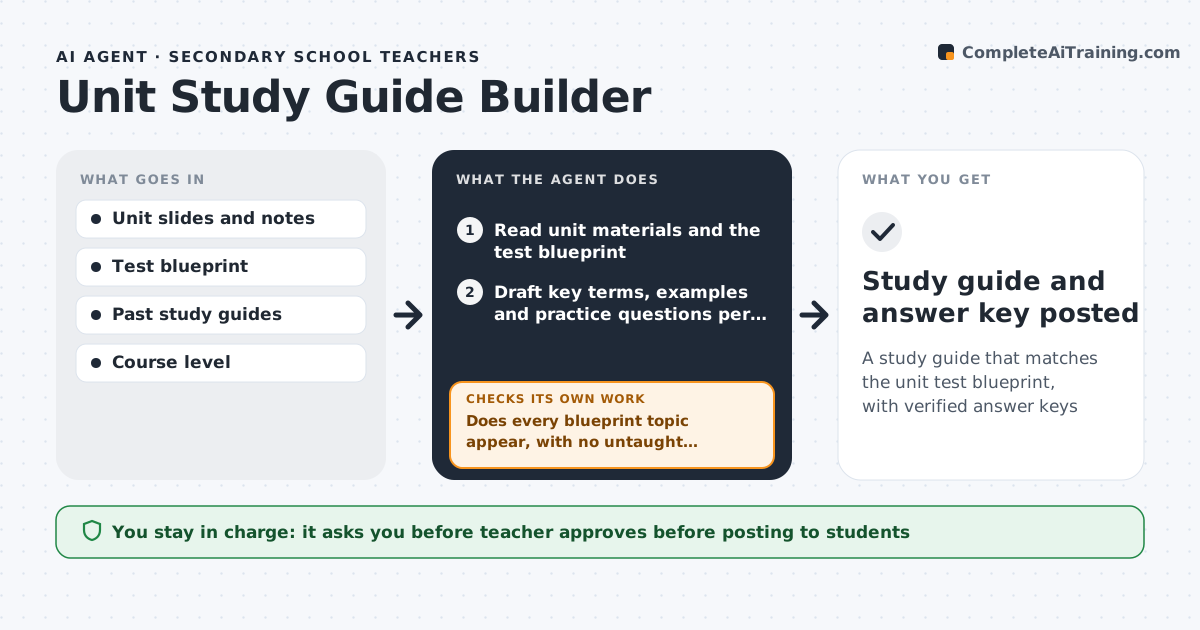
Before a unit test, teachers often write study guides from memory of what they taught, and some topics get missed. This agent reads the unit's slides, notes and the draft test blueprint, then builds a guide with key terms, worked examples and practice questions for each tested topic. Question counts follow the blueprint's weight per topic. It checks the guide against the blueprint: every tested topic must appear, and untested topics are cut. Next it solves every practice question itself and compares the result with the answer key. If an answer does not check out, it fixes the question or key and solves again. The teacher reviews and posts the guide. Edge case: if the blueprint lists a topic with no class materials, the agent asks the teacher instead of writing new content from scratch.
How it works
Follow the arrows from top to bottom. The orange dashed arrow is the loop: when a check fails, the agent goes back and tries again.
Read the steps as a list
- Unit test is one week away
- Read unit materials and the test blueprint
- Draft key terms, examples and practice questions per tested topic
- Does every blueprint topic appear, with no untaught topics?If not: add missing topics from the materials, remove extras, or ask the teacher about topics with no materials. Back to step 3.
- Solve every practice question and compare to the key
- Do all worked answers match the key?If not: fix the question or key and solve again. Back to step 5.
- Teacher reviews and posts the guideThe agent waits here for your OK.
- Study guide and answer key posted
How it decides
Topics come only from the blueprint, and content only from the unit materials. Practice answers must be re-solved and match the key.
- Practice question counts follow the blueprint's weight per topic
- Topics without class materials go to the teacher
- Every answer is re-solved before the key is final
Make it yours
Every agent is a starting point. You choose these settings for your own situation.
- Number of practice questions (default 12)
- Include answer key for students (yes or no)
- Reading level of explanations
- How many days before the test to build (default 7)
What keeps you in control
It always asks you first
- Teacher approves before posting to students
Hard limits
- Does not post to students without teacher approval
- Does not copy actual test questions into the guide
It stops when
- Done: guide matches the blueprint and keys check out
- Stop: no test blueprint available
Set it up
We guide you through the set-up, step by step
Members get the full set-up guide for this agent. No technical skills needed: you copy, paste and upload.
- One set of instructions to paste into your AI, with the clicks for ChatGPT, Claude, Microsoft 365 Copilot, Gemini and Grok
- The agent then walks you through connecting your own data, one source at a time
- A downloadable copy with the flow chart, the rules and the full guide