AI agent for bookkeepers
Vendor Statement Reconciliation Agent
A reconciled vendor statement with every difference explained
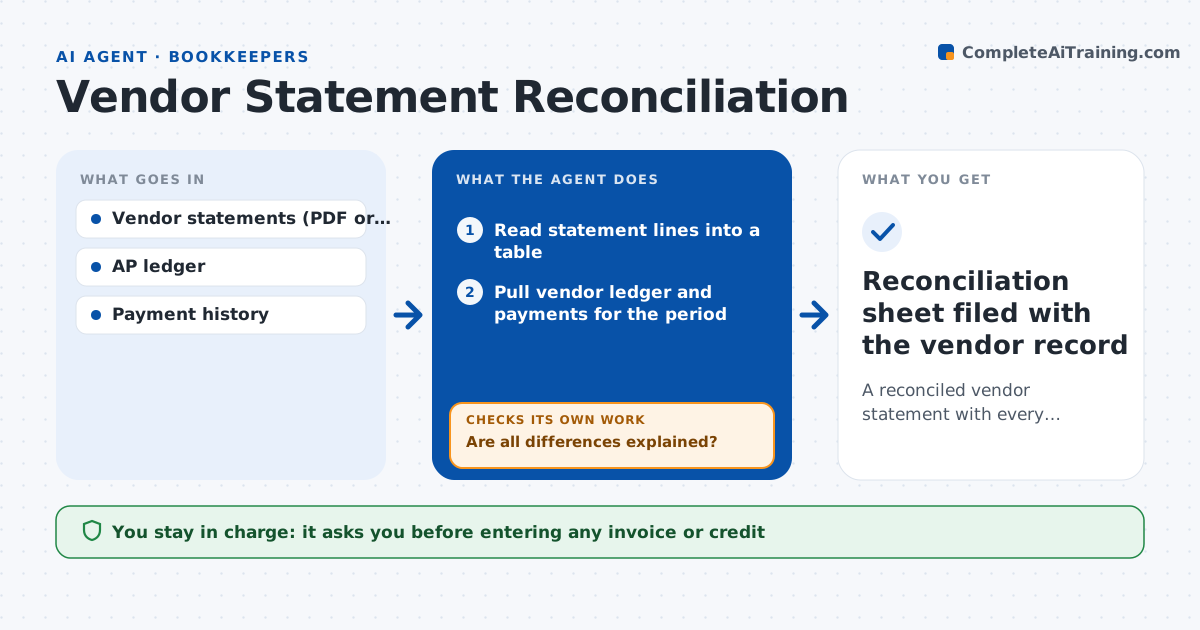
What it does
Vendors send monthly statements listing what they think is owed, and the gaps between their view and the ledger often hide lost invoices or missed credits. This agent compares each statement to the vendor ledger. It reads statement lines into a table and matches invoices, credits and payments by number, amount and date. For anything left over it looks deeper: a payment in transit, an invoice never received, a credit not applied, or a typo in the invoice number. After each explained item it re-runs the match and lists what is truly missing. It drafts a request for missing invoice copies and a note on payments the vendor has not applied. It never enters an invoice from the statement alone. The specialist approves every message and any ledger change. Edge case: a vendor lists one invoice twice with different numbers, so the agent checks amounts and dates before asking.
How it works
Follow the arrows from top to bottom. The orange dashed arrow is the loop: when a check fails, the agent goes back and tries again.
Read the steps as a list
- Vendor statement received
- Read statement lines into a table
- Pull vendor ledger and payments for the period
- Match items by number, amount and date
- Are all differences explained?If not: try fuzzy matches on numbers and look for payments in transit. Back to step 4.
- Draft requests for missing invoices and unapplied payments
- Specialist approves messages and any ledger fixesThe agent waits here for your OK.
- Reconciliation sheet filed with the vendor record
How it decides
It matches items by invoice number first, then by amount and date within a few days. Leftover items are sorted into in transit, missing invoice, unapplied credit or unknown.
- Payment sent within the last 5 days: mark as in transit
- Invoice on statement but not in ledger: request a copy, do not enter from the statement
- Credit on statement not applied: flag for review
Make it yours
Every agent is a starting point. You choose these settings for your own situation.
- Vendors to reconcile monthly
- Days counted as in transit (default 5)
- Matching strictness for invoice numbers
- Output format for the reconciliation sheet
What keeps you in control
It always asks you first
- Entering any invoice or credit
- Sending messages to vendors
Hard limits
- Never enters invoices from a statement alone
- Never contacts a vendor without approval
It stops when
- Done: statement and ledger agree or every difference is listed
- Stop: statement period does not match available ledger data
Set it up
We guide you through the set-up, step by step
Members get the full set-up guide for this agent. No technical skills needed: you copy, paste and upload.
- One set of instructions to paste into your AI, with the clicks for ChatGPT, Claude, Microsoft 365 Copilot, Gemini and Grok
- The agent then walks you through connecting your own data, one source at a time
- A downloadable copy with the flow chart, the rules and the full guide