AI agent for administrative assistants
Visitor Arrival Preparation Agent
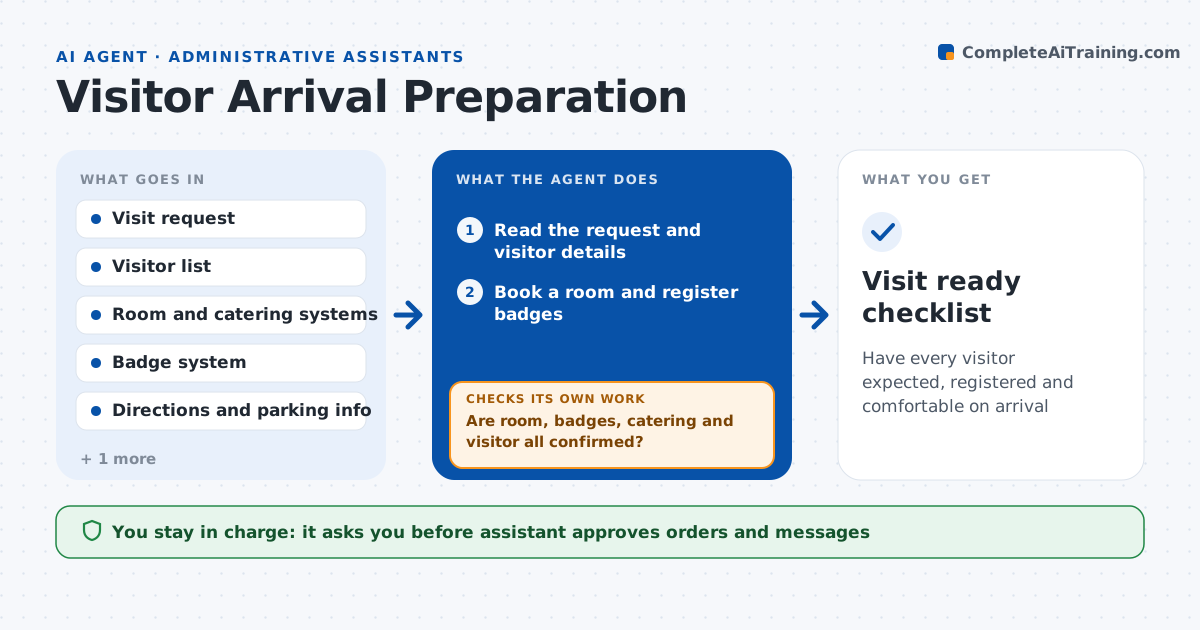
Have every visitor expected, registered and comfortable on arrival
What it does
A client visits and the receptionist has no name on the list and the room is double-booked. This agent reads the visit request and works through every need. It books a meeting room, registers a visitor badge, orders refreshments for the right number and dietary needs, and checks directions and parking. It sends the visitor a confirmation and asks for missing details, such as a car plate. It then checks each booking: is the room still free, is the badge registered, did the caterer confirm. If any fails, it fixes it and checks again. It rechecks the morning of the visit and alerts the assistant to changes. The assistant approves orders and messages. Edge case: if a visitor needs step-free access, the agent changes the room and route.
How it works
Follow the arrows from top to bottom. The orange dashed arrow is the loop: when a check fails, the agent goes back and tries again.
Read the steps as a list
- Visit request received
- Read the request and visitor details
- Book a room and register badges
- Draft the catering order and visitor confirmation
- Assistant approves orders and messagesThe agent waits here for your OK.
- Place the order and send the confirmation
- Are room, badges, catering and visitor all confirmed?If not: Fix the missing item or find an alternative, then recheck. Back to step 3.
- Prepare directions, parking and reception notes
- Recheck everything the morning of the visit
- Has anything changed since confirmation?If not: Update the booking and tell the assistant and visitor. Back to step 9.
- Visit ready checklist
How it decides
It treats a visit as ready only when the room, badge, catering and visitor confirmation are all confirmed.
- Require all four confirmations before marking ready
- Match the room size to the headcount plus 2
- Apply dietary and access needs to every booking
- Recheck at 8:00 on the day of the visit
Make it yours
Every agent is a starting point. You choose these settings for your own situation.
- Systems used (default room, badge, caterer)
- Recheck time (default 8:00)
- Catering budget per person (default company limit)
- Visitor message template (default friendly and short)
What keeps you in control
It always asks you first
- Assistant approves orders and messages
Hard limits
- Never place orders or send messages without approval
- Never share visitor details beyond the team
- Follow building security rules
It stops when
- Done: Visitors arrive and the checklist is closed
- Stop: Visit is cancelled by the host
Set it up
We guide you through the set-up, step by step
Members get the full set-up guide for this agent. No technical skills needed: you copy, paste and upload.
- One set of instructions to paste into your AI, with the clicks for ChatGPT, Claude, Microsoft 365 Copilot, Gemini and Grok
- The agent then walks you through connecting your own data, one source at a time
- A downloadable copy with the flow chart, the rules and the full guide