AI agent for vocal artists
Vocal Recording Session Take Log Agent
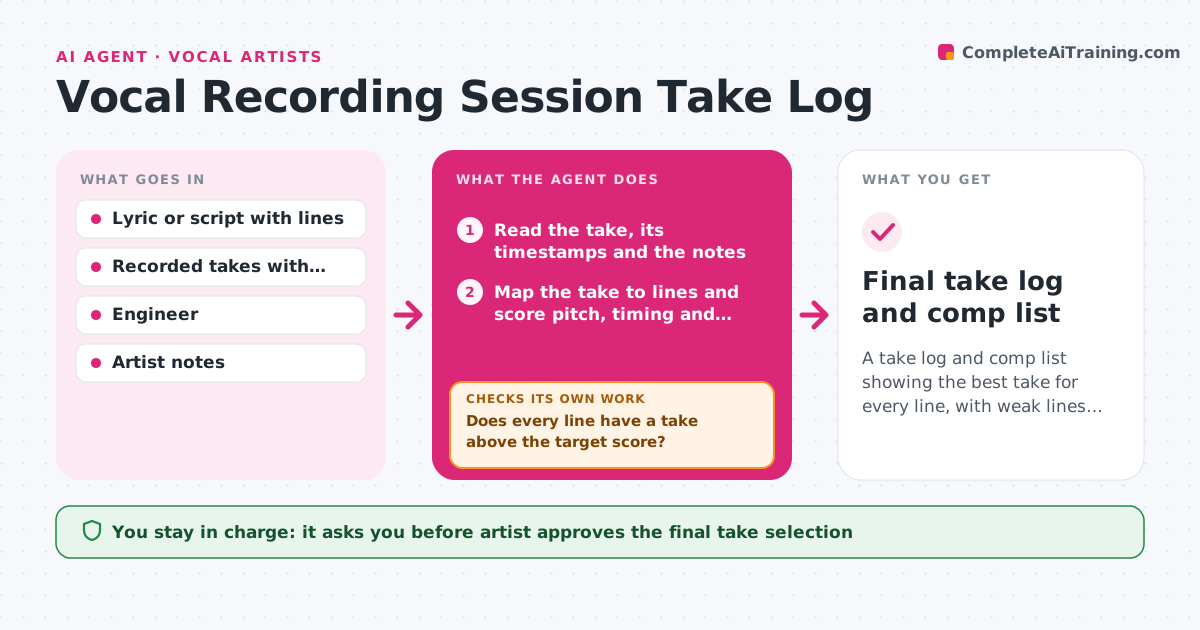
A take log and comp list showing the best take for every line, with weak lines identified while the singer is still in the studio
What it does
After three hours of takes, the singer remembers one great line from earlier but not which take it was. During a session, this agent logs every take by its time and line, with notes on pitch accuracy, timing, level and emotion drawn from the recording and the engineer's comments. It ranks the takes for each line and flags lines that have no strong take. It suggests targeted re-records, such as a second take of the second verse's last line with a softer approach, and rechecks after each new take to see whether it beats the current best. It builds a comp list of the best take for each line. The artist approves the final selection. Edge case: a take with the best emotion but a pitch slip is kept as an alternate with a note instead of ranked first.
How it works
Follow the arrows from top to bottom. The orange dashed arrow is the loop: when a check fails, the agent goes back and tries again.
Read the steps as a list
- Take recorded
- Read the take, its timestamps and the notes
- Map the take to lines and score pitch, timing and level
- Add the artist and engineer notes about feel
- Rank takes per line and update the comp list
- Does every line have a take above the target score?If not: Suggest a targeted re-record for the weak lines and score the next take. Back to step 2.
- Note alternates with the best emotion but a flaw
- Artist reviews the comp list and chooses takesThe agent waits here for your OK.
- Export the selected takes with labels
- Do the exported takes match the approved selection?If not: Correct the labels and export again. Back to step 8.
- Final take log and comp list
How it decides
It scores each take on pitch, timing, level and the notes about feel, ranks takes per line, and flags a line when its best score is below the target.
- A line needs a take with score 80 or higher out of 100
- Keep a flawed take as an alternate if the artist marks it as the best feel
- Suggest at most 3 re-records per line
- Log every take, including false starts
Make it yours
Every agent is a starting point. You choose these settings for your own situation.
- Target score (default 80)
- Scoring weights
- Maximum re-records per line
- Naming for exported takes
- Notes the engineer adds
What keeps you in control
It always asks you first
- Artist approves the final take selection
Hard limits
- Never delete or overwrite recorded takes
- Scores support the artist's judgment and never replace it
It stops when
- Done: Every line has an approved best take
- Stop: A line has no good take after 3 re-records, so the agent suggests a break or a change in approach
Set it up
We guide you through the set-up, step by step
Members get the full set-up guide for this agent. No technical skills needed: you copy, paste and upload.
- One set of instructions to paste into your AI, with the clicks for ChatGPT, Claude, Microsoft 365 Copilot, Gemini and Grok
- The agent then walks you through connecting your own data, one source at a time
- A downloadable copy with the flow chart, the rules and the full guide