
All-in-one AI plugin for farmers
Farmers: the all-in-one AI plugin for your whole farm
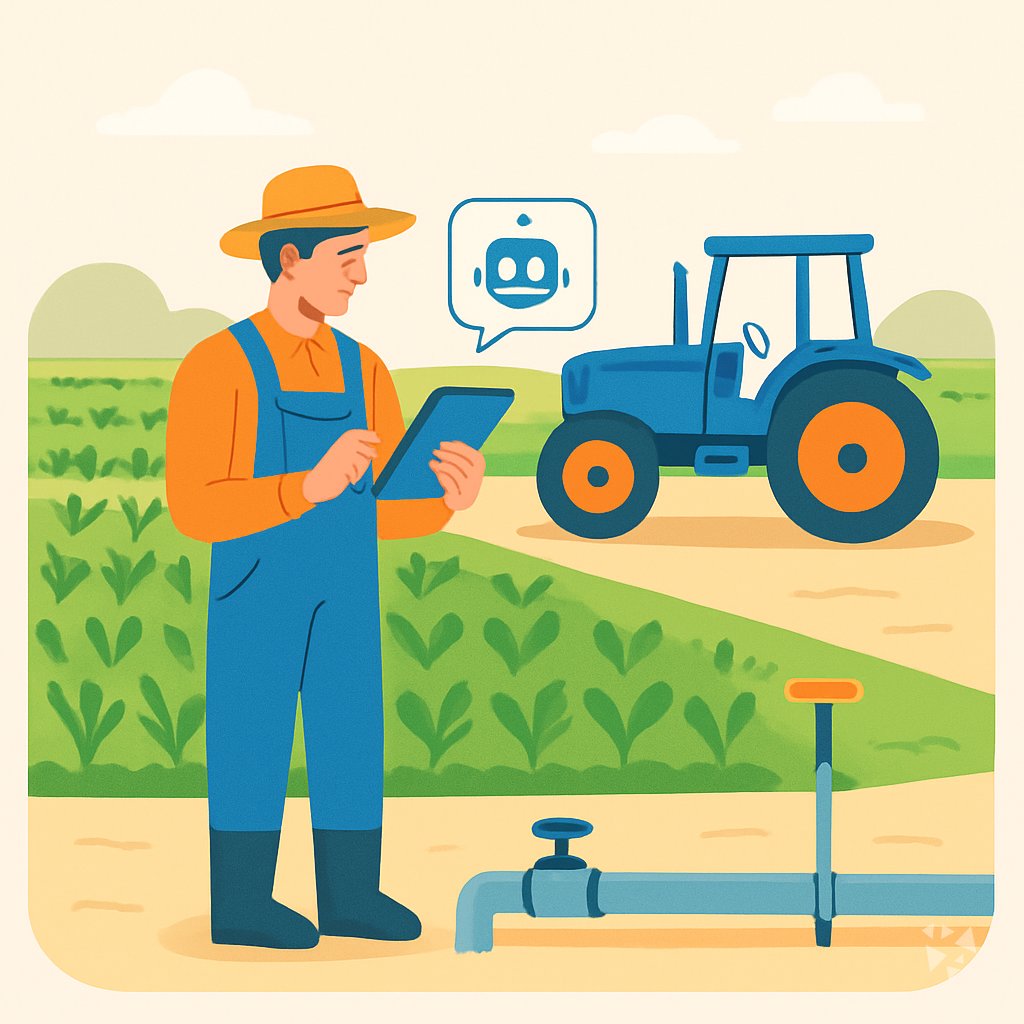
8 farm skills, 23 ready prompts, 3 apps and 8 Grok Bot agents inside the AI you already use, covering daily records, weather, livestock, machinery and selling.
- 8skills
- 23prompts
- 3apps
- 8Grok bots
What's inside
Your week runs on small decisions: which field to spray, what the cattle need, whether the tractor part arrives before Friday, who owes you money from last month's sales. Those answers sit in notebooks, text messages and your head. By evening you have made thirty calls with no record of why.
8 skills for farm work
The equipment maintenance planning skill lists service dates and spare parts. The weather automation skill watches forecasts. The day book skill keeps daily cash and bank records. The customer service skill drafts buyer replies.
23 prompts in 9 topics
Nine topics cover daily planning, weather and irrigation, soil and crop rotation, livestock, pests and weeds, machinery, selling, farm finances, and learning. Open one, fill in your details, send.
3 apps you can build
The prediction and insight workspace keeps the evidence behind a decision, such as whether to plant early. The task and note coordination workspace holds jobs and schedules. The venture planning workspace models a new business.
Grok Bot team of 8
Eight agents work on the side: the invoice chaser follows unpaid accounts, the email composer writes supplier messages, and the inventory demand planning agent helps you decide how much seed or feed to order.
Works in eight AIs
Download once and use it in ChatGPT, Claude, Microsoft 365 Copilot, Gemini, Grok, Grok Bot, Cursor and Kimi. Your farm plan stays with the AI you already pay for.
Daily news and new ideas
Members get a live feed to Complete AI Training: the daily AI news for farmers, one new idea each day with the prompt to do it, and automatic updates to every skill.
A day with your plugin
The plugin puts those tasks inside the AI you already open. It adds 8 farm skills, 23 prompts and 3 apps, so you can ask for a spray plan, a feed order or a customer reply and get a drafted answer you can edit. Nothing new to learn beyond typing.
- Morning
Before the truck leaves, ask the weather automation skill for a spray window for each field and the wind by hour, then send the plan to your phone.
- Late morning
Walk the cattle and log weights, treatments and feed changes with the livestock prompt. The AI flags which animal is due for a check next week.
- Afternoon
The tractor throws a warning light. Use the equipment maintenance planning skill to pull the service history, list the likely parts and draft a message to the dealer.
- End of day
Close the books with the day book skill: record cash sales at the gate, the fuel card charge and the bank deposit, and see what is left in each account.
Install it in your AI
Choose the AI you use. No technical knowledge needed: it's a few clicks and some copy and paste.
ChatGPT
Your own GPT on chatgpt.com, plus a plugin for Codex and ChatGPT workspaces. About 5 minutes.
- Download the ChatGPT version and unzip it (double-click the file).
- Go to chatgpt.com, click GPTs in the left menu, then Create, then the Configure tab.
- Name it Farmer Assistant. Open
custom-gpt/instructions.txt, copy everything and paste it into Instructions. - Under Knowledge, upload all the files from the
custom-gpt/knowledgefolder. - Paste the lines from
conversation-starters.txtas conversation starters and click Create. - For the daily news, ideas and skill updates: in ChatGPT go to Settings → Apps & Connectors, add the Complete AI Training connector and sign in with your membership. The README shows each click.
Download for members
Members download the plugin for every job, with daily news, ideas and skill updates. Or buy this plugin alone for $49, once.
Claude
A Claude plugin for claude.ai, the desktop app, Cowork and Claude Code. About 2 minutes.
- Download the Claude version. Keep it zipped.
- Open Claude (claude.ai or the desktop app), click your name at the bottom left, then Settings → Capabilities.
- Click Upload plugin and choose the zip file. Turn the plugin on.
- Start a new chat and type /start. Your farmer assistant introduces itself.
- The first time it uses Complete AI Training, Claude asks you to connect: click Connect and sign in with your membership.
Download for members
Members download the plugin for every job, with daily news, ideas and skill updates. Or buy this plugin alone for $49, once.
Microsoft 365 Copilot
A Copilot agent: set it up yourself in Agent Builder, or give IT the ready app package. About 5 minutes.
- Download the Microsoft 365 Copilot version and unzip it.
- Open Microsoft 365 Copilot (m365.cloud.microsoft/chat) and click Create agent, then the Configure tab.
- Name it Farmer Assistant. Paste everything from
agent-builder/instructions.txtinto Instructions. - Under Knowledge, upload the files from
agent-builder/knowledge. Add the starter prompts and click Create. - Working in a company? The
appPackagefolder is a ready app for your IT team, with the Complete AI Training connection built in. The README has a message you can forward to them.
Download for members
Members download the plugin for every job, with daily news, ideas and skill updates. Or buy this plugin alone for $49, once.
Gemini
Skills you upload to Gemini, a ready Gem, and a Gemini CLI extension. About 2 minutes.
- Download the Gemini version and unzip it.
- Go to gemini.google.com and open Settings → Skills → Upload.
- Upload the
SKILL.mdfiles from theskillsfolder, starting with the folder whose name ends in-assistant. Gemini now uses them by itself. - Prefer a Gem? Open Gems → New Gem, paste
gem/instructions.txtand upload the files ingem/knowledge. - Using Gemini CLI?
gemini extensions installon the folder also connects Complete AI Training for the daily news, ideas and skill updates.
Download for members
Members download the plugin for every job, with daily news, ideas and skill updates. Or buy this plugin alone for $49, once.
Grok
A Grok Project with all the instructions and files. About 5 minutes.
- Download the Grok version and unzip it.
- Go to grok.com, open Projects in the left menu and click New project. Name it Farmer Assistant.
- Paste everything from
grok-project/instructions.txtinto the project's instructions. - Upload the files from
grok-project/knowledgeto the project. - Start your work chats inside this project. Try one of the lines in
conversation-starters.txt.
Download for members
Members download the plugin for every job, with daily news, ideas and skill updates. Or buy this plugin alone for $49, once.
Grok Bot
One message that sets up a whole team of Grok Bot agents for your job. About 5 minutes.
- Download the Grok Bot version and unzip it.
- Open Grok Bot and create a new bot. Name it Farmer Team Lead.
- Open
SETUP-MESSAGE.md, copy everything and paste it as your first message. - The team lead sets up its own role and walks you through adding each specialist bot, one at a time.
- Add the Complete AI Training connector in Grok Bot so your team lead gets the daily news and ideas for farmers.
Download for members
Members download the plugin for every job, with daily news, ideas and skill updates. Or buy this plugin alone for $49, once.
Cursor
A Cursor plugin with the skills, rules and connection, or project files. About 3 minutes.
- Download the Cursor version and unzip it.
- In Cursor, open Settings → Plugins and add the unzipped folder.
- No plugins in your Cursor? Copy
skillsto.cursor/skillsandrulesto.cursor/rulesin your project, andmcp.jsonto.cursor/mcp.json. - Open the Agent chat and ask what it can do for you as a farmer.
Download for members
Members download the plugin for every job, with daily news, ideas and skill updates. Or buy this plugin alone for $49, once.
Kimi
A Kimi Code plugin, and instructions with files for Kimi chat. About 3 minutes.
- Download the Kimi version and unzip it.
- Kimi chat (kimi.com or the app): start a new chat, paste
kimi-chat/instructions.txtand attach the files inkimi-chat/files. - Keep using that chat for your work: Kimi now acts as your farmer assistant.
- Kimi Code: type
/plugins installwith the folder, then/reload. It connects Complete AI Training too.
Download for members
Members download the plugin for every job, with daily news, ideas and skill updates. Or buy this plugin alone for $49, once.
Everything in the plugin
Your AI picks the right part by itself. You can also ask for one by name.
Skills for farmers 8
- maintenance planning coordinatorBuilds equipment service schedules, spare parts lists, and vendor quotes. Example: a spring service plan for the tractor and baler.
- office weather automationTurns forecasts into farm alerts and timing. Example: a frost warning for the north field and a spray window for Tuesday.
- day bookKeeps daily cash, bank, and digital balances with reconciliation. Example: today's opening balance, fuel purchase, and egg sales in one view.
- customer service support assistantWrites buyer replies, complaints, product descriptions, and policies. Example: a polite answer to a customer asking about beef prices and delivery.
- operations process optimizerFinds bottlenecks, waste, and automation ideas in farm work. Example: a harvest process map that cuts idle time at the grain cart.
Plus a start-here assistant, the prompt library and the app builder, and for members the daily brief.
Ready-made prompts 23
- Daily Planning And Records3 prompts, like Draft A Daily Farm Work Plan
- Weather And Irrigation3 prompts, like Plan Farm Work Around Weather Forecast
- Soil And Crop Rotation2 prompts, like Plan A Multi-Year Crop Rotation
- Livestock Care3 prompts, like Work Out A Livestock Feed Ration
- Pests Weeds And Disease3 prompts, like Narrow Down A Crop Pest Problem
- Machinery And Repairs2 prompts, like Troubleshoot A Farm Machine Fault
- Selling And Customer Communication3 prompts, like Write a Farm Stand Listing
Show all 9 topics
- Farm Finances And Paperwork2 prompts
- Learning And Farm Improvement2 prompts
Apps you can build with AI 3
- Evidence-backed prediction and insight workspaceFor a reviewed decision with the data attached, like choosing a seed variety from three years of yield records. Demo included.
- AI task and note coordination workspaceFor one owned record of jobs, notes, and schedules when field tasks, repairs, and reminders are scattered. Demo included.
- Assumption-driven venture planning and decision workspaceFor a new barn, crop, or market with one linked plan, model, and forecast instead of separate tools. Demo included.
Your Grok Bot team 8
- Invoice ChaserTracks unpaid invoices and writes the follow-up that gets you paid without burning the client.
- Email ComposerDrafts professional emails for business, technical, and customer contexts.
- Home OpsKeeps a maintenance schedule for your house so nothing expensive fails unannounced.
- Youtube SummarizerExtract YouTube transcripts and generate detailed summaries using the STAR + R-I-S-E framework.
- Meeting NotesTurns a transcript into decisions and owned actions, dropping everything that was just talk.
- Customer ResearchUncover what customers actually think, feel, and struggle with through analysis of transcripts, surveys, reviews, and online communities.
- Deep Research NotebooklmRuns structured multi-source research via NotebookLM and delivers formatted briefs with optional studio artifacts.
- Inventory Demand PlanningForecast demand, set safety stock, and plan replenishment for multi-location retail.
Get the plugin
Two ways to get it. Most people choose the membership: it includes every plugin and keeps them up to date.
Recommended
Membership
$9 a month, billed yearly
- The plugin for farmers, and for 500 other jobs
- Daily AI news and a new idea every day, inside your AI
- Skills update by themselves
- 900+ video courses and certificates
- Download up to 2 plugins a day
This plugin only
Standalone plugin
$49 once
- The plugin for farmers, for all eight AIs
- All 8 skills, 23 prompts and 3 apps
- Yours to keep, no subscription
- No daily news, ideas or skill updates
Secure payment by Stripe. Bought it already? Use the link in your email.
Questions
What is a plugin and how do I install it?
A plugin is a set of instructions and files you add to your AI. You download it once, follow the short install guide for your AI, and the skills and prompts appear in your chats. No coding.
Which AI does it work with?
Eight: ChatGPT, Claude, Microsoft 365 Copilot, Gemini, Grok, Grok Bot, Cursor and Kimi. You use the one you already have. The skills, prompts and apps work the same way in each.
What is the difference between the member download and the $49 plugin?
Members download the plugin free inside their subscription and get the daily AI news, a new idea every day with its prompt, and automatic skill updates. The $49 one-time plugin is the same files without those extras.
Is my data safe?
The plugin is instructions and files. Your farm records, finances and messages stay in your AI account and are handled under that provider's privacy terms, not by us. Check your AI provider's data settings.
How many downloads can I get?
You can download two plugins a day. If you farm with a partner or run a second business, use the second download for another part of your work.
Learn to use AI as a farmer
The plugin does the work; the learning path shows you how to get the most out of it, step by step.
Plugins for related jobs
 AI plugin
Dispatchers
Get 8 skills, 24 prompts, 3 apps and a team of 8 Grok Bot agents that handle calls, routes, handovers and emergency plans in the AI you already use.
8 skills · 24 prompts · 3 apps AI plugin
Executive Assistants
One download gives your AI 17 skills, 28 prompts, 6 apps and 12 assistants for email, meetings, calendars, travel and briefings.
17 skills · 28 prompts · 6 apps AI plugin
Facilities Managers
One download gives your AI 17 skills, 29 prompts, 6 apps and 10 Grok Bot agents for maintenance, safety, energy, vendors and emergencies. Fits the AI you already use.
17 skills · 29 prompts · 6 apps