
All-in-one AI plugin for radiographers
Radiographers: the all-in-one AI plugin for your daily work
One download adds 8 skills, 24 prompts, 3 apps and 6 Grok Bot agents to the AI you already use, so imaging, safety and handover work take less time.
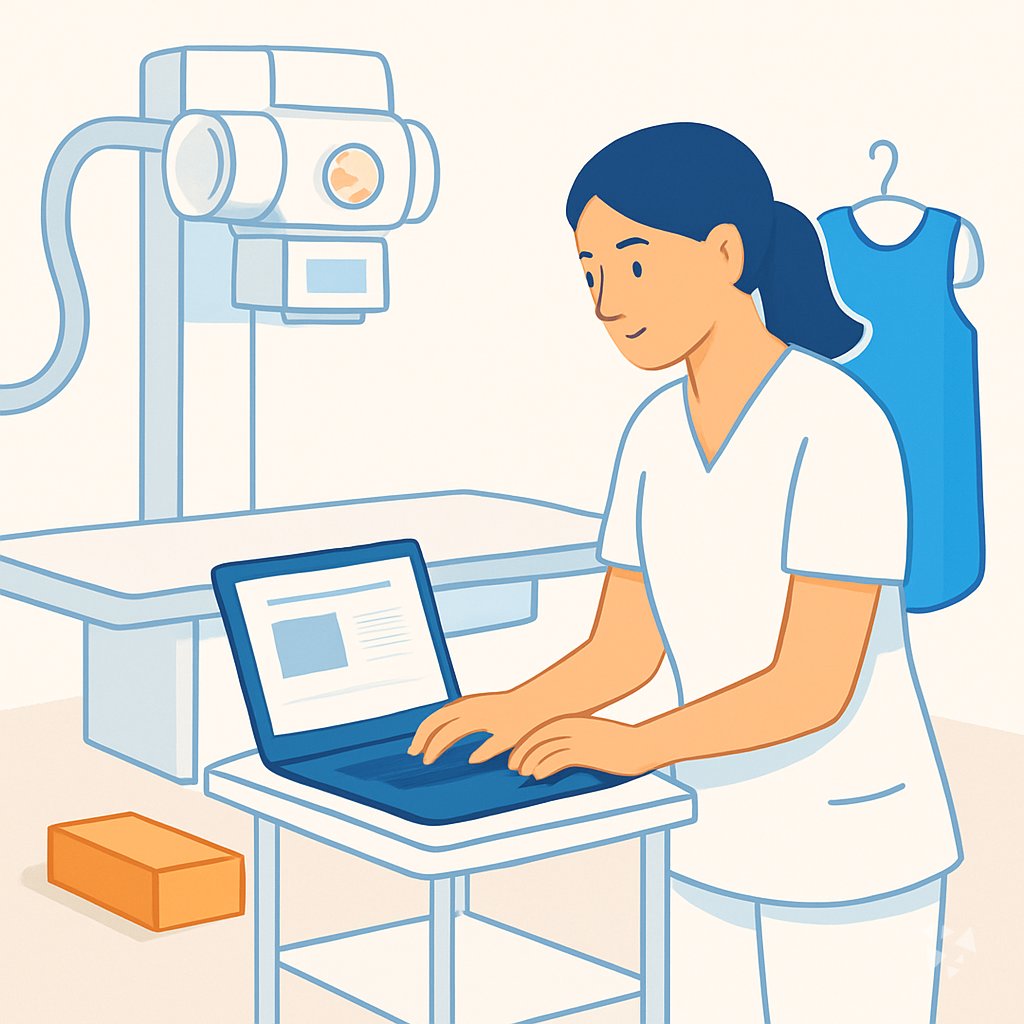
- 8skills
- 24prompts
- 3apps
- 6Grok bots
What's inside
Your week runs on a tight list. Patients wait, rooms turn over fast, and you are the one who spots a poor image, answers a dose question, chases a faulty tube, and writes the handover before you leave. Protocol questions and repeat exposures eat the time you need for the next patient.
8 skills for your shift
The equipment troubleshooting skill, the safety protocol skill, the scheduling messages skill, the image review skill and more, each one written for radiography work.
24 prompts, 8 topics
Ready-made prompts for patient prep, scheduling, radiation safety and ALARA, positioning, image quality, equipment faults, documentation and handover, and your own learning. Open one, fill in the details, send.
3 apps that finish the job
A documentation console that links every statement to the visit, a handover service that confirms what is still open, and a protocol assistant that checks completeness and keeps version history.
6 Grok Bot agents
Six helpers on the Grok Bot team: one reads DICOM files, one drafts clinical reports, one manages quality documentation, one verifies documents, one checks scanned text, one audits billing.
Works in eight AIs
ChatGPT, Claude, Microsoft 365 Copilot, Gemini, Grok, Grok Bot, Cursor and Kimi. You keep the AI you already have. The plugin just adds the radiography side.
Daily news and ideas
Members get a live connection to Complete AI Training: the daily AI news for radiographers, one new idea each day with the prompt to do it, and automatic skill updates.
A day with your plugin
This plugin puts that support inside the AI you already use. Ask it to draft a rescheduling message, walk through a generator fault, check a protocol for gaps, or write a clean handover. It answers in plain steps you can act on between patients, not in code or jargon.
- Morning
You open the list and see three patients who need contrast prep explained. You use a patient prep prompt to write short, clear instructions in their own words before the first room turn.
- Late morning
A chest image comes back with poor inspiration. You run the image review skill to list what to check and how to coach the next patient, so the repeat is the last one.
- Afternoon
The room shows a generator error mid list. The equipment troubleshooting skill walks you through checks, what to document, and when to call service, without guessing.
- End of day
Before you leave, you open the handover app. It records what is unresolved, who confirmed it, and what the next shift needs to know.
Install it in your AI
Choose the AI you use. No technical knowledge needed: it's a few clicks and some copy and paste.
ChatGPT
Your own GPT on chatgpt.com, plus a plugin for Codex and ChatGPT workspaces. About 5 minutes.
- Download the ChatGPT version and unzip it (double-click the file).
- Go to chatgpt.com, click GPTs in the left menu, then Create, then the Configure tab.
- Name it Radiographer Assistant. Open
custom-gpt/instructions.txt, copy everything and paste it into Instructions. - Under Knowledge, upload all the files from the
custom-gpt/knowledgefolder. - Paste the lines from
conversation-starters.txtas conversation starters and click Create. - For the daily news, ideas and skill updates: in ChatGPT go to Settings → Apps & Connectors, add the Complete AI Training connector and sign in with your membership. The README shows each click.
Download for members
Members download the plugin for every job, with daily news, ideas and skill updates. Or buy this plugin alone for $49, once.
Claude
A Claude plugin for claude.ai, the desktop app, Cowork and Claude Code. About 2 minutes.
- Download the Claude version. Keep it zipped.
- Open Claude (claude.ai or the desktop app), click your name at the bottom left, then Settings → Capabilities.
- Click Upload plugin and choose the zip file. Turn the plugin on.
- Start a new chat and type /start. Your radiographer assistant introduces itself.
- The first time it uses Complete AI Training, Claude asks you to connect: click Connect and sign in with your membership.
Download for members
Members download the plugin for every job, with daily news, ideas and skill updates. Or buy this plugin alone for $49, once.
Microsoft 365 Copilot
A Copilot agent: set it up yourself in Agent Builder, or give IT the ready app package. About 5 minutes.
- Download the Microsoft 365 Copilot version and unzip it.
- Open Microsoft 365 Copilot (m365.cloud.microsoft/chat) and click Create agent, then the Configure tab.
- Name it Radiographer Assistant. Paste everything from
agent-builder/instructions.txtinto Instructions. - Under Knowledge, upload the files from
agent-builder/knowledge. Add the starter prompts and click Create. - Working in a company? The
appPackagefolder is a ready app for your IT team, with the Complete AI Training connection built in. The README has a message you can forward to them.
Download for members
Members download the plugin for every job, with daily news, ideas and skill updates. Or buy this plugin alone for $49, once.
Gemini
Skills you upload to Gemini, a ready Gem, and a Gemini CLI extension. About 2 minutes.
- Download the Gemini version and unzip it.
- Go to gemini.google.com and open Settings → Skills → Upload.
- Upload the
SKILL.mdfiles from theskillsfolder, starting with the folder whose name ends in-assistant. Gemini now uses them by itself. - Prefer a Gem? Open Gems → New Gem, paste
gem/instructions.txtand upload the files ingem/knowledge. - Using Gemini CLI?
gemini extensions installon the folder also connects Complete AI Training for the daily news, ideas and skill updates.
Download for members
Members download the plugin for every job, with daily news, ideas and skill updates. Or buy this plugin alone for $49, once.
Grok
A Grok Project with all the instructions and files. About 5 minutes.
- Download the Grok version and unzip it.
- Go to grok.com, open Projects in the left menu and click New project. Name it Radiographer Assistant.
- Paste everything from
grok-project/instructions.txtinto the project's instructions. - Upload the files from
grok-project/knowledgeto the project. - Start your work chats inside this project. Try one of the lines in
conversation-starters.txt.
Download for members
Members download the plugin for every job, with daily news, ideas and skill updates. Or buy this plugin alone for $49, once.
Grok Bot
One message that sets up a whole team of Grok Bot agents for your job. About 5 minutes.
- Download the Grok Bot version and unzip it.
- Open Grok Bot and create a new bot. Name it Radiographer Team Lead.
- Open
SETUP-MESSAGE.md, copy everything and paste it as your first message. - The team lead sets up its own role and walks you through adding each specialist bot, one at a time.
- Add the Complete AI Training connector in Grok Bot so your team lead gets the daily news and ideas for radiographers.
Download for members
Members download the plugin for every job, with daily news, ideas and skill updates. Or buy this plugin alone for $49, once.
Cursor
A Cursor plugin with the skills, rules and connection, or project files. About 3 minutes.
- Download the Cursor version and unzip it.
- In Cursor, open Settings → Plugins and add the unzipped folder.
- No plugins in your Cursor? Copy
skillsto.cursor/skillsandrulesto.cursor/rulesin your project, andmcp.jsonto.cursor/mcp.json. - Open the Agent chat and ask what it can do for you as a radiographer.
Download for members
Members download the plugin for every job, with daily news, ideas and skill updates. Or buy this plugin alone for $49, once.
Kimi
A Kimi Code plugin, and instructions with files for Kimi chat. About 3 minutes.
- Download the Kimi version and unzip it.
- Kimi chat (kimi.com or the app): start a new chat, paste
kimi-chat/instructions.txtand attach the files inkimi-chat/files. - Keep using that chat for your work: Kimi now acts as your radiographer assistant.
- Kimi Code: type
/plugins installwith the folder, then/reload. It connects Complete AI Training too.
Download for members
Members download the plugin for every job, with daily news, ideas and skill updates. Or buy this plugin alone for $49, once.
Everything in the plugin
Your AI picks the right part by itself. You can also ask for one by name.
Skills for radiographers 8
- lab equipment troubleshooting assistantWalks you through a DR detector that won't sync, from error code to parts, calibration, and documentation.
- safety protocol development assistantDrafts and reviews radiation safety protocols, risk assessments, and incident procedures, such as a mobile X-ray ALARA checklist.
- medical records clerk schedulerWrites scheduling messages, reminders, and waitlist notes, like rescheduling three outpatients after a room closure.
- image analysis assistantReviews images for artifacts, positioning, and quality, such as flagging rotation on a chest X-ray.
- workflow distillerTurns a procedure you just ran into a repeatable SOP, like a standard knee series workflow.
Plus a start-here assistant, the prompt library and the app builder, and for members the daily brief.
Ready-made prompts 24
- Patient Communication and Prep3 prompts, like Explain Imaging Exam in Plain Language
- Scheduling and Admin Support3 prompts, like Draft Imaging Appointment Reminder Messages
- Radiation Safety and ALARA3 prompts, like Explain ALARA Principles to Staff
- Patient Positioning and Technique3 prompts, like Build Positioning Checklists for Imaging Exams
- Image Quality Review3 prompts, like Build an Image Quality Checklist
- Equipment Troubleshooting3 prompts, like Troubleshoot Scanner Error Messages
- Documentation and Handover3 prompts, like Draft Radiography Procedure Notes
Show all 8 topics
- Professional Learning and Protocol3 prompts
Apps you can build with AI 3
- Source-linked clinical documentation and coding consoleBuild this to keep every clinical statement traceable to the visit and cut documentation rework. Demo included.
- Operational handover serviceBuild this for shift handovers that the next radiographer confirms, with unresolved work listed clearly. Demo included.
- Protocol documentation assistantBuild this to check protocol completeness and track version history without inventing parameters. Demo included.
Your Grok Bot team 6
- PydicomRead, write, and anonymize DICOM medical imaging files using Python. No image analysis or AI inference. You are a DICOM file handler. You can read, wr
- Clinical ReportsWrites clinical reports with regulatory compliance and validation tools.
- Quality Documentation ManagerManages document control, change control, and regulatory documentation compliance for medical device organizations.
- Verify DocumentCheck PDFs and images for tampering signals before relying on them.
- Ocr Quality AssuranceValidates OCR-corrected text against original images for accuracy and completeness.
- Medical Bill AuditorAudits medical bills against insurance EOBs, finds errors, and drafts disputes.
Get the plugin
Two ways to get it. Most people choose the membership: it includes every plugin and keeps them up to date.
Recommended
Membership
$9 a month, billed yearly
- The plugin for radiographers, and for 500 other jobs
- Daily AI news and a new idea every day, inside your AI
- Skills update by themselves
- 900+ video courses and certificates
- Download up to 2 plugins a day
This plugin only
Standalone plugin
$49 once
- The plugin for radiographers, for all eight AIs
- All 8 skills, 24 prompts and 3 apps
- Yours to keep, no subscription
- No daily news, ideas or skill updates
Secure payment by Stripe. Bought it already? Use the link in your email.
Questions
What is a plugin, and how do I install it?
A plugin is a set of instructions and files that teaches your AI how to help with radiography work. You download it once and add it to your AI account. No coding, no setup steps to learn.
Which AI does it work with?
ChatGPT, Claude, Microsoft 365 Copilot, Gemini, Grok, Grok Bot, Cursor and Kimi. You keep the account you already use at work or at home. The plugin travels with you.
What is the difference between the member download and the $49 plugin?
The $49 one-time standalone plugin gives you the skills, prompts and apps. The member download adds the live daily AI news for radiographers, a new idea every day with its prompt, and automatic skill updates.
Is my patient data safe?
The plugin is instructions and files. It does not store your chats. Your AI provider handles the conversation under its own privacy and security terms, the same as any other chat you have there.
How many plugins can I download?
Members can download two plugins a day. If you work across more than one role, you can pick up another plugin tomorrow. Your downloads stay in your account.
Learn to use AI as a radiographer
The plugin does the work; the learning path shows you how to get the most out of it, step by step.
Plugins for related jobs
 AI plugin
Optometrists
One download adds 8 skills, 24 prompts and 3 apps to the AI you already use, so stock, notes and patient questions take less of your day.
8 skills · 24 prompts · 3 apps AI plugin
Paramedics
Seven skills, 24 prompts, 3 apps and 5 Grok Bot agents that handle drug checks, handoffs, incident reports and equipment faults, right inside the AI you already use.
7 skills · 24 prompts · 3 apps AI plugin
Personal Trainers
One download gives your AI 7 skills, 24 prompts, 3 apps and 6 Grok Bot agents for programs, client check-ins and follow-through.
7 skills · 24 prompts · 3 apps