
All-in-one AI plugin for research associates
The All-in-One AI Plugin for Research Associates
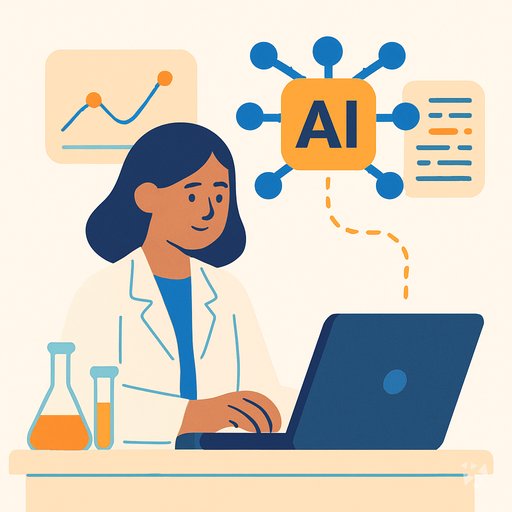
One download gives your AI 17 research skills, 515 prompts, 8 apps and 10 Grok Bot agents, so literature reviews, coding and manuscripts move faster.
- 17skills
- 515prompts
- 8apps
- 10Grok bots
What's inside
Your week is a pile of half-finished tasks. You screen papers for a review, code interview transcripts, clean a dataset, chase citations, and draft a manuscript section, all before Friday. Each one lives in a different tool, and the small steps, like formatting references or checking a claim, eat the hours you need for thinking.
17 research skills
Literature review copilot, qualitative coding, statistical workflow, experimental design, manuscript prep, survey building, ethics guidance, data cleaning and more, ready inside your AI.
515 ready-made prompts
30 topics cover literature reviews, statistical modeling, grant proposals, data visualization and scientific writing. Open one, paste your details, and run it.
8 apps to build
A reviewed evidence workspace, a source-linked writing workbench, a qualitative interview synthesis workspace, a scientific figure studio and a research data cleaning app, all traceable to your sources.
10 Grok Bot agents
A lab protocols agent, an academic researcher, a statistical analysis agent, a grants agent, a survey research assistant and a research data analyst you can hand tasks to.
Works in eight AIs
Use it in ChatGPT, Claude, Microsoft 365 Copilot, Gemini, Grok, Grok Bot, Cursor and Kimi. One download, the same skills everywhere you write and analyze.
Daily news and ideas
Members get a live connection for daily AI news for research work, one new idea each day with the prompt to do it, and automatic skill updates.
A day with your plugin
The plugin drops into the AI you already have open. It adds a literature review copilot, a qualitative analysis assistant, an experimental design planner, and more. You ask in plain words. The AI pulls the right skill, keeps your sources linked, and hands back a draft you can check and finish.
- Morning
Before your lab meeting, you open the literature review skill and ask for the three most cited papers on your topic, with a short summary and a gap statement.
- Late morning
A reviewer emails asking you to justify your sample size. The experimental design planner walks you through the power calculation and writes the sentence for your response letter.
- Afternoon
You finish six interviews and need themes by Thursday. The qualitative interview evidence synthesis workspace groups the quotes, labels each theme, and keeps every theme linked to the participant who said it.
- End of day
You paste your manuscript section into the manuscript preparation assistant and ask it to check the references against your library and format the abstract to the journal's word limit.
Install it in your AI
Choose the AI you use. No technical knowledge needed: it's a few clicks and some copy and paste.
ChatGPT
Your own GPT on chatgpt.com, plus a plugin for Codex and ChatGPT workspaces. About 5 minutes.
- Download the ChatGPT version and unzip it (double-click the file).
- Go to chatgpt.com, click GPTs in the left menu, then Create, then the Configure tab.
- Name it Research Associate Assistant. Open
custom-gpt/instructions.txt, copy everything and paste it into Instructions. - Under Knowledge, upload all the files from the
custom-gpt/knowledgefolder. - Paste the lines from
conversation-starters.txtas conversation starters and click Create. - For the daily news, ideas and skill updates: in ChatGPT go to Settings → Apps & Connectors, add the Complete AI Training connector and sign in with your membership. The README shows each click.
Download for members
Members download the plugin for every job, with daily news, ideas and skill updates. Or buy this plugin alone for $49, once.
Claude
A Claude plugin for claude.ai, the desktop app, Cowork and Claude Code. About 2 minutes.
- Download the Claude version. Keep it zipped.
- Open Claude (claude.ai or the desktop app), click your name at the bottom left, then Settings → Capabilities.
- Click Upload plugin and choose the zip file. Turn the plugin on.
- Start a new chat and type /start. Your research associate assistant introduces itself.
- The first time it uses Complete AI Training, Claude asks you to connect: click Connect and sign in with your membership.
Download for members
Members download the plugin for every job, with daily news, ideas and skill updates. Or buy this plugin alone for $49, once.
Microsoft 365 Copilot
A Copilot agent: set it up yourself in Agent Builder, or give IT the ready app package. About 5 minutes.
- Download the Microsoft 365 Copilot version and unzip it.
- Open Microsoft 365 Copilot (m365.cloud.microsoft/chat) and click Create agent, then the Configure tab.
- Name it Research Associate Assistant. Paste everything from
agent-builder/instructions.txtinto Instructions. - Under Knowledge, upload the files from
agent-builder/knowledge. Add the starter prompts and click Create. - Working in a company? The
appPackagefolder is a ready app for your IT team, with the Complete AI Training connection built in. The README has a message you can forward to them.
Download for members
Members download the plugin for every job, with daily news, ideas and skill updates. Or buy this plugin alone for $49, once.
Gemini
Skills you upload to Gemini, a ready Gem, and a Gemini CLI extension. About 2 minutes.
- Download the Gemini version and unzip it.
- Go to gemini.google.com and open Settings → Skills → Upload.
- Upload the
SKILL.mdfiles from theskillsfolder, starting with the folder whose name ends in-assistant. Gemini now uses them by itself. - Prefer a Gem? Open Gems → New Gem, paste
gem/instructions.txtand upload the files ingem/knowledge. - Using Gemini CLI?
gemini extensions installon the folder also connects Complete AI Training for the daily news, ideas and skill updates.
Download for members
Members download the plugin for every job, with daily news, ideas and skill updates. Or buy this plugin alone for $49, once.
Grok
A Grok Project with all the instructions and files. About 5 minutes.
- Download the Grok version and unzip it.
- Go to grok.com, open Projects in the left menu and click New project. Name it Research Associate Assistant.
- Paste everything from
grok-project/instructions.txtinto the project's instructions. - Upload the files from
grok-project/knowledgeto the project. - Start your work chats inside this project. Try one of the lines in
conversation-starters.txt.
Download for members
Members download the plugin for every job, with daily news, ideas and skill updates. Or buy this plugin alone for $49, once.
Grok Bot
One message that sets up a whole team of Grok Bot agents for your job. About 5 minutes.
- Download the Grok Bot version and unzip it.
- Open Grok Bot and create a new bot. Name it Research Associate Team Lead.
- Open
SETUP-MESSAGE.md, copy everything and paste it as your first message. - The team lead sets up its own role and walks you through adding each specialist bot, one at a time.
- Add the Complete AI Training connector in Grok Bot so your team lead gets the daily news and ideas for research associates.
Download for members
Members download the plugin for every job, with daily news, ideas and skill updates. Or buy this plugin alone for $49, once.
Cursor
A Cursor plugin with the skills, rules and connection, or project files. About 3 minutes.
- Download the Cursor version and unzip it.
- In Cursor, open Settings → Plugins and add the unzipped folder.
- No plugins in your Cursor? Copy
skillsto.cursor/skillsandrulesto.cursor/rulesin your project, andmcp.jsonto.cursor/mcp.json. - Open the Agent chat and ask what it can do for you as a research associate.
Download for members
Members download the plugin for every job, with daily news, ideas and skill updates. Or buy this plugin alone for $49, once.
Kimi
A Kimi Code plugin, and instructions with files for Kimi chat. About 3 minutes.
- Download the Kimi version and unzip it.
- Kimi chat (kimi.com or the app): start a new chat, paste
kimi-chat/instructions.txtand attach the files inkimi-chat/files. - Keep using that chat for your work: Kimi now acts as your research associate assistant.
- Kimi Code: type
/plugins installwith the folder, then/reload. It connects Complete AI Training too.
Download for members
Members download the plugin for every job, with daily news, ideas and skill updates. Or buy this plugin alone for $49, once.
Everything in the plugin
Your AI picks the right part by itself. You can also ask for one by name.
Skills for research associates 17
- research associate lit review copilotPlans search terms, screens sources, formats citations. Example: turning a rough topic into a PubMed search string and gap statement.
- technical research documentation assistantTurns sources into reports, white papers, or manuals. Example: drafting a methods section from your lab notes and cited papers.
- qualitative data analysis assistantCodes transcripts and surveys into themes with sentiment. Example: labeling 20 interview transcripts and comparing themes across two participant groups.
- statistical analysis workflow assistantRuns cleaning, descriptives, tests, and modeling end to end. Example: choosing and running a t-test on your pre and post scores.
- research workflow assistantHandles general research and TA tasks: literature search, editing, funding, presentations. Example: building a reading list and slide outline for a seminar.
- literature reviewRuns systematic reviews across PubMed, arXiv, and Semantic Scholar. Example: screening 300 records down to 25 included studies with a PRISMA flow.
Show all 14 skills
- experimental design plannerDesigns studies from hypothesis to analysis plan. Example: setting sample size, randomization, and controls for a pilot lab experiment.
- ethical compliance guidance assistantResearches guidelines and drafts protocol, consent, and incident documents. Example: preparing an IRB submission checklist for a human subjects survey study.
- manuscript preparation assistantPolishes manuscripts for submission, from abstract to reviewer responses. Example: rewriting your abstract to a journal's 250-word limit.
- office deep researchResearches an unfamiliar topic broadly before focused work begins. Example: mapping the field and key debates before you design your first study.
- data collection strategy plannerPlans sources, methods, and quality checks for new data collection. Example: designing a clinic intake process with built-in validation steps.
- survey research assistantBuilds, distributes, and analyzes surveys end to end. Example: writing unbiased Likert questions and testing differences between departments.
- insight survey architectPlans samples and cleans survey data before statistical reporting. Example: checking response bias and weighting results for a campus-wide student survey.
- data cleaning guidance assistantGuides reversible, documented cleaning of research datasets. Example: handling missing values and outliers in a longitudinal dataset with an audit trail.
Plus a start-here assistant, the prompt library and the app builder, and for members the daily brief.
Ready-made prompts 515
- Literature Review Assistance17 prompts, like Assess Source Quality
- Literature Review Assistance15 prompts, like Identify Literature Search Terms
- Ethical Compliance Guidance18 prompts, like Research Ethical Guidelines and Regulations
- Qualitative Data Analysis22 prompts, like Categorize Qualitative Data into Themes
- Data Collection and Analysis14 prompts, like Data Gathering and Aggregation
- Data Collection and Analysis19 prompts, like Analyze Product Review Sentiment
- Experimental Design22 prompts, like Bayesian Experimental Design Guide
Show all 30 topics
- Experimental Design22 prompts
- Survey Development and Analysis14 prompts
- Survey Development and Analysis18 prompts
- Manuscript Preparation11 prompts
- Manuscript Preparation13 prompts
- Grant Proposal Writing Support19 prompts
- Grant Proposal Writing Support19 prompts
- Ethical Compliance Guidance18 prompts
- Data Visualization18 prompts
- Data Visualization18 prompts
- Research Collaboration Facilitation19 prompts
- Research Collaboration Facilitation19 prompts
- Statistical Modeling and Prediction17 prompts
- Statistical Modeling and Prediction17 prompts
- Qualitative Data Analysis21 prompts
- Research Impact Assessment8 prompts
- Research Impact Assessment17 prompts
- Patent Research and Guidance13 prompts
- Patent Research and Guidance13 prompts
- Scientific Communication Skills19 prompts
- Big Data Handling and Analysis18 prompts
- Scientific Communication Skills19 prompts
- Big Data Handling and Analysis18 prompts
Apps you can build with AI 8
- Reviewed research evidence and writing workspaceKeeps every claim tied to a source while you draft, cutting manual search and citation work. Demo included.
- Source-linked research writing and review workbenchCuts revision cycles by keeping edits traceable to source text and your original meaning. Demo included.
- Reviewed research evidence and writing workspaceReduces tool switching and reference errors while you keep final judgment on every claim. Demo included.
- Multi-source research synthesis and reporting workspaceAssembles findings from many sources into one report with citations you can check. Demo included.
- Scientific figure studioBuilds clear figures from your numerical results with traceability back to the data. Demo included.
- Research data cleaningApplies your approved cleaning rules to datasets with a reversible, documented record. Demo included.
- Evidence-backed visual research synthesis workspaceTurns synthesis into charts and summaries where each claim links to its source. Demo included.
- Qualitative interview evidence synthesis workspaceCodes interviews into themes and keeps each theme traceable to participant quotes. Demo included.
Your Grok Bot team 10
- PylabrobotControls lab robots and equipment from Python scripts.
- Opentrons IntegrationWrites Opentrons Protocol API v2 Python scripts for Flex/OT-2 liquid handling workflows.
- Labarchive IntegrationAutomate LabArchives electronic lab notebook operations via API.
- Protocolsio IntegrationManage scientific protocols on protocols.io via API: search, create, update, publish, and organize. No hype, no emoji, no 'leverage'/'empower'/'seamle
- Academic ResearcherSearches scholarly databases, analyzes papers, and writes structured findings to a markdown file.
- Statistical AnalysisRuns statistical tests and reports results in APA format for academic research.
- Claude Scientific TemplatesScientific research and analysis assistant for literature review and data interpretation.
- Research GrantsWrites competitive research proposals for NSF, NIH, DOE, and DARPA with agency-specific formatting and review criteria.
- Research Data AnalystCollects, cleans, organizes, analyzes, visualizes, and reports data for research associates.
- Survey Research AssistantBuilds, distributes, analyzes, and reports surveys for research studies.
Get the plugin
Two ways to get it. Most people choose the membership: it includes every plugin and keeps them up to date.
Recommended
Membership
$9 a month, billed yearly
- The plugin for research associates, and for 500 other jobs
- Daily AI news and a new idea every day, inside your AI
- Skills update by themselves
- 900+ video courses and certificates
- Download up to 2 plugins a day
This plugin only
Standalone plugin
$49 once
- The plugin for research associates, for all eight AIs
- All 17 skills, 515 prompts and 8 apps
- Yours to keep, no subscription
- No daily news, ideas or skill updates
Secure payment by Stripe. Bought it already? Use the link in your email.
Questions
What is a plugin and how do I install it without technical knowledge?
A plugin is a set of instructions and files you add to your AI. You download one file, open your AI, and follow the install steps we send by email. No coding, no setup, no IT ticket needed.
Which AI does it work with?
ChatGPT, Claude, Microsoft 365 Copilot, Gemini, Grok, Grok Bot, Cursor and Kimi. You use the AI you already have. Nothing changes in how you log in or where your chats live.
What is the difference between the member download and the $49 one-time plugin?
The $49 standalone plugin gives you the 17 skills, 515 prompts and 8 apps as a one-time download. The member version adds the 10 Grok Bot agents, daily AI news, a new idea every day with its prompt, and automatic skill updates.
Is my data safe?
The plugin is instructions and files, not a service that stores your work. Your chats, transcripts and datasets stay with your AI provider and follow the privacy settings you already have there.
How many downloads do I get?
Members can download two plugins a day. Pick the one for Research Associates now, and come back tomorrow for another role or a second copy for a colleague.
Learn to use AI as a research associate
The plugin does the work; the learning path shows you how to get the most out of it, step by step.
Plugins for related jobs
 AI plugin
Market Research Analysts
One download gives your AI 17 market research skills, 251 prompts and 8 apps, so competitor, pricing and survey work moves faster with sources attached.
17 skills · 251 prompts · 8 apps AI plugin
Materials Scientists
One download gives your AI 14 skills, 25 prompts and 8 apps for literature, experiments, data and reports, so you spend your week on materials, not searching.
14 skills · 25 prompts · 8 apps AI plugin
Meteorologists
One download adds 8 skills, 22 prompts and 3 apps to the AI you already use, so radar reads, forecast drafts and briefings take minutes instead of hours.
8 skills · 22 prompts · 3 apps