AI tool
Claude Code ultraplan
Claude Code ultraplan moves planning from CLI to your browser: run /ultraplan, generate cloud-hosted implementation plans, then review, comment, react per section, and iterate in claude.ai while your terminal remains free.

About Claude Code ultraplan
Claude Code ultraplan is a slash command that moves the implementation planning phase out of the terminal and into a cloud-based session where plans can be annotated, revised, and approved before any code is run. It's intended for engineers using Claude Code who want a more interactive, reviewable planning workflow.
Review


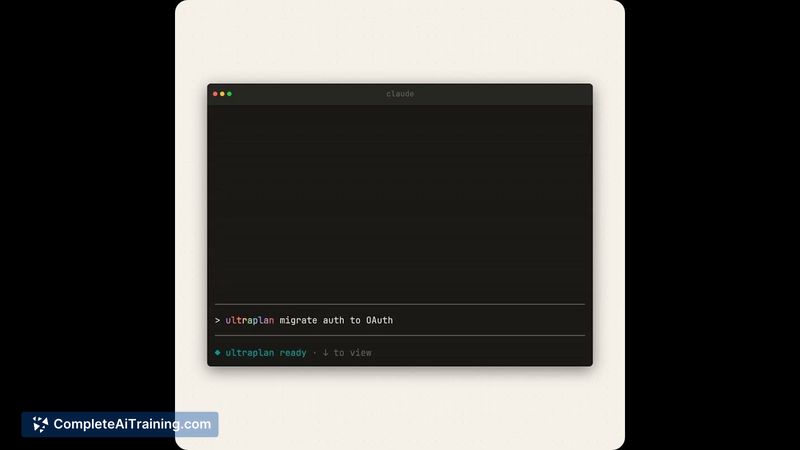
ultraplan addresses a common friction in CLI-driven workflows: planning often happens as a single linear output with limited options for fine-grained feedback. By generating plans in a browser session, the tool offers document-like interactions (comments, reactions, an outline) while preserving local execution when needed.
Key Features
- /ultraplan slash command that initiates a cloud session for implementation planning separate from the local terminal.
- Browser-based plan document with inline comments, section reactions, and an outline sidebar for quick navigation and focused discussion.
- Iterative editing: request revisions, re-drafts, and targeted changes to specific passages until the plan meets expectations.
- Execution choices: run the approved plan in the cloud to produce a pull request, or send the plan back to the local environment for execution with full local access.
- Requirements and limitations are surfaced up front: a recent Claude Code release with web access and a Git repository are needed, and some third-party hosting options are not supported.
Pricing and Value
There is no public, standalone price listed for ultraplan; it functions as a feature within the broader Claude Code offering, so access and billing will depend on the existing Claude Code plan a user or organization is on. The primary value is time saved in planning and review cycles: teams gain clearer review artifacts, fewer blind approvals, and a smoother handoff between planning and execution, which can reduce costly mistakes on large refactors or migrations.
Pros
- Separates planning and execution, allowing thoughtful review without blocking the local terminal.
- Document-style interaction (comments, reactions, outline) makes asynchronous collaboration and targeted feedback straightforward.
- Flexible execution options: run in the cloud to get a PR or bring the plan back locally for environment-specific tasks.
- Helps reduce risk on larger changes by forcing an approval step that can be iterated on.
Cons
- Requires a specific Claude Code version with web access and a linked Git repository, so not immediately available to all users.
- Not supported on certain third-party hosting setups, which limits adoption for some environments.
- Users accustomed to terminal-only workflows may face a small learning curve or resistance to the browser-first review step.
Claude Code ultraplan is best suited for engineering teams and individual developers who already use Claude Code and want stronger control over planning, especially for large refactors, migrations, or changes that benefit from asynchronous review. It's a practical addition for groups that want clearer sign-off and iteration on plans before executing code.
Jobs Claude Code ultraplan suits
We checked Claude Code ultraplan against 500+ jobs; these get the most out of it.