AI tool
DodoForm
DodoForm accepts voice, photos and messy text and uses AI to clean and map replies into structured data. Generate forms by description, auto-match your brand theme, and get AI-driven analytics on drop-offs.
About DodoForm
DodoForm converts voice notes, photos, and messy written answers into clean, structured data using AI. It offers a library of templates, branded form themes, native integrations, and built-in analytics to speed up form creation and data collection.
Review
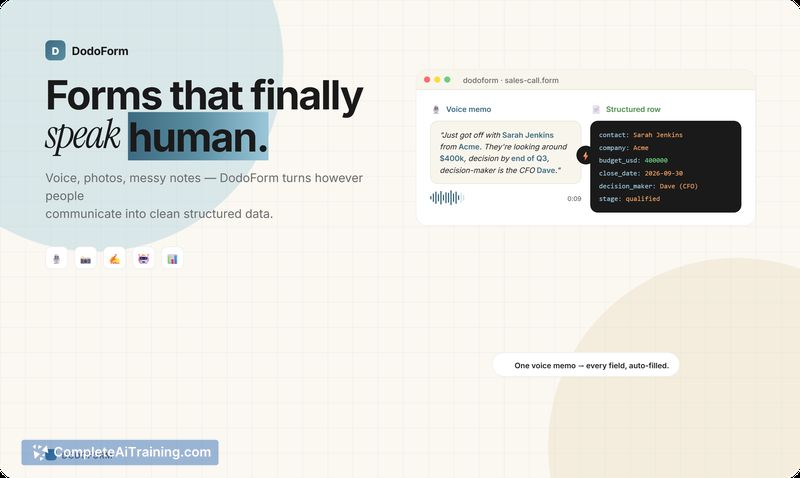
DodoForm focuses on letting respondents answer naturally and then cleaning those replies into usable fields. The product emphasizes multi-modal input parsing, an AI-driven form generator, and confidence-scored extraction that can prompt confirmations when the system is unsure.
Key Features
- Multi-modal parsing: accepts voice, photos, screenshots, and free-text notes and converts them into structured fields.
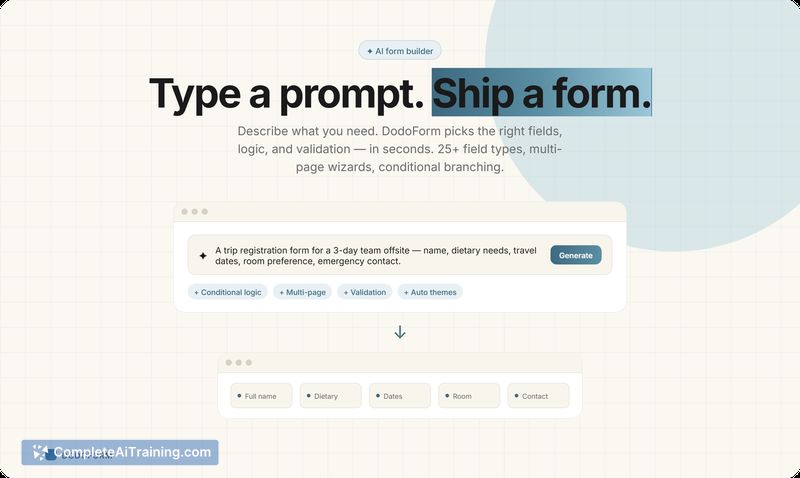
- AI form generator: describe what you need and get a working form in seconds with support for conditional logic and multi-page flows.
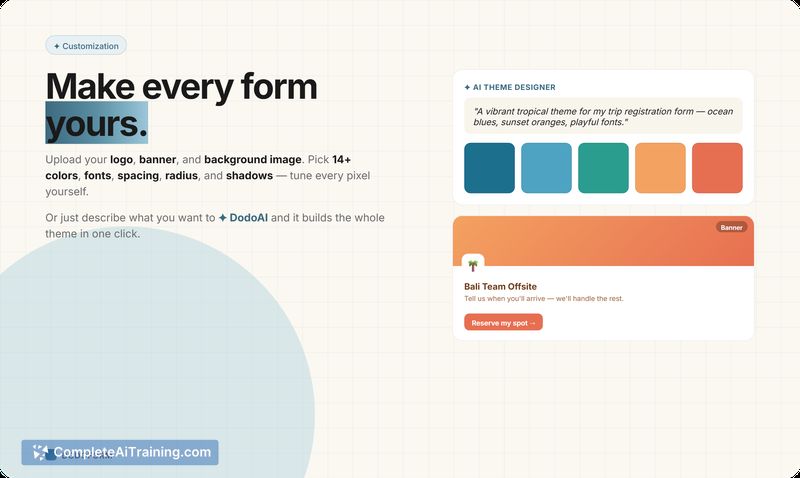
- AI theme designer: generate a matching color palette and fonts from a brief or brand kit, with the option to customize further.
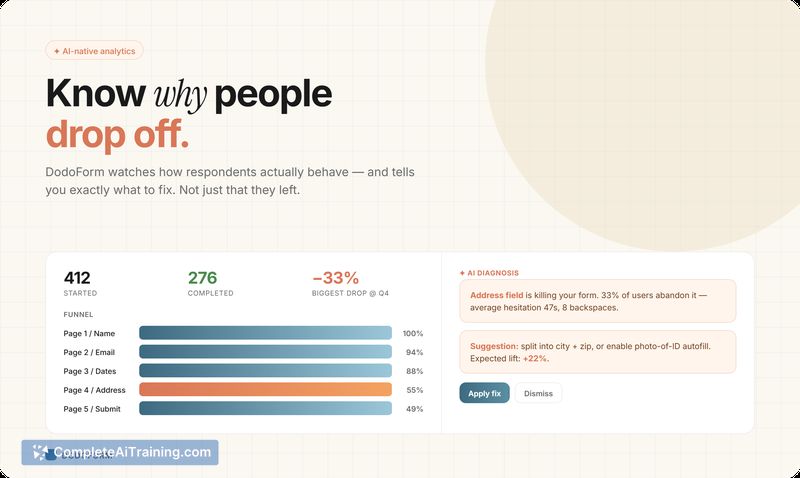
- AI-native analytics: diagnostic insights that go beyond completion rates to highlight confusing questions and likely drop-off causes.
- 100+ templates and native integrations for common workflows like sales intake, hiring, and event RSVPs.
Pricing and Value
There is a free tier with a generous quota for basic use, and a 14-day Pro trial that does not require a credit card. The pricing model aims to let teams experiment without immediate commitment; paid plans unlock higher quotas, advanced analytics, and additional integrations. For teams that frequently receive informal or multi-modal responses, the time saved converting those answers into structured rows can justify the subscription cost quickly.
Pros
- Handles a wide range of input types so respondents can reply in the way that's easiest for them.
- Fast form creation via an AI generator and adaptable templates reduces setup time.
- Confidence-scored extraction with confirmation steps helps prevent silent errors.
- Built-in analytics offer actionable suggestions for improving form completion.
- Branding options and integrations make it practical for event organizers, hiring teams, and sales workflows.
Cons
- AI interpretation can mislabel ambiguous or corrective speech; some fields may require manual review or an audit trail for safety.
- Newly launched, so feature set and workflows are likely to evolve and solidify over the coming months.
- Voice-to-field confidence varies with how people speak; lower-confidence extractions may add confirmation steps for respondents.
Best suited for teams that collect messy or multi-modal responses-sales intake after calls, hiring submissions that include resumes and voice answers, or event RSVPs where respondents prefer photos or shorthand. Organizations that need strict auditability for regulated data should plan review workflows, while smaller teams and event organizers will likely see immediate time savings and higher completion rates.
Jobs DodoForm suits
We checked DodoForm against 500+ jobs; these get the most out of it.