AI tool
Dual Shades
Dual Shades lets creators achieve a vivid “color-pop” effect on images quickly and easily, without needing Photoshop. Perfect for enhancing visuals with minimal effort and no complex software required.

About Dual Shades
Dual Shades is an AI-powered photo editing tool that allows users to keep the subject of a photo in vibrant color while fading the background to black and white. It offers a quick and easy way to create striking images without requiring any editing expertise.
Review

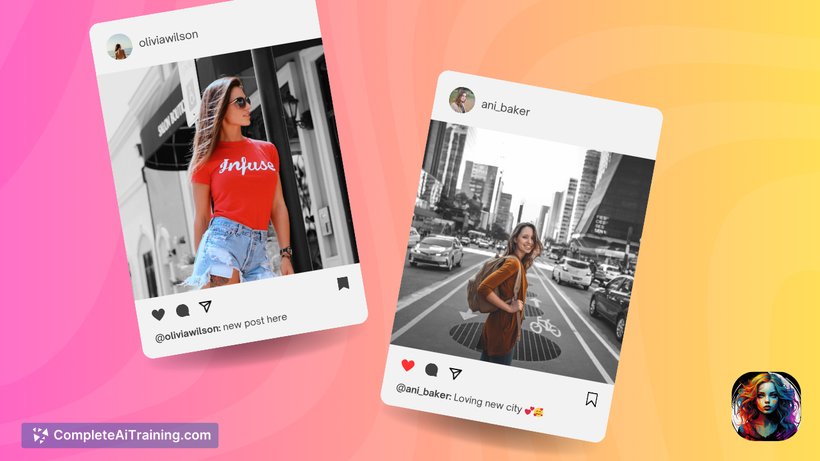
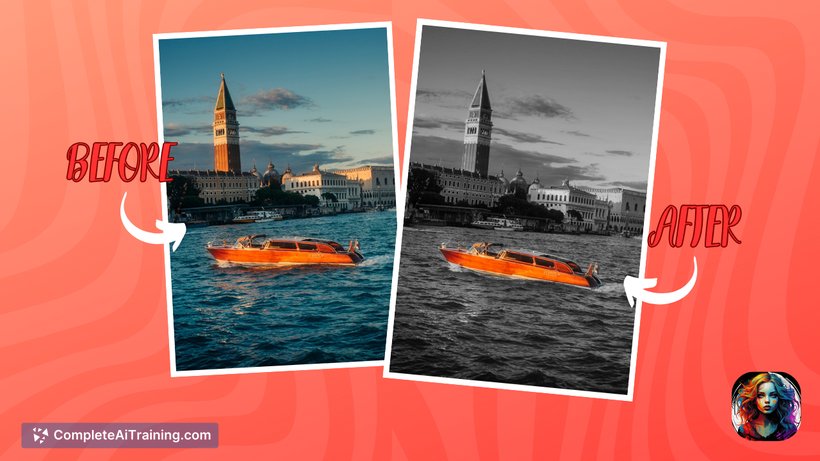
Dual Shades provides a straightforward solution for creating the popular "color pop" effect in photos. Its simplicity and speed make it accessible for both casual users and creators who want to enhance their images with minimal effort. The tool focuses on delivering this effect without the complexity of traditional photo editing software.
Key Features
- Automatic color isolation of the subject with background desaturation to black and white
- User-friendly interface requiring no prior editing skills
- Fast processing suitable for quick edits
- Free to use, accessible via a web platform
- Ideal for portraits, product photography, and creative storytelling
Pricing and Value
Dual Shades is currently available for free, providing excellent value for users looking to add a dramatic effect to their photos without any cost. Its free model allows users to experiment without commitment, making it a convenient option for both beginners and occasional editors. Future monetization plans have been mentioned but not yet implemented.
Pros
- Simple and intuitive interface that requires no editing experience
- Produces visually appealing color pop effects quickly
- Completely free to use at launch
- Accessible online without the need to download software
- Works well for various photo types, including portraits and product shots
Cons
- Lacks customization options such as adjusting saturation or vibrancy levels
- Subtle color effect may not satisfy users seeking more dramatic edits
- Currently limited to a single effect without additional editing tools
Overall, Dual Shades is best suited for users who want a quick and effortless way to create the color pop effect without diving into complex photo editing programs. It is ideal for content creators, social media users, and photographers who need a simple tool for enhancing portraits or product images with a creative touch.
Jobs Dual Shades suits
We checked Dual Shades against 500+ jobs; these get the most out of it.