AI tool
Emra / Always on Transcription and PTT
Emra - always-on transcription with push-to-type: paste speech anywhere in real time, capture background transcripts for meeting summaries, and surface searchable notes while you work.
About Emra / Always on Transcription and PTT
Emra / Always on Transcription and PTT is an AI-powered dictation and transcription application for Windows and Apple. It offers push-to-type functionality to paste spoken words directly into applications and continuous background transcription for meetings, notes, and brainstorming.
Review

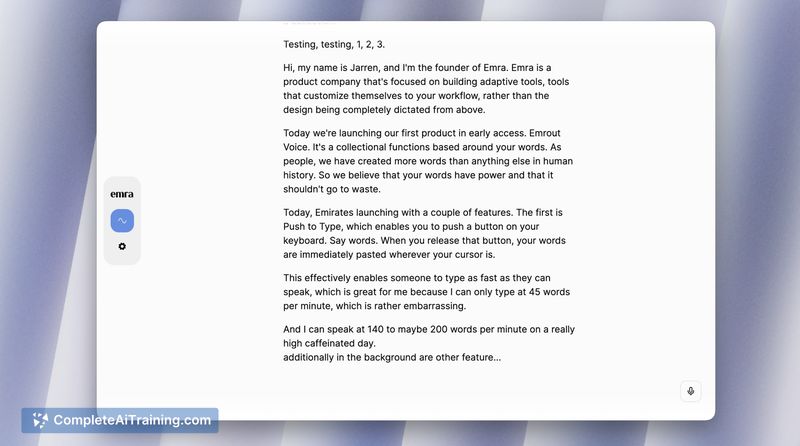
Emra focuses on keeping spoken content accessible by combining an always-on transcription service with a quick push-to-type workflow. Currently launching in Early Access, it aims to streamline how users capture conversations, ideas, and meeting content with a reported peak rate of 140 words per minute.
Key Features
- Push-to-type (PTT) to paste speech directly into any active text field.
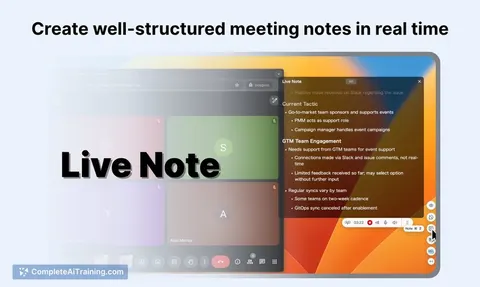
- Always-on background transcription to capture meetings and ongoing audio.
- High-speed dictation support (up to ~140 words per minute).
- Cross-platform availability for Windows and Apple devices.
- Planned features include automatic summaries and further integrations.
Pricing and Value
The product requires payment and is launching with an Early Access offer: a 50% discount for one year for the first 100 users who use promo code LAUNCH50. No fixed price is listed on the launch page; evaluate the subscription terms and expected usage to judge ongoing value compared with free or lower-cost alternatives and any in-house transcription tools your organization may already use.
Pros
- Convenient push-to-type makes it easy to insert spoken text into applications without switching workflows.
- Background transcription can capture meeting content and spontaneous ideas without manual activation.
- Supports rapid dictation speeds suitable for fast speakers and dense note-taking.
- Cross-platform support increases compatibility with common desktop environments.
- Early Access launch includes a temporal discount for initial adopters.
Cons
- As an Early Access product, features and stability may change and occasional bugs are possible.
- Specific pricing beyond the launch discount is not posted, making long-term cost assessment harder.
- Continuous background transcription may increase CPU/battery use and raises questions about how audio and transcripts are stored and protected; confirm privacy practices before use with sensitive material.
Emra is a good fit for users who need fast, frictionless ways to capture speech-such as meeting note-takers, writers, and people who prefer speaking over typing. Those with strict privacy requirements or minimal tolerance for early-stage software should review storage and processing details and consider waiting for more mature releases.
Jobs Emra / Always on Transcription and PTT suits
Useful in almost any job. We checked Emra / Always on Transcription and PTT against 500+ jobs; these get the most out of it.
Alternatives to Emra / Always on Transcription and PTT
Other tools that do the same main job. Our AI compared Emra / Always on Transcription and PTT with similar tools and kept the ones you could use instead.