AI tool
LegalLint
LegalLint integrates with Word to streamline formatting and review of legal documents like contracts and memos, saving time and letting professionals focus on content accuracy and clarity.
About LegalLint
LegalLint is a Word add-in designed to assist legal professionals with formatting and reviewing extensive legal documents such as contracts, memos, and reports. Its main focus is to simplify the process of document preparation, enabling users to concentrate more on the content rather than the layout.
Review
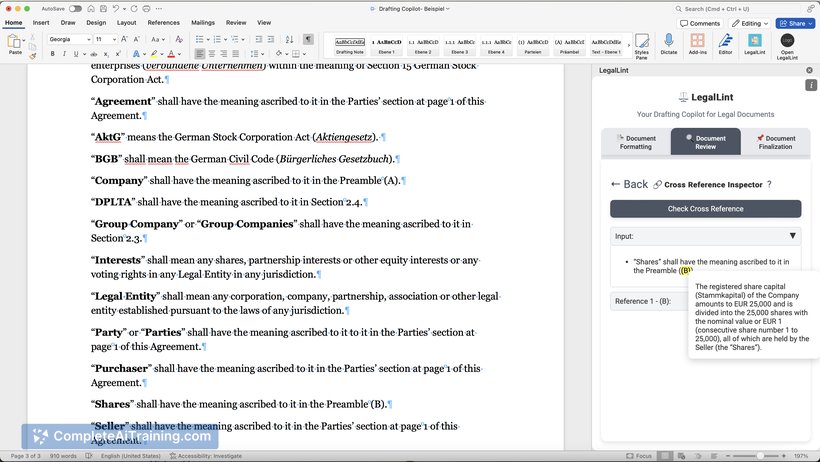
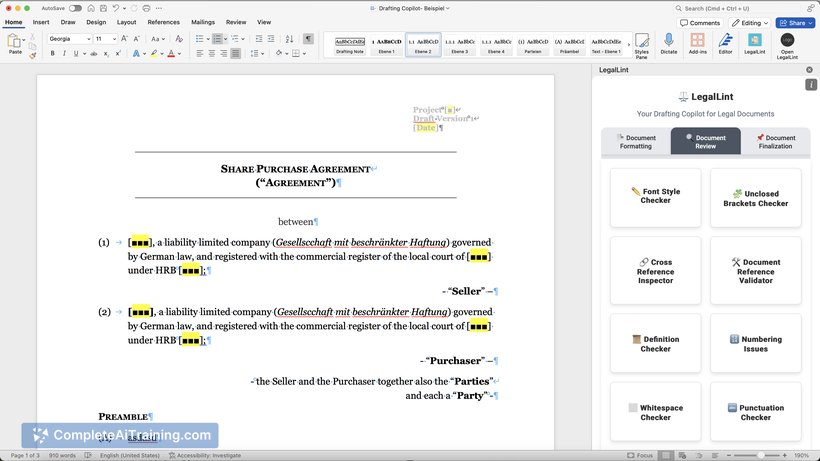
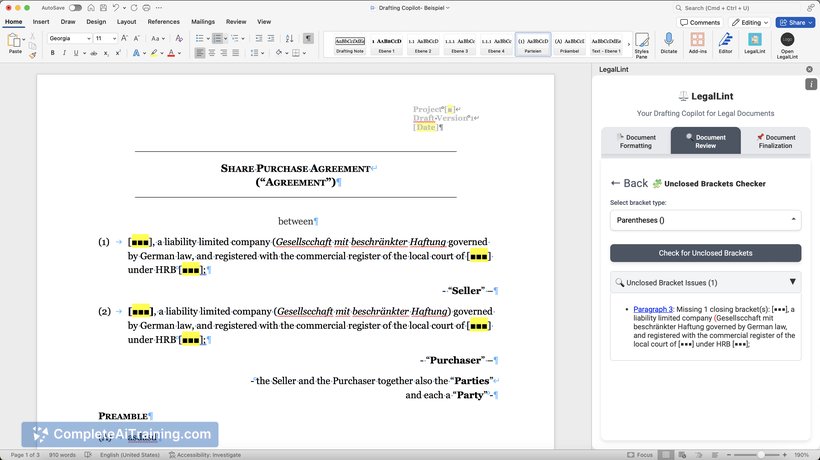
LegalLint offers a practical solution for legal practitioners who frequently work with complex Word documents. By integrating directly into Microsoft Word, it streamlines formatting tasks that can otherwise be time-consuming and prone to error. This tool aims to improve efficiency and accuracy in legal document preparation.
Key Features
- Seamless Word integration allowing in-app formatting assistance.
- Automated detection and correction of common formatting issues in legal documents.
- Support for various legal document types including contracts, memos, and reports.
- User-friendly interface designed specifically for legal professionals.
- Focus on enhancing productivity by reducing manual formatting efforts.
Pricing and Value
LegalLint is currently available as a free tool, providing accessible functionality without any upfront cost. This makes it a valuable option for legal professionals seeking to improve document formatting without additional expenses. The free offering encourages users to try the tool and assess its impact on their workflow.
Pros
- Integrates directly within Word, eliminating the need for external software.
- Reduces time spent on formatting, allowing more focus on substantive legal work.
- Simple and intuitive interface suited for users with varying levels of technical expertise.
- Supports multiple document types commonly used in legal practice.
- Offered at no cost, making it accessible to a wide range of users.
Cons
- Limited to Microsoft Word, which may restrict users who prefer other platforms.
- Currently focuses primarily on formatting rather than deeper content analysis or suggestions.
- As a relatively new tool, it may still be developing additional features and improvements.
LegalLint is well suited for legal professionals and teams who regularly draft or review lengthy Word documents and want to reduce the burden of formatting tasks. It is especially helpful for those seeking a straightforward, integrated tool without additional costs. Users looking for more advanced legal review features might need to supplement with other solutions.
Jobs LegalLint suits
We checked LegalLint against 500+ jobs; these get the most out of it.
Alternatives to LegalLint
Other tools that do the same main job. Our AI compared LegalLint with similar tools and kept the ones you could use instead.