About Macuse
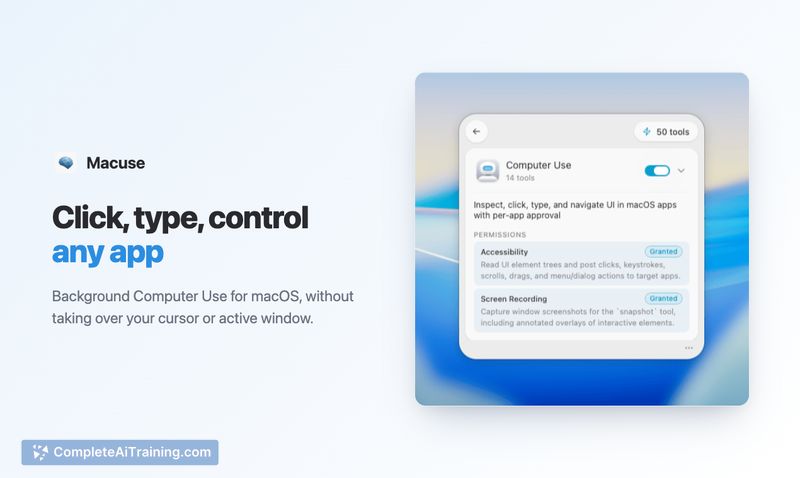
Macuse is a native macOS app that functions as a local MCP server, connecting AI clients to native Mac applications. It gives AI assistants access to Calendar, Mail, Notes, Reminders, Messages, Contacts, Shortcuts, and Maps. The tool also includes Computer Use, which can click, type, scroll, and navigate within apps that don't have APIs.
Review
Macuse tackles a specific limitation many macOS users encounter with AI tools: the assistant can reason but can't reach the applications where work actually happens. Built as a local MCP server, it sits between AI clients and Mac apps, turning them into accessible tools. The app launched this week and lists itself as free.
Key Features
- Local MCP server architecture that processes Mac app data on-device rather than on external servers
- Native integrations with Calendar, Mail, Notes, Reminders, Messages, Contacts, Shortcuts, and Maps
- Multi-client support connecting Claude, Codex, Cursor, Raycast, and any MCP-compatible client through a single setup
- Computer Use for controlling apps through simulated clicks, typing, scrolling, and navigation when no API is available
- Per-app permission controls that require explicit approval, with access revocable at any time
Pricing and Value
Macuse is currently listed as free. The maker has not announced any pricing tiers or future pricing models, so the long-term cost structure is not yet defined.
Pros
- Runs entirely on-device, keeping calendar events, emails, messages, and other app data local
- Permission system asks for explicit approval per AI client and per app, rather than one blanket grant at install
- A single Macuse setup works across multiple AI clients instead of requiring separate configurations
- Computer Use can operate apps that lack native APIs, expanding the range of automatable workflows
- Covers both structured data access (Calendar, Contacts) and unstructured interface control (Computer Use) under one tool
Cons
- Only runs on macOS - Windows and Linux users cannot use the tool
- Per-action confirmation for sensitive operations like sending messages or modifying calendar events is still in development and not yet available
- Not well suited for users who want fully unattended AI automation, since the permission model requires ongoing user involvement and approval
Macuse fits users who work primarily in native Mac apps and already use MCP-compatible AI clients. It's a practical option for those who want their AI assistant to interact with Calendar, Mail, or Messages without handing off data to a cloud intermediary. Users who rely on browser-based tools or need cross-platform support will need to look elsewhere.
Open 'Macuse' Website
Your membership also unlocks: