AI tool
neoSVG
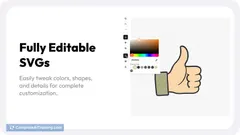
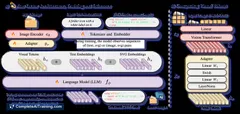
neoSVG 3 and Pro 2 deliver advanced AI-powered SVG creation with multi-language prompts, enhanced Bezier curves, and precise path curve matching for seamless vector art design. Experience next-gen tools for efficient, high-quality SVG generation.
About neoSVG
neoSVG is an AI-powered tool focused on generating and editing scalable vector graphics (SVG) with ease and precision. It offers users a streamlined way to create custom vector images suitable for web design, branding, and digital art projects.
Review
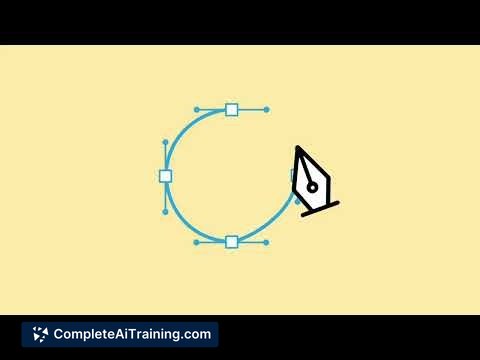
neoSVG provides a user-friendly interface combined with intelligent features that simplify the creation and modification of SVG files. Whether you are a designer, developer, or hobbyist, neoSVG aims to make vector graphic work more accessible without requiring advanced technical skills.
Key Features
- AI-assisted vector graphic generation based on user inputs or sketches
- Intuitive editing tools for customizing shapes, paths, and colors
- Support for exporting SVG files compatible with major design software
- Batch processing capabilities to handle multiple files efficiently
- Integration options with popular design platforms and frameworks
Pricing and Value
neoSVG offers a tiered pricing model including a free basic plan with limited features suitable for casual users and learners. Paid subscriptions provide access to advanced editing tools, higher export resolutions, and priority support. The pricing is competitive compared to other vector graphic tools, making it a good value for freelancers and small teams focusing on web and graphic design.
Pros
- Easy to use, even for those new to vector graphics
- AI features help speed up the design process
- Flexible export options ensure compatibility
- Good range of editing tools for customization
- Affordable pricing with a free tier to start
Cons
- Some advanced features limited to higher-tier plans
- Occasional learning curve with AI-generated outputs needing manual adjustments
- Integration options could be expanded for more design ecosystems
Overall, neoSVG suits designers and developers looking for a straightforward way to create and edit vector graphics without heavy software. It is particularly useful for web designers and digital artists who want quick, editable SVG files with some AI assistance. Beginners and small teams will find it a practical choice for everyday vector graphic tasks.
Jobs neoSVG suits
We checked neoSVG against 500+ jobs; these get the most out of it.
Alternatives to neoSVG
Other tools that do the same main job. Our AI compared neoSVG with similar tools and kept the ones you could use instead.