AI tool
ScreenshotMagic
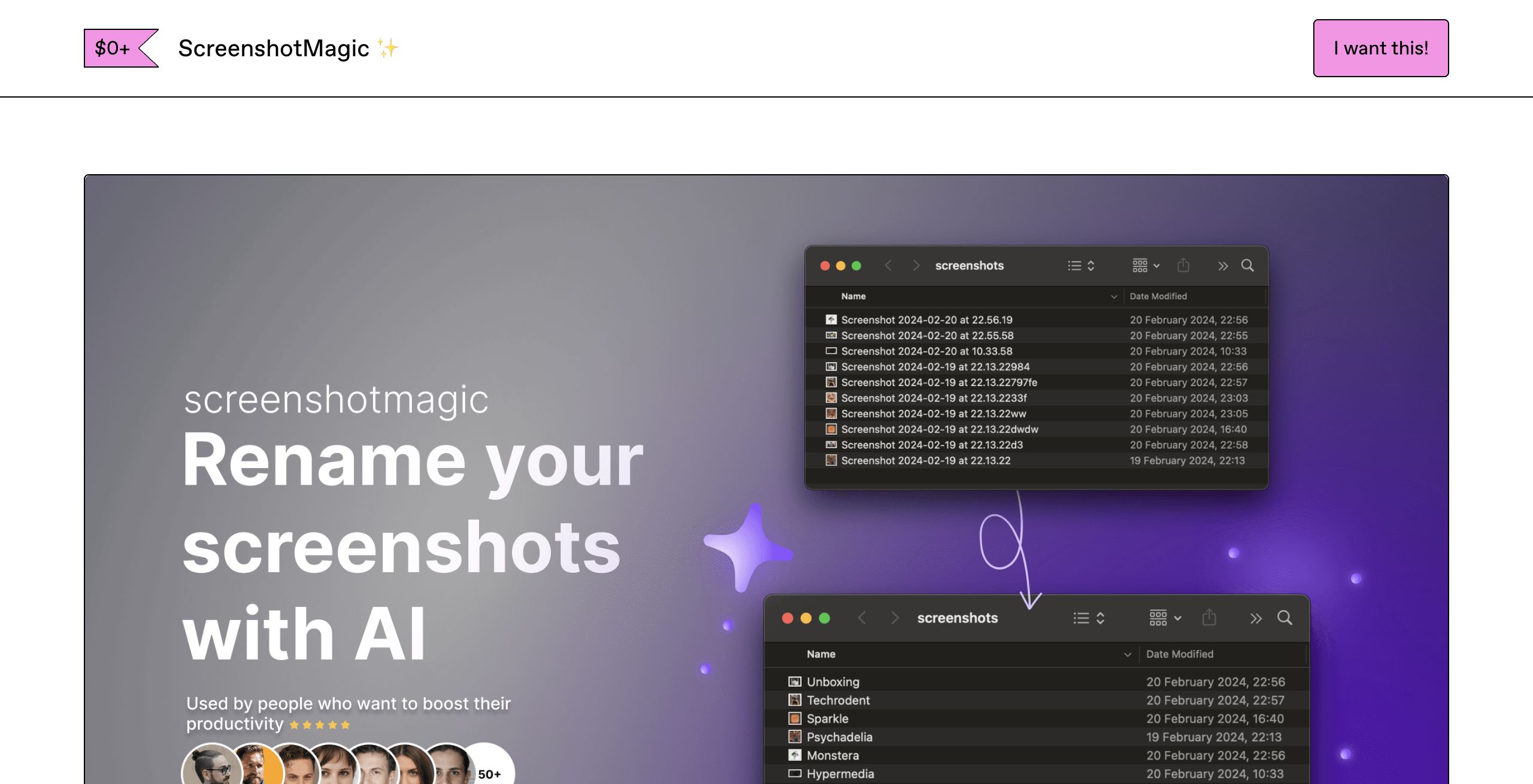
ScreenshotMagic streamlines screenshot management for Mac users by leveraging AI to auto-generate descriptive file names. Perfect for creators and developers, it organizes your desktop and renames images in bulk, saving time and enhancing productivity.

About: ScreenshotMagic
ScreenshotMagic is an innovative productivity solution tailored for Mac users, streamlining the way you manage and organize your screenshots. Leveraging advanced AI technology, this tool automatically assigns meaningful, descriptive names to your screenshot files, freeing you from the tedious task of manual labeling. By simplifying the organization of your digital workspace, ScreenshotMagic enhances efficiency, making it an essential tool for content creators, developers, and anyone who frequently captures and shares screenshots.
Key features include the capability to rename multiple screenshots in bulk with a single click, customizable naming preferences to suit your workflow, and an intuitive interface that ensures ease of use. This tool not only saves you valuable time but also significantly reduces desktop clutter, allowing for a more organized file system. With a growing user base of over a thousand satisfied creators, ScreenshotMagic stands out as a unique solution that enhances productivity and fosters effective digital organization, ultimately helping you focus on what truly matters in your work.
Review: ScreenshotMagic
Introduction
ScreenshotMagic is a productivity tool specifically designed for Mac users. Its primary purpose is to automatically name and organize screenshots by leveraging artificial intelligence, making it especially useful for content creators, developers, and anyone who frequently takes and manages a large volume of screenshots. This review is relevant for those looking to streamline their workflow and maintain an organized desktop without spending hours manually renaming files.
Key Features
- Automatic Naming: Uses AI to generate descriptive and customizable names for your screenshots, eliminating the need for manual labeling.
- Bulk Renaming: Allows users to rename large batches of images with a single click, saving valuable time and effort.
- Customization: Offers tailored renaming preferences so that file names can meet specific user requirements.
- Optimized for macOS: Designed to work natively on macOS, supporting the latest versions (Monterey, Ventura, Sonoma, etc.).
Pricing and Value
ScreenshotMagic is available as a free download. It offers a no-cost solution for users looking to organize their screenshots efficiently. However, potential users should note that the project will no longer receive updates, new features, or active support. Despite this, its core functionality provides significant value for those who need a simple, free, and effective tool for screenshot management.
Pros and Cons
- Pros:
- Free to download and use.
- Efficient AI-powered automatic naming saves time.
- Bulk renaming feature increases productivity.
- Customizable preferences allow flexibility for different workflows.
- Natively built for macOS, ensuring smooth integration with supported systems.
- Cons:
- No longer receiving updates, new features, or active support.
- Limited to macOS users only, which restricts cross-platform functionality.
Final Verdict
ScreenshotMagic is an excellent solution for Mac users who deal with a high volume of screenshots and need an automated way to keep their desktops organized. Its AI-driven features and bulk renaming capabilities make it particularly beneficial for content creators and developers looking for quick efficiency gains. However, users who require ongoing updates and active support may find the lack of continued development a drawback. Overall, if you are a Mac user in need of a free, straightforward tool for managing screenshots and do not mind the absence of future updates, ScreenshotMagic is well worth considering.
Jobs ScreenshotMagic suits
We checked ScreenshotMagic against 500+ jobs; these get the most out of it.
Alternatives to ScreenshotMagic
Other tools that do the same main job. Our AI compared ScreenshotMagic with similar tools and kept the ones you could use instead.