About Sidekick™
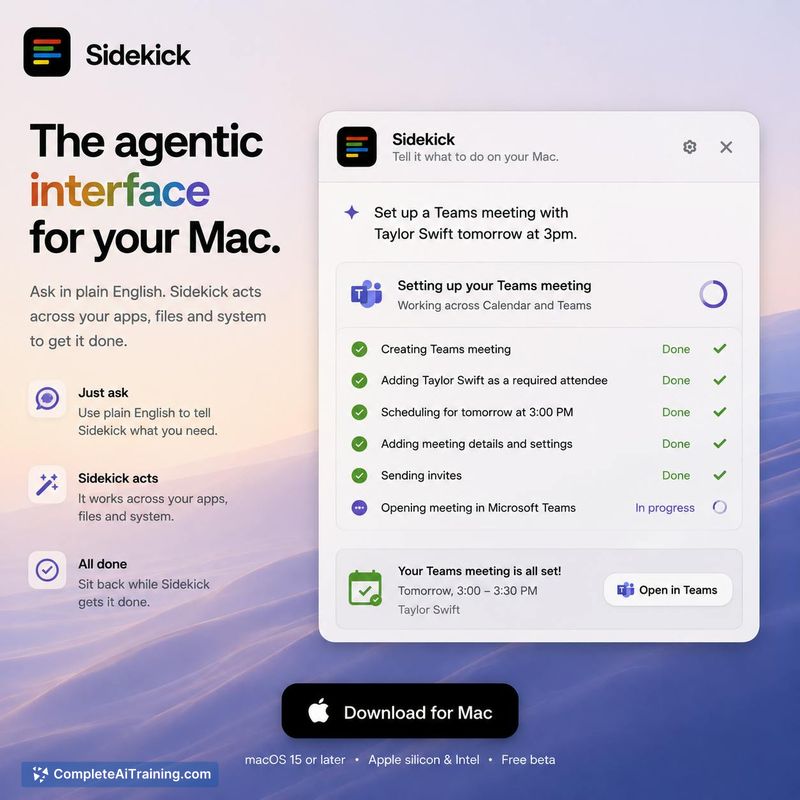
Sidekick is an agentic interface for macOS that lets users control their computer through natural language commands. The tool launched this week and is described by its creator as "the agentic layer for your entire organisation." At launch it is a Mac application, though the larger vision includes enterprise deployment across multiple devices.
Review
Sidekick tries to replace traditional point-and-click workflows with plain English instructions. You tell your computer what you want-create a calendar event, organize your desktop-and it takes the actions. The developer describes it as a "power app" that requires broad system access to function. After testing the concept through screenshots and the maker's comments, some patterns emerge.
Key Features
- Plain English command execution on macOS, turning natural language requests into actions like creating Calendar events or Teams meetings.
- A pay-as-you-go credit system for usage, with a Top up button inside the app.
- An undo feature that reverts actions like desktop organization back to their previous state.
- A safety confirmation layer where "consequential actions" require a final yes/no from the user before executing.
Pricing and Value
Pricing follows a pay-as-you-go credit model rather than a monthly subscription or one-time purchase. You download the app, use it, and top up credits from within the app when they run low. The actual per-credit cost is not disclosed on the current website, though usage credits themselves are a known fact.
Pros
- Lets you skip menus and folders by typing requests in natural language.
- Undo feature means mistakes like a full desktop reorganization can be reversed.
- Consequential actions require a final confirmation, giving you a chance to stop unintended changes.
Cons
- Has all-or-nothing system access to Mail, Calendar, Finder, and Terminal - there is no permission scoping to limit what it can touch.
- Pricing per credit is not published, making it hard to calculate running costs.
- Not well suited for enterprise teams today: the multi-user "team" version is still in development and hasn't been made available.
Sidekick works best for individual Mac users comfortable giving a single application broad system permissions. It suits people who prefer speaking or typing their intent rather than clicking through Finder. If you need granular permission controls or a production team deployment, it doesn't currently serve those requirements.
Open 'Sidekick™' Website
Your membership also unlocks: