AI tool
Strawberry
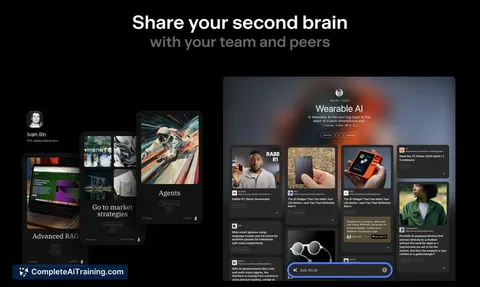
Strawberry is a smart browser that supercharges your workflow by researching hundreds of sites instantly, crafting content in your voice, capturing meeting notes, and automating tasks across any website. Now available in pre-beta.
About Strawberry
Strawberry is an AI-powered web browser designed to enhance productivity by automating repetitive tasks and streamlining daily workflows. It enables users to research hundreds of websites quickly, write personalized content, take meeting notes, and automate actions across any website, all within a single browsing experience.
Review

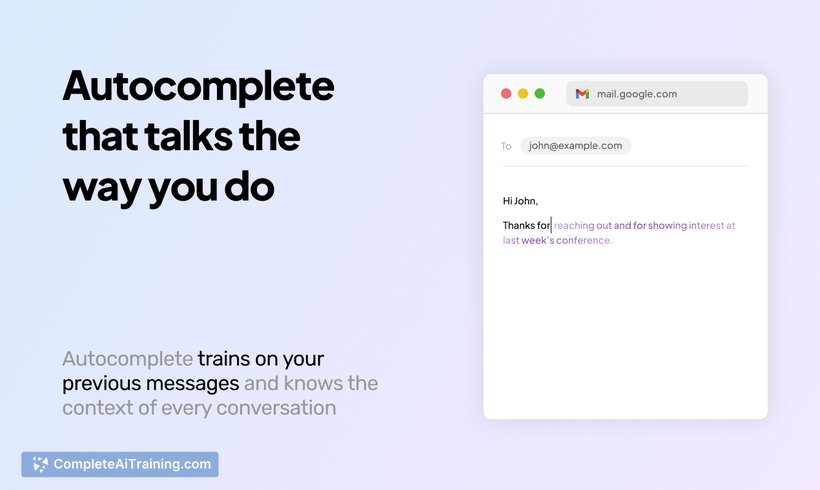


Strawberry introduces a fresh approach to web browsing by integrating AI capabilities that go beyond simple navigation. It acts as a personal assistant that learns your workflows over time, helping to reduce the mundane and repetitive tasks that often slow down productivity. Although still in pre-beta, the browser shows promising potential to transform how users interact with the web.
Key Features
Quickly scan and synthesize information from hundreds of websites within seconds without manual tab switching. Write content that matches your voice, whether for emails, reports, or other communications. Automate repetitive tasks on any website, including data entry and task execution, tailored to individual user contexts. Save workflows as reusable templates and allow the browser to memorize frequently used data such as contacts or spreadsheets. Teach the browser new workflows by recording your screen actions, making automation setup intuitive and personalized.
Pricing and Value
Currently in closed pre-beta, Strawberry offers early access with a free Pro Plan for the first month, providing users an opportunity to explore its full capabilities at no cost. While detailed pricing beyond the initial access period has yet to be announced, the value proposition centers on saving users approximately 18 hours per week by automating tedious browsing and workflow tasks. This potential time savings can translate into substantial productivity gains for professionals and knowledge workers alike.
Pros
- Significantly reduces time spent on repetitive web tasks through intelligent automation.
- User-friendly interface designed for non-technical users to easily harness AI power.
- Customizable workflows with memory and skills allow highly personalized automation.
- Supports seamless multitasking with background parallel processing capabilities.
- Active development with responsive team engagement and community-driven feedback.
Cons
- Still in pre-beta, so some features and integrations (e.g., extension support) are limited or forthcoming.
- Occasional login issues reported, particularly with multi-factor authentication methods.
- Not yet widely available, requiring early access sign-up and may have stability improvements ahead.
Overall, Strawberry is ideal for professionals, researchers, and anyone who spends significant time managing multiple web-based tasks daily. Its AI-driven automation and personalized workflow memory make it especially suited for users seeking to streamline complex web interactions without needing technical expertise. As it continues to mature, Strawberry has the potential to redefine how we browse and work online.
Jobs Strawberry suits
Useful in almost any job. We checked Strawberry against 500+ jobs; these get the most out of it.
Alternatives to Strawberry
Other tools that do the same main job. Our AI compared Strawberry with similar tools and kept the ones you could use instead.