MCP server · Research
webclaw MCP server
by 0xMassi
Lets your AI read web pages and turn them into clean text you can actually use.

webclaw is a small helper that lets your AI open a web page and hand you back the useful part, without all the menus, ads and code clutter. It works with Claude, Cursor and other AI apps that support MCP. It is handy if you often ask your AI about something on the web and it says it cannot see the page.
What is an MCP server? The 30-second version
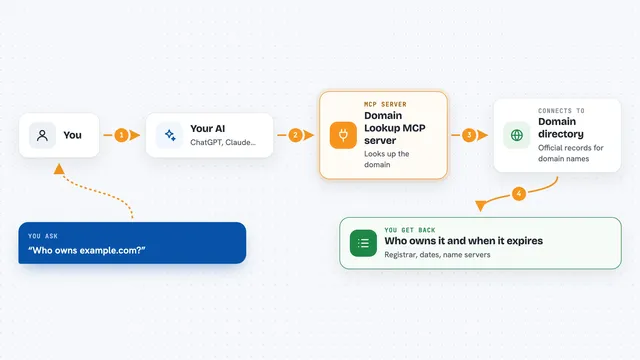
On its own, your AI can only chat with you using what it already knows. An MCP server is a small helper program that gives your AI one new skill. This one gives your AI the ability to fetch and clean up web pages. So when you ask about a page, your AI calls webclaw, webclaw grabs the page and tidies it, and your AI reads the tidy version and answers you.
What this MCP server does
You ask your AI something that involves a web page, like summarizing a blog post or comparing two pricing pages. Your AI passes the web address to webclaw. webclaw fetches the page, strips out the menus, ads and scripts, and turns what is left into clean text. It hands that text back to your AI, and your AI uses it to write your answer. You never leave the chat.
 Click to zoom
What you can do with it
- Read a single web page and turn it into clean text or markdown
- Follow links on a site and gather many pages at once
- List the pages on a site without reading every one
- Compare a page today with a saved copy from before
- Pull out colors, fonts and logos from a company website
- Summarize a long page into a short version
- Search the web and read the top results (needs a paid key)
Try asking your AI
- “Read this page and give me a short summary: https://example.com/blog/post”
- “Crawl the docs at https://docs.example.com two levels deep and list the main topics”
- “Compare this pricing page with the copy I saved last month and tell me what changed”
- “What colors and fonts does https://example.com use on their homepage?”
What it gives back to you
You get back clean text in the chat, usually as a summary or a list. If you asked for a crawl, you get a list of pages with their content. If you asked for a diff, you get a short note about what changed. If you asked for brand info, you get colors, fonts and logo links.
Before you start
What you need
- The Claude desktop app or another AI app that supports MCP
- Node.js installed on your computer (the installer uses it)
- A webclaw API key only if you want to read protected or JavaScript-heavy pages (optional)
Good to know
It reads public web pages, so be careful about asking it to fetch private or logged-in pages, and remember that some sites block automated reading.
Install it with your AI
Add webclaw MCP server to your AI, no technical skills needed
You don't install anything by hand. You copy one prompt, paste it into an AI that can work on your computer, and it checks, installs and connects the server for you, asking you when it needs something.
Sign in to get the install prompt
Members get a ready-made prompt that lets the Claude desktop app check webclaw MCP server, install it and connect it for them, step by step. You don't need any technical skills: you copy, paste and answer a few questions. Your connected AI can also find and install any of the 4,361 MCP servers here for you.
Who it's for
Anyone who asks their AI about web pages, like marketers, researchers, writers and analysts.