MCP server · Gaming
PRTS MCP server (Arknights)
by 3aKHP
Look up Arknights lore, operator archives, voice lines, enemies, and story text from inside your AI chat.

This is a helper for people who write or make fan work about Arknights. It connects your AI assistant to the PRTS Wiki and to a set of Arknights game data, so you can ask about operators, story chapters, enemies, and items without opening ten browser tabs. It works with Claude Desktop, Claude Code, and other apps that support this kind of connection.
What is an MCP server? The 30-second version
On its own, your AI can only chat with you using what it already learned. An MCP server is a small helper program that gives your AI one new skill, here the ability to look things up in the PRTS Wiki and in Arknights game data. Once it is connected, you ask a normal question and the AI quietly asks this helper for the facts, then answers you in the chat. You do not need to know how it works inside.
What this MCP server does
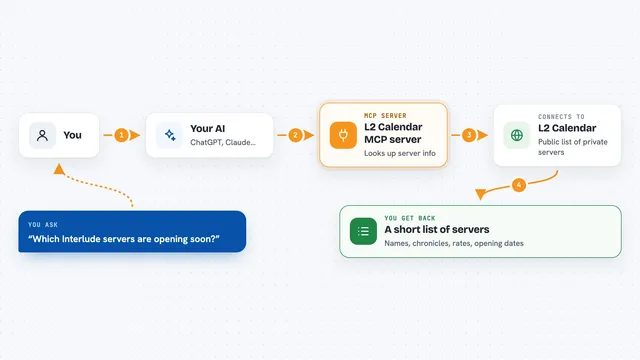
You ask your AI something about Arknights, like an operator's voice lines or which stages a certain enemy shows up in. The AI sends that request to this helper program. The helper then talks to the PRTS Wiki website or to its own copy of the game data files, and pulls out the matching records. The answer comes back into your chat as readable text, often as a list or a short summary. You can keep asking follow-up questions in the same conversation.
 Click to zoom
What you can do with it
- Search the PRTS Wiki by keyword and get matching article titles
- Read an operator's archive records, voice lines, class, rarity, faction, and talents
- List story events and read a chapter's full dialogue
- Search inside story dialogue for a word or a character's lines
- Look up enemies, their threat level, and the stages where they appear
- List stages, items, and materials with details on how to get them
- List an operator's illustrations and skins
Try asking your AI
- “What are SilverAsh's voice lines?”
- “Which stages does the enemy Frostnova appear in?”
- “Give me a summary of the main story event Near Light.”
- “Find every line in the story where Kal'tsit speaks.”
What it gives back to you
You get back readable text in the chat, not files or code. Depending on what you asked, that can be a list of wiki article titles, an operator profile, a set of voice lines, a chapter summary, or a full dialogue transcript. For images, it can send back the picture itself. Everything shows up as a normal message you can copy or keep chatting about.
Before you start
What you need
- An MCP-compatible app such as Claude Desktop, Claude Code, or Chatbox
- Python 3.10 or newer if you use the Python version, or Node.js or Bun if you use the TypeScript version
- An internet connection the first time, so it can download the game data it needs
Good to know
It only reads public wiki and game data, so it will not change or delete anything, but the operator and story lookups expect Chinese names, and downloading the local artwork option takes about 1.5 GB of space.
Install it with your AI
Add PRTS MCP server (Arknights) to your AI, no technical skills needed
You don't install anything by hand. You copy one prompt, paste it into an AI that can work on your computer, and it checks, installs and connects the server for you, asking you when it needs something.
Sign in to get the install prompt
Members get a ready-made prompt that lets the Claude desktop app check PRTS MCP server (Arknights), install it and connect it for them, step by step. You don't need any technical skills: you copy, paste and answer a few questions. Your connected AI can also find and install any of the 4,361 MCP servers here for you.
Who it's for
Arknights fans who write fan fiction, make videos, translate, or just want quick lore answers, and anyone who wants story and operator facts without browsing the wiki by hand.