MCP server · Developer tools
AIMarket MCP Packager
by alexar76
Turn an AIMarket capability into a ready-to-run MCP server with a Docker file and Claude Desktop config.

This is a helper that takes a capability from the AIMarket hub and wraps it up as a small MCP server you can run yourself. It writes the files you need, like a Docker setup and a Claude Desktop config, so your AI can use that capability. It is handy if you already use AIMarket and want to plug its abilities into Claude Desktop, Cursor, or a similar app.
What is an MCP server? The 30-second version
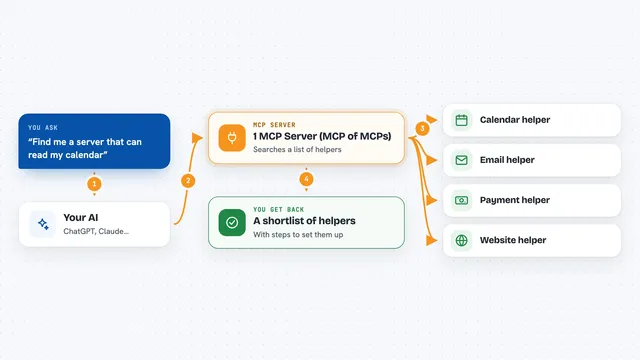
On its own, your AI can only chat with you. An MCP server is a small helper program that gives your AI a new skill or a connection to another service. This one is a helper that packages AIMarket capabilities into that same kind of helper, so your AI can reach them. Once it is connected, you ask in plain words and the AI passes the request along.
What this MCP server does
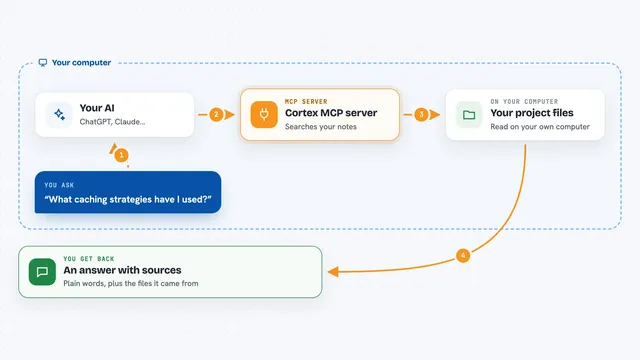
You tell your AI which AIMarket capability you want to turn into an MCP server. The AI uses this packager helper to build the pieces: a Docker file, an MCP manifest, and a Claude Desktop config file. The helper does not run the capability itself, it just prepares the files. You then take those files and run or add the new server wherever you like.
 Click to zoom
What you can do with it
- Package an AIMarket capability into a self-hosted MCP server
- Generate a Dockerfile for the packaged capability
- Generate a claude_desktop_config.json you can paste into Claude Desktop
- Produce an MCP manifest describing the new server
- Prepare files that work with any stdio MCP client, such as Cursor or Glama
Try asking your AI
- “Package the reputation capability as an MCP server for me”
- “Generate a Dockerfile for that capability”
- “Create a Claude Desktop config for the packaged server”
- “Show me the MCP manifest for this capability”
What it gives back to you
You get back the files themselves, shown as text in the chat or saved where you point it. That includes a Dockerfile, an MCP manifest, and a ready claude_desktop_config.json. You copy those into your project or your Claude Desktop settings. There is no live data or answer, just the packaging pieces.
Before you start
What you need
- Python installed on your computer
- The aimarket-mcp-packager plugin (install from source until it is on PyPI)
- Docker if you want to build the generated Dockerfile
- An AIMarket capability you want to package
Good to know
This helper writes files and prepares Docker setups for you, so check the generated files before you build or run them.
Install it with your AI
Add AIMarket MCP Packager to your AI, no technical skills needed
You don't install anything by hand. You copy one prompt, paste it into an AI that can work on your computer, and it checks, installs and connects the server for you, asking you when it needs something.
Sign in to get the install prompt
Members get a ready-made prompt that lets the Claude desktop app check AIMarket MCP Packager, install it and connect it for them, step by step. You don't need any technical skills: you copy, paste and answer a few questions. Your connected AI can also find and install any of the 4,361 MCP servers here for you.
Who it's for
People who already use AIMarket and want to run its capabilities inside Claude Desktop, Cursor, or another MCP client without writing the setup themselves.