MCP server · Developer tools
AgentDeals MCP server
by robhunter
Lets your AI look up free tiers, startup credits and pricing changes for developer tools.

AgentDeals is a helper that lets your AI assistant search a big catalogue of developer infrastructure deals. That includes free tiers, startup credits and other offers from over a thousand vendors. It is handy if you are choosing tools for a project, checking what you qualify for, or want to know when a free plan quietly changes.
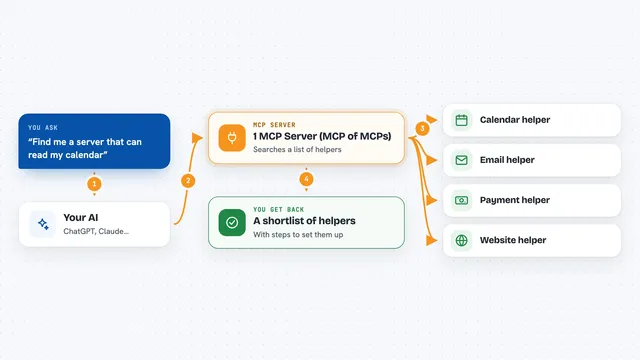
What is an MCP server? The 30-second version
On its own, your AI can only chat with you using what it already learned. An MCP server is a small helper program that gives your AI a new skill or a connection to a service. This one connects your AI to AgentDeals, a catalogue of developer tool deals and pricing. Once connected, your AI can look things up there for you when you ask, instead of guessing.
What this MCP server does
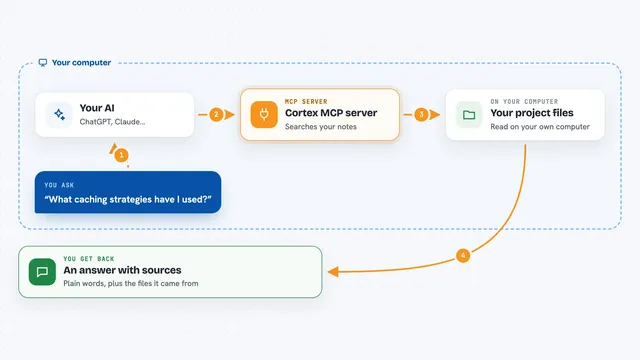
You ask your AI a question, like which databases have a free tier. Your AI sends that question to this helper. The helper looks through the AgentDeals catalogue of vendors, free tiers, credits and pricing changes. Then it hands the matching results back to your AI. Your AI shows them to you in the chat as a list or a short summary.
 Click to zoom
What you can do with it
- Search free tiers and deals by keyword, category or vendor
- Filter offers by who qualifies, like startups, students or open source projects
- Compare two vendors side by side
- Check a single vendor for pricing risk
- Track recent pricing changes and upcoming expirations
- Plan a stack or estimate costs for a project
- Look up a referral link AgentDeals holds for a vendor
Try asking your AI
- “Which databases have a free tier I could use for a side project?”
- “We are a startup accelerator company, what cloud credits can we get?”
- “Compare Supabase and Neon for me”
- “What pricing changes happened in the last month?”
What it gives back to you
You get back lists of vendors with short descriptions, tiers and links, plus category counts when you ask for them. Comparisons come back as side-by-side details, and change tracking comes back as a summary of what shifted and when. Everything shows up right in the chat, so you can read it or ask follow-up questions.
Before you start
What you need
- An MCP-compatible AI app, like Claude Desktop, Claude Code, Cursor or VS Code with Copilot
- Nothing else for the hosted version, since it runs online
Good to know
The deals and pricing come from a catalogue that is updated over time, so always double-check the vendor's own page before you rely on an offer.
Install it with your AI
Add AgentDeals MCP server to your AI, no technical skills needed
You don't install anything by hand. You copy one prompt, paste it into an AI that can work on your computer, and it checks, installs and connects the server for you, asking you when it needs something.
Sign in to get the install prompt
Members get a ready-made prompt that lets the Claude desktop app check AgentDeals MCP server, install it and connect it for them, step by step. You don't need any technical skills: you copy, paste and answer a few questions. Your connected AI can also find and install any of the 4,361 MCP servers here for you.
Who it's for
Developers, founders and anyone picking tools for a project who wants current free tiers and credits instead of outdated guesses.