MCP server · Developer tools
1 MCP Server (MCP of MCPs)
Your AI can find, pick, and set up other MCP servers for you, so you only install one helper.

This is a helper that finds and sets up other helpers for your AI. Instead of hunting for MCP servers yourself, you install this one and ask your AI what you need. It is handy for anyone who wants their AI to do more but does not want to read setup pages all day.
What is an MCP server? The 30-second version
On its own, your AI can only chat. An MCP server is a small helper program that gives your AI a new skill or a connection to an app or service. This one is a helper that finds other helpers, so your AI can look up MCP servers, suggest the right ones, and help configure them. You install this one, and it handles the rest.
What this MCP server does
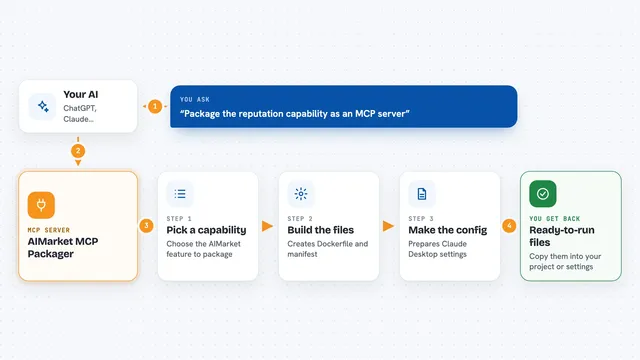
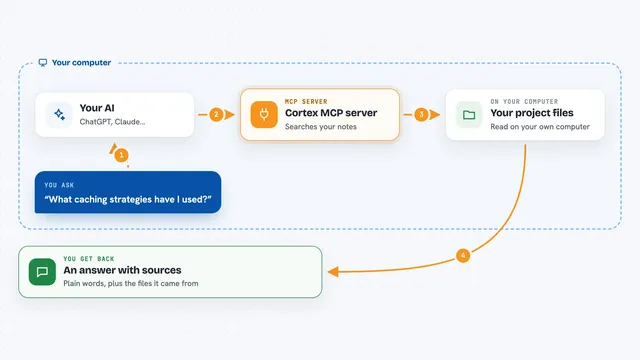
You tell your AI what you want to do, in plain words. The AI uses this helper to search a list of known MCP servers. It returns a shortlist of servers that might fit. For bigger goals, it can break the goal into steps, find a server for each part, and ask you what to do if something is missing. Then it can help set up the servers you choose.
 Click to zoom
What you can do with it
- Find MCP servers that match a task you describe
- Suggest a shortlist of servers for simple requests
- Break a bigger goal into steps and find servers for each part
- Help configure the servers it finds
- Test a server before you rely on it
- Run a workflow using the servers it set up
Try asking your AI
- “I want an MCP server that handles payments.”
- “Build a website that analyzes other websites.”
- “Find me a server that can read my calendar.”
- “Help me set up a server for sending emails.”
What it gives back to you
You get a shortlist of MCP servers with short descriptions, and for bigger goals you get a step-by-step plan. It can also tell you which keys or config changes are needed. If it sets things up, it reports what it changed. Everything shows up as normal chat messages you can read and reply to.
Before you start
What you need
- An MCP client that supports remote servers (like Claude Desktop, Cursor, Gemini CLI, or Codex)
- For local use: Docker, or Node.js for npx, or Python with uv for running from source
Good to know
It can change your MCP client configuration and set up other servers, so review what it plans to do before you agree.
Install it with your AI
Add 1 MCP Server (MCP of MCPs) to your AI, no technical skills needed
You don't install anything by hand. You copy one prompt, paste it into an AI that can work on your computer, and it checks, installs and connects the server for you, asking you when it needs something.
Sign in to get the install prompt
Members get a ready-made prompt that lets the Claude desktop app check 1 MCP Server (MCP of MCPs), install it and connect it for them, step by step. You don't need any technical skills: you copy, paste and answer a few questions. Your connected AI can also find and install any of the 4,361 MCP servers here for you.
Who it's for
People who want their AI to do more but do not want to research and set up many MCP servers by hand.