MCP server · Developer tools
ADAS A-Team MCP server
by ariekogan
Let your AI build, check and launch multi-agent solutions on the ADAS platform for you.

This is a helper that connects your AI assistant to the ADAS platform, a place where you build teams of AI agents that work together. Instead of learning the platform by hand, you describe what you want in plain words and your AI does the building, checking and launching. It is handy if you work with AI systems and want to move faster without touching configuration files.
What is an MCP server? The 30-second version
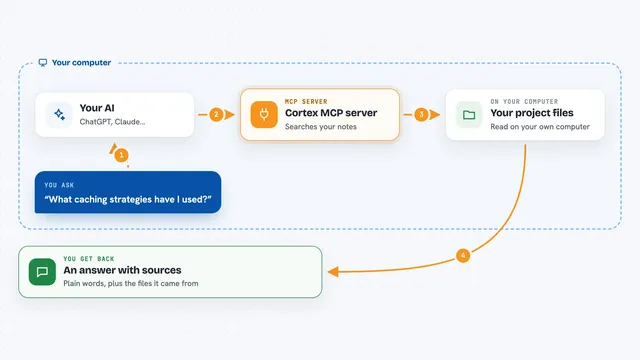
On its own, your AI can only chat with you. An MCP server is a small helper program that gives your AI a new skill or a connection to another service. This one connects your AI to ADAS, the platform where multi-agent solutions live. Once connected, your AI can look things up there and do things for you when you ask.
What this MCP server does
You tell your AI what kind of multi-agent solution you want, in normal words. Your AI uses this helper to read the ADAS rules and working examples. It then writes the pieces, checks them step by step, and sends them to ADAS to go live. When it is done, it can look at the running solution and tell you if everything is healthy.
 Click to zoom
What you can do with it
- Read the ADAS specification and working examples
- Build skill and solution definitions from your description
- Validate a skill or a whole solution before it goes live
- Deploy a new solution to production
- Add a new skill to a solution that already exists
- List and inspect your deployed solutions
- Update or redeploy a solution after changes
- Chat with the Solution Bot for guided edits
Try asking your AI
- “Build me a customer support system with order tracking and escalation”
- “Create an identity verification agent that checks documents and flags fraud cases”
- “Validate my new skill before I deploy it”
- “List my deployed solutions and tell me if any are unhealthy”
What it gives back to you
You get back plain answers in the chat: what your AI read, what it built, and what the checks said. When it deploys, it tells you the solution went live and shows its health and status. If something fails validation, it explains what needs fixing. You can also ask for a list of your solutions and a short summary of each.
Before you start
What you need
- An ADAS account with a tenant name
- An ADAS API key (a kind of password for apps; the ADAS site gives you one)
- Node.js 18 or newer if you install it yourself
- An AI app that supports MCP, like ChatGPT, Claude, Cursor or Windsurf
Good to know
This helper can deploy and change live solutions on ADAS, so check what your AI is about to do before you let it go ahead.
Install it with your AI
Add ADAS A-Team MCP server to your AI, no technical skills needed
You don't install anything by hand. You copy one prompt, paste it into an AI that can work on your computer, and it checks, installs and connects the server for you, asking you when it needs something.
Sign in to get the install prompt
Members get a ready-made prompt that lets the Claude desktop app check ADAS A-Team MCP server, install it and connect it for them, step by step. You don't need any technical skills: you copy, paste and answer a few questions. Your connected AI can also find and install any of the 4,361 MCP servers here for you.
Who it's for
People who build or manage AI agent systems and want to design, check and launch them by talking instead of clicking through dashboards.