MCP server · Developer tools
designfit MCP server
by as9978
Check an AI-built web page against its Figma design and get a clear score plus a fix list.
designfit is a helper that compares a web page your AI built against the Figma design it was supposed to match. Instead of comparing screenshots, it checks colors, sizes, spacing, and whether elements are in the right place. It is handy if you or your team build pages from Figma files and want to know how close the result really is.
What is an MCP server? The 30-second version
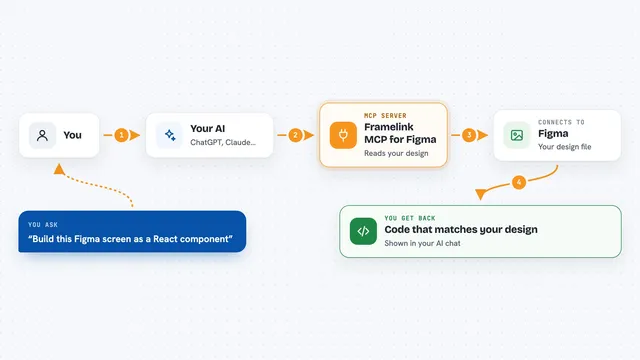
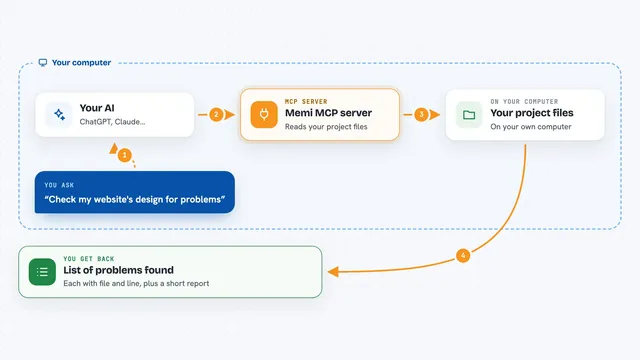
On its own, your AI can only chat with you. An MCP server is a small helper program that gives your AI a new skill or a connection to an app, and here it connects your AI to Figma and to the page it just built. Once connected, your AI can pull the design details straight from a Figma link and then measure the real page against them. You just ask in normal words, and the helper does the technical part behind the scenes.
What this MCP server does
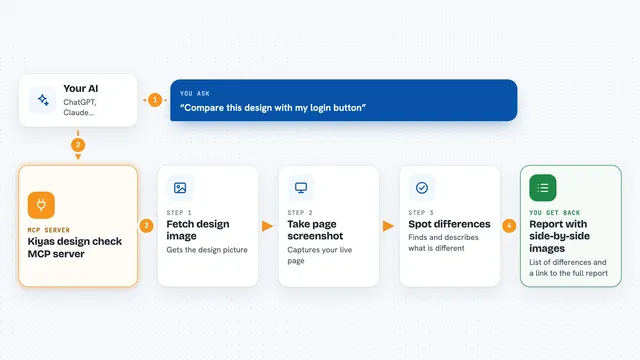
You give your AI a Figma frame link and ask it to build that screen. The AI uses designfit_extract to read the design from the link, so it knows the colors, text styles, sizes, and layout. After the page is built, the AI uses designfit_validate to compare the real page against that design. You get back a pass or fail, a score, and a list of exactly what is off, like a wrong color or a misplaced box. The AI can then fix those items and check again until it passes.
What you can do with it
- Read a Figma frame from its link and turn it into a design spec
- Score a built web page against that Figma design
- List specific problems like wrong colors, wrong sizes, or misaligned elements
- Tell you which parts of the design were not found on the page at all
- Let your AI fix issues and re-check until the page passes
- Skip hidden layers in Figma so they do not confuse the check
Try asking your AI
- “Build this Figma frame and check it with designfit: https://www.figma.com/file/...”
- “Run designfit_validate on my page and tell me what is wrong”
- “Score my homepage against the Figma design and list the fixes”
- “Keep fixing and re-checking until designfit says pass”
What it gives back to you
You get a short result in the chat: a pass or fail, a score, and a list of violations with plain descriptions, like a color that does not match or a box that sits in the wrong spot. It also lists elements from the design that it could not find on the page. Your AI can read that list and go fix the code, then run the check again.
Before you start
What you need
- A Figma account and a Figma personal access token (a kind of password for apps; Figma gives you one in your account settings)
- Node.js installed on your computer
- A one-time download of the Chromium browser that designfit uses to measure pages
- An MCP client such as Claude Code or the Claude desktop app
Good to know
It reads your Figma files using your token, so only connect it to designs you are allowed to share with the tool.
Install it with your AI
Add designfit MCP server to your AI, no technical skills needed
You don't install anything by hand. You copy one prompt, paste it into an AI that can work on your computer, and it checks, installs and connects the server for you, asking you when it needs something.
Sign in to get the install prompt
Members get a ready-made prompt that lets the Claude desktop app check designfit MCP server, install it and connect it for them, step by step. You don't need any technical skills: you copy, paste and answer a few questions. Your connected AI can also find and install any of the 4,609 MCP servers here for you.
Who it's for
Designers, front-end developers, and anyone who builds web pages from Figma files and wants a quick, honest check of how close the result is.