MCP server · Analytics
OpenFoot MCP server
by bartokulus
Ask your AI for real football fixtures, results, standings, lineups and shot-level xG instead of made-up scores.

This is a small helper that connects your AI assistant to a live football data service called OpenFoot. Once it is set up, you can ask your AI about matches, tables, lineups and shot quality, and it will look up real numbers instead of guessing. It is handy for anyone who follows football closely and wants quick, factual answers without opening five websites.
What is an MCP server? The 30-second version
On its own, your AI can only chat from what it already learned. An MCP server is a small helper program that gives your AI a new skill or a connection to an outside service. This one connects your AI to OpenFoot, a football data service, so it can look up fixtures, standings, lineups and shot data for you. You just ask in normal words, and the helper fetches the answer behind the scenes.
What this MCP server does
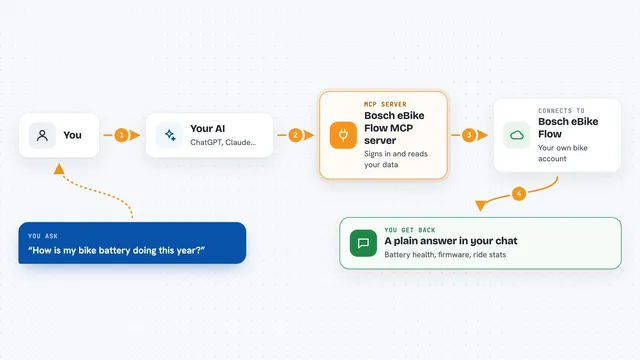
You ask your AI something like which teams play this weekend or how a club has been shooting lately. The AI sends that request to this helper, which talks to the OpenFoot service over the internet. OpenFoot sends back the real data, such as a list of matches, a league table, or one entry per shot with its expected-goals value. The AI then turns that into a normal answer in your chat. You never see the plumbing, just the result.
 Click to zoom
What you can do with it
- Look up fixtures and results by date, competition or team
- Show a league table for a chosen season
- List starting lineups, benches and formations for a match
- Read the goal, card and substitution timeline of a game
- See shot-level expected goals with pitch coordinates
- Check a team's recent form, head-to-head record and rest days
- Check how many requests you have left this month
Try asking your AI
- “What matches are on in the Bundesliga this weekend?”
- “Show me the current standings for the Romanian Superliga.”
- “What were the lineups and formations in Bayern's last game?”
- “How has Leverkusen been shooting compared to their actual goals this season?”
What it gives back to you
You get back plain answers in your chat: lists of matches with dates and scores, a standings table, a lineup with formations, or a short summary of a team's form and shot quality. Numbers like expected goals and fair probabilities come through as values the AI can explain in a sentence. Nothing is written to any other app; it is all read-only information shown to you.
Before you start
What you need
- Node.js version 20 or newer on your computer
- A free OpenFoot API key from openfootapi.com (a kind of password for apps; the site gives you one for free)
- An MCP-capable AI app such as Claude Desktop, Claude Code, Cursor or Windsurf
Good to know
Every request uses up your monthly quota, even wrong IDs and empty results, so start with the search tool and check your league is well covered before relying on it.
Install it with your AI
Add OpenFoot MCP server to your AI, no technical skills needed
You don't install anything by hand. You copy one prompt, paste it into an AI that can work on your computer, and it checks, installs and connects the server for you, asking you when it needs something.
Sign in to get the install prompt
Members get a ready-made prompt that lets the Claude desktop app check OpenFoot MCP server, install it and connect it for them, step by step. You don't need any technical skills: you copy, paste and answer a few questions. Your connected AI can also find and install any of the 4,066 MCP servers here for you.
Who it's for
Football fans, fantasy league players and anyone who wants quick factual answers about matches, tables and team form without digging through websites.