MCP server · Analytics
AFL MCP server
by willvelida
Ask your AI about AFL ladders, results, tips and power rankings, and it looks them up for you.

This is a small helper that connects your AI assistant to live Australian Football League data. Once it is set up, you can just ask questions about standings, match results, team info, tips and power rankings in normal words. It is handy for AFL fans, tipping competitors, and anyone who writes or talks about the game.
What is an MCP server? The 30-second version
On its own, your AI can only chat with you using what it already learned. An MCP server is a small helper program that gives your AI a new skill or a connection to an app or service. This one connects your AI to AFL data from the Squiggle API, so when you ask about a ladder or a match result, the AI can go and fetch the real information instead of guessing. You do not need to understand how it works under the hood; you just ask, and the helper does the looking up.
What this MCP server does
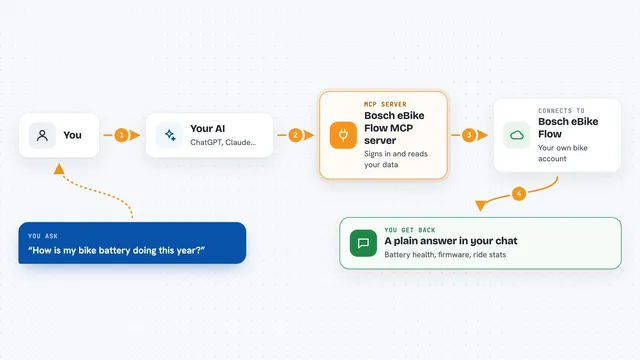
You ask your AI a question about the AFL, like what the current standings are or who won a game. Your AI passes that request to this helper program. The helper then talks to the Squiggle API, which is an online source of AFL data. It brings back the answer, such as a ladder, a list of results, or a set of tips, and your AI shows it to you in the chat. You never have to visit a website or copy numbers yourself.
 Click to zoom
What you can do with it
- Check the current AFL standings
- Look up results from a particular round and year
- Get basic information about a team
- See which teams played in a given season
- Read tips and predictions for upcoming games
- View power rankings for a round and year
- See the projected ladder for a round and year
Try asking your AI
- “What are the current AFL standings?”
- “Show me the results from Round 10, 2024”
- “Get information about the Richmond Tigers”
- “Show me the power rankings for Round 20, 2023”
What it gives back to you
You get back clear answers in the chat, like a ladder table, a list of match results, team details, or a set of tips. Numbers, team names and round info come through as text you can read or copy. For power rankings and projected ladders, you get a ranked list. Nothing is changed anywhere; it only reads data and shows it to you.
Before you start
What you need
- .NET 9.0 or later installed on your computer
- An MCP-compatible app such as Claude for Desktop
- An internet connection to reach the Squiggle API
- The mcp-afl-server files downloaded to your computer
Good to know
It only reads AFL data from the Squiggle API, so it does not change or delete anything, but the tips and projections are predictions and not guaranteed results.
Install it with your AI
Add AFL MCP server to your AI, no technical skills needed
You don't install anything by hand. You copy one prompt, paste it into an AI that can work on your computer, and it checks, installs and connects the server for you, asking you when it needs something.
Sign in to get the install prompt
Members get a ready-made prompt that lets the Claude desktop app check AFL MCP server, install it and connect it for them, step by step. You don't need any technical skills: you copy, paste and answer a few questions. Your connected AI can also find and install any of the 4,361 MCP servers here for you.
Who it's for
AFL fans, tipping competition players, and anyone who wants quick answers about ladders, results, tips and rankings without digging through websites.