MCP server · Analytics · official
Odds-API.io MCP server
by odds-api-io · official
Lets your AI look up live and past sports betting odds from 365+ bookmakers when you ask.
This is an official helper made by Odds-API.io that connects your AI assistant to sports betting odds data. You ask your AI a question about matches, odds or betting opportunities, and it goes and finds the numbers for you. It is handy for people who follow sports betting closely and want quick answers without clicking through lots of websites.
What is an MCP server? The 30-second version
On its own, your AI can only chat with you using what it already knows. An MCP server is a small helper program that gives your AI a new skill, in this case a direct line to Odds-API.io. Once it is connected, your AI can look things up in that service for you, like today's odds or past results, and then explain them in the chat. You do not need to understand how it works under the hood. You just ask in normal words.
What this MCP server does
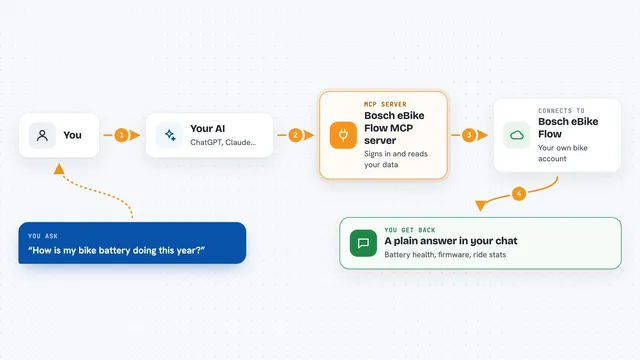
You type a question in your AI chat, like asking for odds on a match or for value bets. Your AI reads your question, then asks this helper program for the right data. The helper passes the request to Odds-API.io, which returns the sports, events, bookmakers or odds you asked about. Your AI then turns that into a clear answer in the chat. It can also show how odds moved over time or list historical results for you.
What you can do with it
- List the sports and leagues it covers
- Show upcoming or live events for a league or team
- Get current odds for an event from selected bookmakers
- Track how odds have moved over time for a market
- Find value bets or arbitrage opportunities
- See which odds are dropping the fastest right now
- Look up historical results and closing odds for past matches
Try asking your AI
- “Show me upcoming Premier League matches this weekend”
- “Get the odds for the next Arsenal match from Bet365 and SingBet”
- “Are there any arbitrage opportunities between Bet365 and Unibet right now”
- “Show me the biggest dropping odds in football in the last 12 hours”
What it gives back to you
You get clear answers in the chat, usually as short lists or tables. For example, a list of matches with kickoff times, or a set of odds per bookmaker for one event. If you ask about movements or drops, it shows the numbers over time. It does not change anything on your account, it only reads data.
Before you start
What you need
- An Odds-API.io account and API key (a kind of password for apps, the site gives you one)
- The Claude desktop app, Claude Code, Cursor or VS Code
- Node.js installed on your computer (the installer usually handles this for you)
Good to know
It reads sports betting data only and does not place bets, but the numbers are for information and betting always carries risk, so check things yourself before acting.
Install it with your AI
Add Odds-API.io MCP server to your AI, no technical skills needed
You don't install anything by hand. You copy one prompt, paste it into an AI that can work on your computer, and it checks, installs and connects the server for you, asking you when it needs something.
Sign in to get the install prompt
Members get a ready-made prompt that lets the Claude desktop app check Odds-API.io MCP server, install it and connect it for them, step by step. You don't need any technical skills: you copy, paste and answer a few questions. Your connected AI can also find and install any of the 4,361 MCP servers here for you.
Who it's for
Sports betting fans and analysts who want to check odds, value bets and market moves quickly through their AI assistant.