MCP server · API
OpenAPI to MCP server
by bbonnin
Turn any OpenAPI or Swagger API description into tools your AI can use right away.

This is a small helper program that reads an OpenAPI or Swagger file, which is a standard document that describes what an online service can do, and turns it into tools your AI can call. It is handy if you or your team already have such a description for an internal or public service and want your AI assistant to use it without anyone writing new code. You do not need to be a programmer to benefit from it, but someone on your team will need to start it for you.
What is an MCP server? The 30-second version
On its own, your AI can only chat. An MCP server is a small helper program that gives your AI a new skill or a connection to an app or service. This one connects your AI to any service that publishes an OpenAPI or Swagger description, so the AI can look things up or perform actions there when you ask. Think of it as a translator that reads the service's instruction manual and hands your AI a list of buttons it is allowed to press.
What this MCP server does
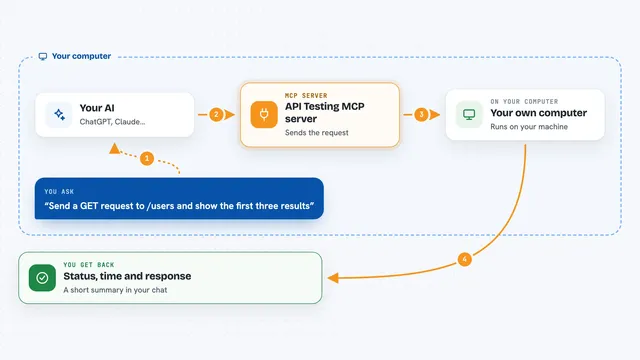
You point this helper at an OpenAPI or Swagger file, either a file on your computer or a web address. At startup, it reads that file and works out every operation the service offers, like listing items or creating one. It then presents each of those operations to your AI as a tool with a clear name and description. When you ask your AI something that matches one of those tools, the AI calls the helper, the helper sends the right request to the actual service, and the answer comes back into your chat.
 Click to zoom
What you can do with it
- Use any service that has an OpenAPI or Swagger description
- List what operations a service offers
- Call those operations from your chat
- Send data to the service and get results back
- Avoid writing custom code for each new service
- Try it with the included fake virtual machine example
Try asking your AI
- “List all the virtual machines in the infrastructure API”
- “Create a new virtual machine named test-01”
- “Show me the details of virtual machine test-01”
- “Stop virtual machine test-01”
What it gives back to you
You get answers in your chat, usually as text or a small table. If the service returns a list, the AI will show it to you in a readable way. If you asked it to create or change something, it will tell you what it did and what came back. The exact format depends on the service you connected.
Before you start
What you need
- Java installed on your computer
- The openapi-mcp-server.jar file
- An OpenAPI or Swagger file or web address for the service you want to use
- An AI assistant that can connect to MCP servers
Good to know
It can perform any action the connected service allows, including creating or changing things, so check what the service permits before you let your AI use it.
Install it with your AI
Add OpenAPI to MCP server to your AI, no technical skills needed
You don't install anything by hand. You copy one prompt, paste it into an AI that can work on your computer, and it checks, installs and connects the server for you, asking you when it needs something.
Sign in to get the install prompt
Members get a ready-made prompt that lets the Claude desktop app check OpenAPI to MCP server, install it and connect it for them, step by step. You don't need any technical skills: you copy, paste and answer a few questions. Your connected AI can also find and install any of the 4,609 MCP servers here for you.
Who it's for
Developers and technical teams who already have an OpenAPI or Swagger description and want their AI assistant to use that service without extra coding.