MCP server · Research
CompetLab MCP server
by competlab
Lets your AI pull competitor prices, content, positioning, tech details, and AI visibility reports from CompetLab.

CompetLab is a service that watches your competitors for you. It keeps an eye on their prices, their website wording, their content, their tech setup, and what AI assistants like ChatGPT say about your market. This MCP server connects that service to your AI assistant, so you can just ask questions in plain words instead of clicking around a dashboard.
What is an MCP server? The 30-second version
On its own, your AI assistant can only chat with you using what it already knows. An MCP server is a small helper that gives your AI a new skill or a connection to an outside service. This one connects your AI to CompetLab, so it can look up your competitor reports and answer questions about them. You ask in the chat, and the helper fetches the real data from CompetLab behind the scenes.
What this MCP server does
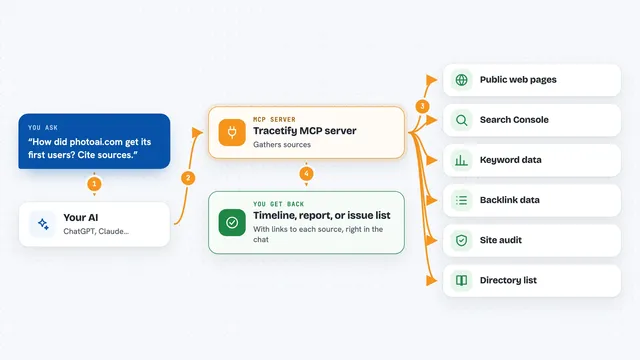
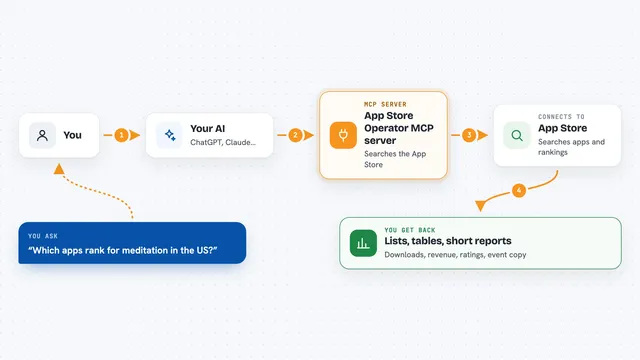
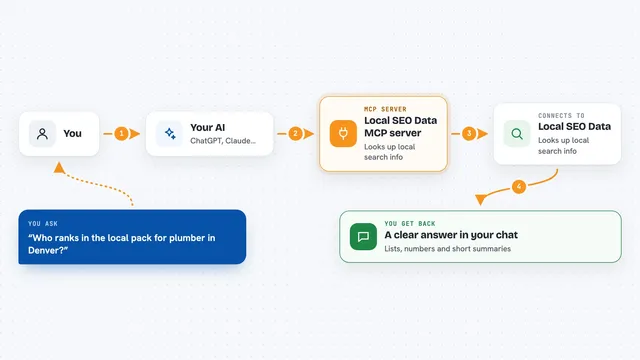
You ask your AI something like what your competitors charge or who ChatGPT recommends in your category. The AI passes that request to this CompetLab helper. The helper talks to CompetLab's service, which has already been collecting data about your competitors. CompetLab sends back the details, and your AI turns them into a clear answer in the chat. You never have to open the CompetLab dashboard yourself unless you want to.
 Click to zoom
What you can do with it
- See which brands ChatGPT, Claude, Gemini, Perplexity, and Google AI Overviews recommend in your market
- Compare your pricing plans against your competitors' plans and spot gaps
- Read how competitors describe themselves on their homepages
- Check what pages AI assistants read when answering your buyers' questions
- Track changes to competitors' websites and content over time
- Look at competitors' tech stacks and security grades
- Read your project's Strategic Briefing and see what changed
Try asking your AI
- “Who does ChatGPT recommend in my category right now, and am I on the list?”
- “Compare my pricing plans with my top three competitors and tell me where I'm losing”
- “What pages does Perplexity read when buyers ask about my product category?”
- “Show me what changed in my competitors' homepages since last month”
What it gives back to you
You get answers in plain language: lists of companies, summaries of pricing plans, notes on what changed, and short breakdowns by AI model or engine. Some answers include tables or bullet points your AI writes out for you. If you ask for details on a specific check, you can also see the raw answers the AI models gave. Everything shows up right in your chat window.
Before you start
What you need
- A CompetLab account (there is a 14 day free trial, no credit card)
- A CompetLab API key from your account settings (a kind of password for apps)
- An AI assistant that supports MCP, like Claude, Cursor, VS Code, Windsurf, or Cline
Good to know
Some tools can create, change, or delete tickets on your Strategic Tickets board, so be careful with those and only use a read_write key if you really need it.
Install it with your AI
Add CompetLab MCP server to your AI, no technical skills needed
You don't install anything by hand. You copy one prompt, paste it into an AI that can work on your computer, and it checks, installs and connects the server for you, asking you when it needs something.
Sign in to get the install prompt
Members get a ready-made prompt that lets the Claude desktop app check CompetLab MCP server, install it and connect it for them, step by step. You don't need any technical skills: you copy, paste and answer a few questions. Your connected AI can also find and install any of the 4,361 MCP servers here for you.
Who it's for
Marketing, product, and competitive intelligence people who want quick answers about competitors and AI visibility without digging through dashboards.