MCP server · Research
Local SEO Data MCP server
by localseodata
Ask your AI about local search rankings, reviews, and competitors, and it looks them up for you.

This is a helper that connects your AI assistant to Local SEO Data, a service that tracks how businesses show up in local search. Once it is set up, you can ask plain questions about rankings, reviews, and keywords, and your assistant fetches the answers. It is handy if you handle marketing for local businesses, like plumbers, dentists, or restaurants.
What is an MCP server? The 30-second version
On its own, your AI can only chat with you using what it already knows. An MCP server is a small helper program that gives your AI a new skill or a connection to an outside service. This one connects your AI to Local SEO Data, so it can look up real rankings, reviews, and keyword numbers for you. You just ask in normal words, and the AI uses this helper behind the scenes to get the facts.
What this MCP server does
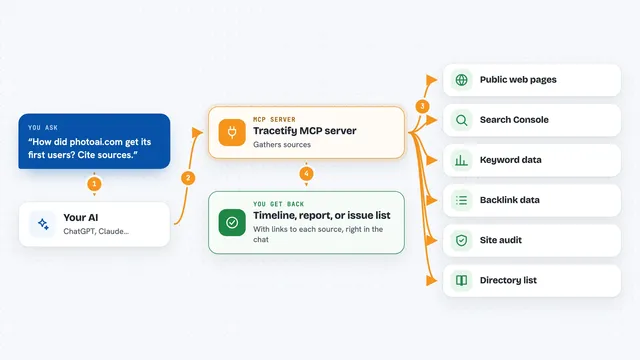
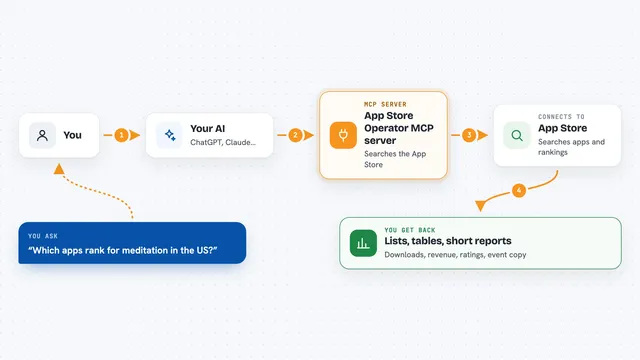
You ask your AI a question about local search, like who ranks for a certain term in a certain city. The AI sends that request to this helper, which talks to the Local SEO Data service. The service runs the lookup, such as a local pack check or a review pull, and sends the results back. The AI then turns those results into a clear answer in your chat. You never have to open a dashboard or copy numbers around.
 Click to zoom
What you can do with it
- Check who ranks in the local pack for a service and city
- Pull Google reviews and compare them to competitors
- Find keywords a local business should target
- Run a local SEO audit for a business
- Scan rankings on a geogrid map around a location
- Check your AI visibility score for a search phrase
- Audit whether your business details match across directories
Try asking your AI
- “Who ranks in the local pack for plumber in Denver?”
- “Run a full local SEO audit for Mike's Plumbing in Austin, TX”
- “Compare my Google reviews to my top 3 competitors”
- “What keywords should a dentist in Portland be targeting?”
What it gives back to you
You get answers in your chat, usually as lists, short summaries, or numbers. For example, a local pack check comes back as a ranked list of businesses. A review comparison comes back as counts and recent review text. An audit comes back as a set of findings you can read through.
Before you start
What you need
- A Local SEO Data account (sign up at localseodata.com/signup)
- An API key from your Local SEO Data dashboard (a kind of password for apps; the site gives you one)
- Credits on your account, since each lookup uses some
Good to know
Each lookup uses credits from your Local SEO Data account, so heavy use can cost money.
Install it with your AI
Add Local SEO Data MCP server to your AI, no technical skills needed
You don't install anything by hand. You copy one prompt, paste it into an AI that can work on your computer, and it checks, installs and connects the server for you, asking you when it needs something.
Sign in to get the install prompt
Members get a ready-made prompt that lets the Claude desktop app check Local SEO Data MCP server, install it and connect it for them, step by step. You don't need any technical skills: you copy, paste and answer a few questions. Your connected AI can also find and install any of the 4,361 MCP servers here for you.
Who it's for
Local SEO specialists, marketing agencies, and small business owners who want quick answers about rankings and reviews without digging through dashboards.