MCP server · Developer tools
MCP Server Templates
Set up ready-made AI helper programs for files, GitHub, GitLab and more with one command.
This is a toolbox that sets up small helper programs for your AI, called MCP servers, without you needing to know anything about servers or containers. You pick a ready-made template, like one for files or for GitHub, and it gets running for you. It is handy if you want your AI to reach beyond chatting and actually touch your files or your work apps.
What is an MCP server? The 30-second version
On its own, your AI can only chat. An MCP server is a small helper program that gives your AI a new skill or a connection to an app or service. This project is a collection of ready-made helpers, so instead of building one yourself, you pick a template and it sets the helper up for you. Once it is running, your AI can look things up or do things in that service when you ask.
What this MCP server does
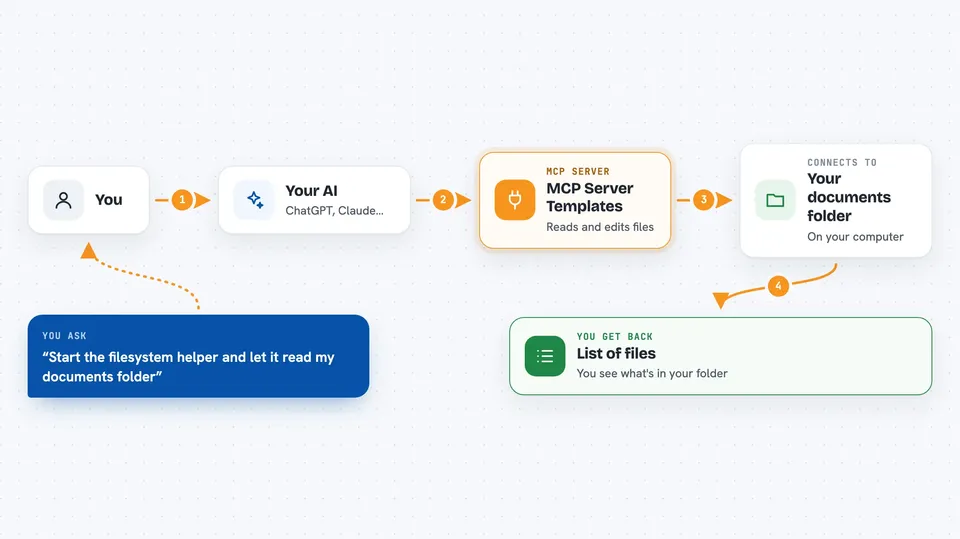
You choose a template, for example the one for files or the one for GitHub, and run a short command. The tool downloads a pre-built setup and starts it for you, usually on your own computer. Your AI then connects to that running helper. When you ask your AI something, it passes the request to the helper, the helper talks to the service, and the answer comes back into your chat. You can also list what is running, read the logs, and stop things when you are done.
 Click to zoom
What you can do with it
- Start a ready-made helper for files, GitHub, GitLab, Zendesk or a simple demo
- See a list of all available templates and what each one does
- Check which helpers are currently running on your machine
- Read the logs of a running helper to see what it is doing
- Stop a helper when you no longer need it
- Pass your own settings, like a folder path or an access token, when starting a helper
- Create your own template if you want something custom
Try asking your AI
- “Start the filesystem helper and let it read my documents folder”
- “Show me which helpers are running right now”
- “Start the GitHub helper using my access token”
- “Show me the logs for the demo helper”
What it gives back to you
You get plain answers in your chat, like a list of files, a summary of what a helper found, or a confirmation that something was changed. The tool itself also prints short messages in your terminal, such as the address where the helper is running and whether it started fine. If something goes wrong, the logs show you what happened in everyday words.
Before you start
What you need
- Python installed on your computer (the tool is installed with pip)
- Docker installed and running, since the helpers run inside small containers
- Access tokens for the services you want to connect, like GitHub or GitLab, if you use those templates
Good to know
Some templates, like the filesystem one, can read or change files on your computer, so only point them at folders you are comfortable sharing with your AI.
Install it with your AI
Add MCP Server Templates to your AI, no technical skills needed
You don't install anything by hand. You copy one prompt, paste it into an AI that can work on your computer, and it checks, installs and connects the server for you, asking you when it needs something.
Sign in to get the install prompt
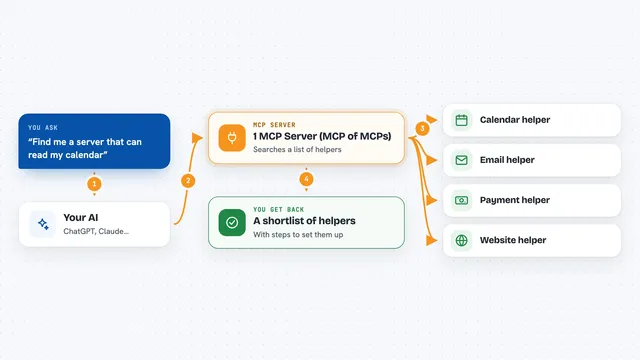
Members get a ready-made prompt that lets the Claude desktop app check MCP Server Templates, install it and connect it for them, step by step. You don't need any technical skills: you copy, paste and answer a few questions. Your connected AI can also find and install any of the 4,609 MCP servers here for you.
Who it's for
People who want their AI to reach files or work apps but do not want to set up servers or containers by hand.