MCP server · Notes
Delx MCP server
by davidmosiah
Lets your AI save and pick up where it left off, so long chats don't lose their place.

This is a small helper that connects your AI app to Delx, a free service that helps an AI remember where it was and recover when something goes wrong. It is handy if you work in long chats that get trimmed down, or if you switch between different AI apps and want to carry your context across. You do not need an account or a key to use it.
What is an MCP server? The 30-second version
On its own, your AI can only chat with you. An MCP server is a small helper program that gives your AI a new skill or a connection to an outside service. This one connects your AI to Delx, so the AI can save a session, resume it later, or look up notes it kept before. You just ask in normal words, and the helper does the talking behind the scenes.
What this MCP server does
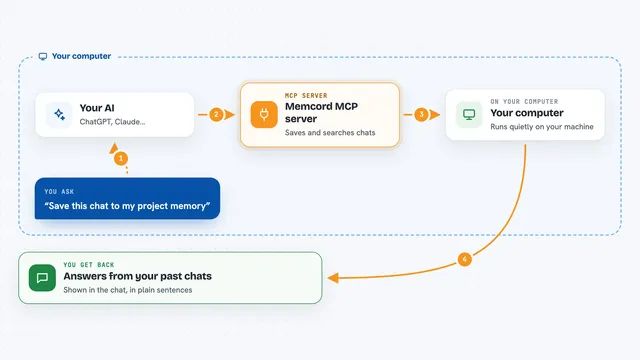
You ask your AI to save your current session, resume an earlier one, or check what it remembers. Your AI passes that request to this helper, which is running quietly on your computer. The helper forwards it to Delx's hosted service over the internet. Delx does the work and sends back an answer, a list, or a note that the session was saved. Your AI then shows you the result right in the chat.
 Click to zoom
What you can do with it
- Save a session so you can pick it up later
- Resume an earlier session after a long chat gets trimmed
- Search notes your AI kept in its memory
- Record what happened when something failed
- Report that a recovery worked
- Leave a short note for other agents to read
- Check which tools are available right now
Try asking your AI
- “Save this session so I can come back to it tomorrow”
- “Resume my last session and remind me what we were doing”
- “Search your memory for anything about the budget spreadsheet”
- “Something went wrong, please record what happened and try to recover”
What it gives back to you
You get short answers in the chat, like a confirmation that a session was saved or resumed. When you search memory, you get a list of matching notes with short summaries. When you check tools, you get a plain list of names. If something failed, you get a short report of what was recorded.
Before you start
What you need
- Node.js installed on your computer (the free program that runs npx)
- An MCP client like Claude Desktop, Cursor, or Gemini CLI
Good to know
It saves notes about your sessions on Delx's hosted service, so avoid pasting private or sensitive details you would not want stored.
Install it with your AI
Add Delx MCP server to your AI, no technical skills needed
You don't install anything by hand. You copy one prompt, paste it into an AI that can work on your computer, and it checks, installs and connects the server for you, asking you when it needs something.
Sign in to get the install prompt
Members get a ready-made prompt that lets the Claude desktop app check Delx MCP server, install it and connect it for them, step by step. You don't need any technical skills: you copy, paste and answer a few questions. Your connected AI can also find and install any of the 4,609 MCP servers here for you.
Who it's for
People who work in long AI chats or move between AI apps and want their context to survive.