MCP server · Notes
Omega Brain MCP server
by VrtxOmega
Give your AI a scoped memory and audit helper so it can look up past task notes and keep a record of what it did.

Omega Brain is a small helper you install on your own computer. It gives your AI a place to store notes tied to a specific task, and to look those notes up again later. It is handy if you work on longer projects and want your AI to remember what was decided, without mixing up different jobs.
What is an MCP server? The 30-second version
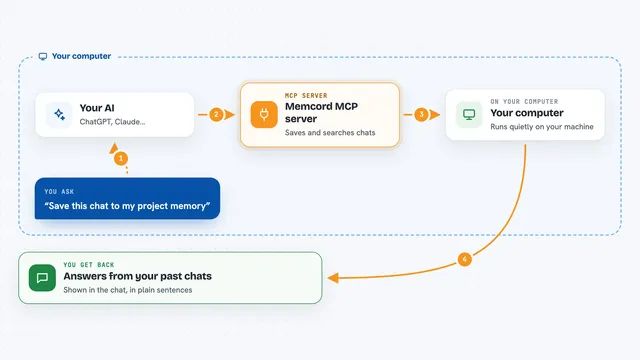
On its own, your AI can only chat. An MCP server is a small helper program that gives your AI a new skill or a connection to something outside the chat. This one connects your AI to a local memory store called Omega Brain, kept in a folder on your machine. When you ask your AI something, it can quietly ask this helper to save or fetch notes for the task you are working on.
What this MCP server does
You give your AI a task and a task ID, which is just a short label for the job. The AI asks Omega Brain to load the notes for that task. Later, when you ask a question, the AI sends the question and the same task ID to Omega Brain, which searches the notes it has stored for that job and sends back the matching bits. You can also ask the AI to add new notes, or to write a short handoff summary so the next session can pick up where you left off. Along the way, Omega Brain keeps a local record of what it did, so you can check the health and history of the store.
 Click to zoom
What you can do with it
- Load the saved notes for a task before you start working
- Search your task notes for a topic or decision
- Add new notes to a task so they are there next time
- Write a handoff summary at the end of a session
- Check the health of the memory store
- See a report of what has been stored and verified
- Check the status of the wider Omega setup
Try asking your AI
- “Load the notes for task example-task before we start”
- “Search my notes for task example-task about the deployment decision”
- “Add a note to task example-task saying we picked option B”
- “Write a handoff for task example-task so I can continue tomorrow”
What it gives back to you
You get back short pieces of text: the notes that matched your search, a summary of the task, a health status, or a confirmation that a note was saved. In the chat it looks like a normal answer from your AI, sometimes with a short list of items. Nothing is sent to the internet; everything stays in a folder on your computer.
Before you start
What you need
- Python installed on your computer
- The Omega Brain package installed with pip
- An MCP client, such as the Claude desktop app, that you can add a command to
Good to know
This helper reads and writes files in a folder on your computer, so be careful about what you ask it to store there.
Install it with your AI
Add Omega Brain MCP server to your AI, no technical skills needed
You don't install anything by hand. You copy one prompt, paste it into an AI that can work on your computer, and it checks, installs and connects the server for you, asking you when it needs something.
Sign in to get the install prompt
Members get a ready-made prompt that lets the Claude desktop app check Omega Brain MCP server, install it and connect it for them, step by step. You don't need any technical skills: you copy, paste and answer a few questions. Your connected AI can also find and install any of the 4,609 MCP servers here for you.
Who it's for
People who run long or repeated tasks with an AI and want a simple, local way to keep notes and a record of what happened.